
Best Free Alternatives to Popular Paid Software
A practical, regularly updated guide to the best free alternatives to popular paid software for office work, photo editing, video, audio, PDFs, compression, 3D and CAD.
Freshness note: Free editions, platform support and software capabilities can change. The tools below were checked on 29 September 2026.
Quick Answer
You can replace a surprising amount of paid desktop software without using cracked copies, trials or questionable download sites.
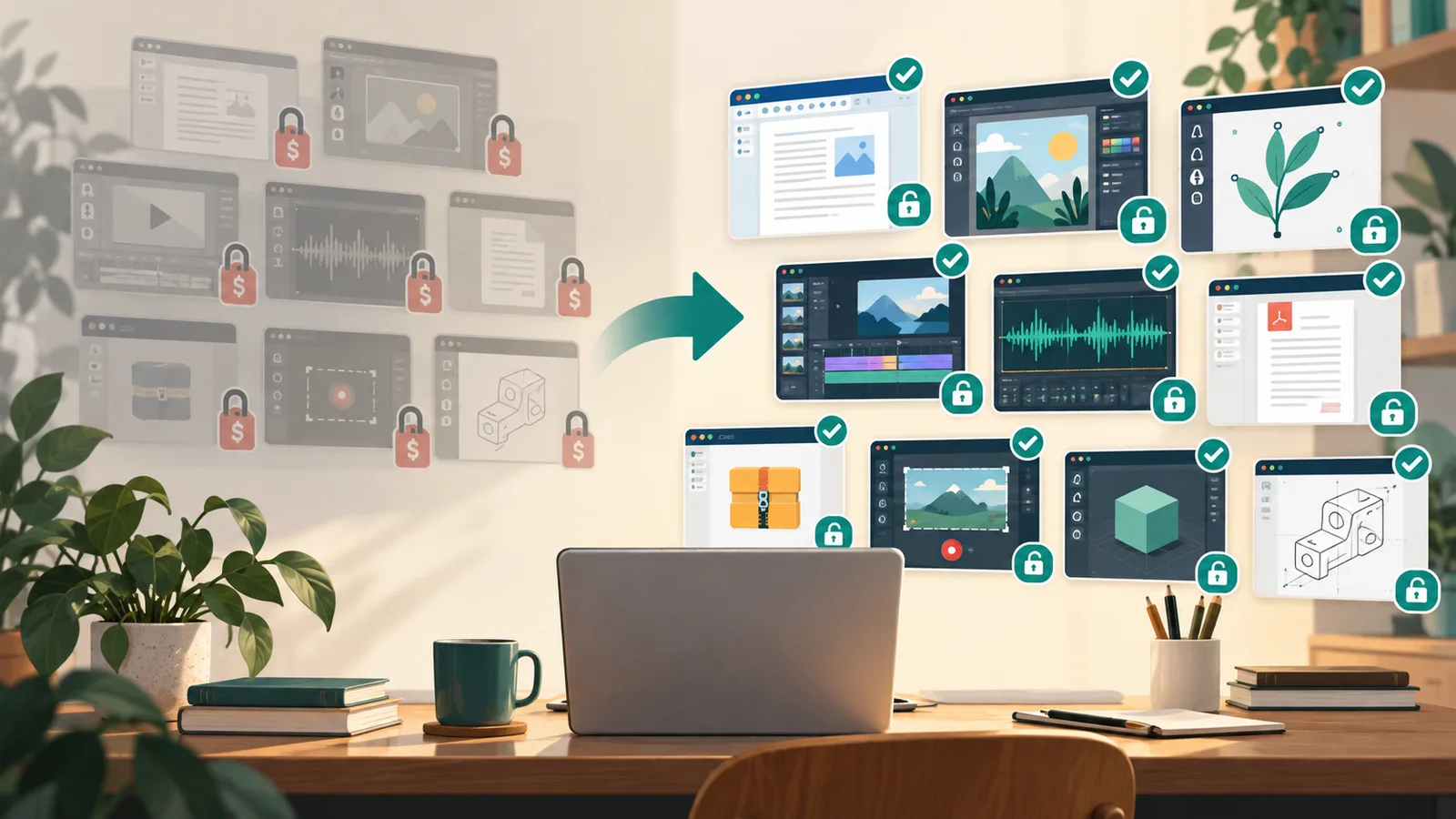
| If you use paid software for… | Free alternative | Best for | Main trade-off |
|---|---|---|---|
| Microsoft Office / Microsoft 365 desktop work | LibreOffice | Documents, spreadsheets and presentations | Complex Office formatting and macros may not transfer perfectly |
| Adobe Photoshop | GIMP | Photo editing and image manipulation | Different workflow; Adobe ecosystem features are missing |
| Adobe Illustrator | Inkscape | Vector graphics, logos and diagrams | Some complex AI-file workflows may need adjustment |
| Adobe Premiere Pro | DaVinci Resolve | Professional video editing | Free version has codec, resolution and AI-feature limits |
| Adobe Audition | Audacity | Recording and editing audio | Simpler than a full professional post-production suite |
| Adobe Acrobat Pro | PDF24 | Everyday PDF editing, conversion and organisation | Advanced Acrobat workflows are not fully replaced |
| WinRAR / WinZip | 7-Zip | File compression and extraction | Can extract RAR but does not create RAR archives |
| Camtasia / paid screen recorders | OBS Studio | Screen recording and streaming | It is not a full video editor |
| Autodesk Maya / paid 3D suites | Blender | 3D modelling, animation and rendering | Different workflows and pipelines from commercial studio tools |
| Paid CAD packages | FreeCAD | Parametric 3D CAD and technical projects | Compatibility and specialist workflows vary |
Best Free Office Suite: LibreOffice
LibreOffice is the strongest free replacement for the core Microsoft Office desktop workflow.
It includes Writer, Calc, Impress, Draw, Base and Math, and can open and save Word, Excel and PowerPoint formats including DOCX, XLSX and PPTX.
Best for: personal work, students, home offices and organisations that do not depend on complex Microsoft-only features.
Important trade-off: LibreOffice itself warns that complex Microsoft Office formatting can require manual adjustment, and VBA/macros are not always directly compatible.
Best Free Photoshop Alternative: GIMP
GIMP is a free, community-developed image editor for photo retouching, image composition and general raster graphics work.
Current official builds are available for Windows, macOS and Linux.
Best for: photo editing, web graphics, thumbnails, image cleanup and layer-based raster work.
Important trade-off: it is not Photoshop with a different logo. Keyboard shortcuts, plugins, colour workflows and PSD compatibility can differ.
Best Free Illustrator Alternative: Inkscape
Inkscape is a free, open-source vector graphics editor for Windows, macOS and Linux.
It is particularly good for SVG, logos, icons, diagrams, typography and scalable illustrations, and can import/export formats including SVG, AI, EPS, PDF and PNG.
Best for: vector artwork, logo design and web graphics.
Important trade-off: complex Illustrator-native projects may not transfer perfectly, so teams exchanging AI files should test compatibility before switching.
Best Free Video Editor: DaVinci Resolve
DaVinci Resolve is unusual because its free version is already a serious professional editor.
Blackmagic Design says the free edition supports editing, colour, VFX, motion graphics and audio, with most 8-bit formats up to 60fps and Ultra HD 3840×2160.
Best for: YouTube, filmmaking, colour grading and advanced video editing.
Important trade-off: DaVinci Resolve Studio adds AI tools, extra effects, advanced noise reduction, higher frame rates, resolutions beyond 4K and broader 10-bit workflows.
Best Free Audio Editor: Audacity
Audacity is a free, open-source audio recorder and editor for Windows, macOS and Linux.
It works well for podcasts, voice recordings, trimming, noise cleanup, effects and general waveform editing.
Best for: podcasts, voiceovers, basic music editing and quick audio repair.
Important trade-off: it is an audio editor, not a complete replacement for every professional multitrack production or post-production workflow.
Best Free PDF Toolkit: PDF24
PDF24 provides free tools for merging, splitting, compressing, editing, signing, converting, OCR, redaction and many other PDF tasks.
Its online tools work in a browser, while PDF24 Creator provides an offline Windows option where files remain on the PC.
Best for: everyday PDF tasks without an Acrobat subscription.
Important trade-off: advanced prepress, enterprise document workflows and specialised Acrobat features may still require professional software.
Best Free WinRAR/WinZip Alternative: 7-Zip
7-Zip remains one of the simplest recommendations in this guide.
It is free and open source, supports 7z, ZIP, TAR, GZIP and many other formats, and can extract RAR files.
Best for: compression, extraction and encrypted archives on Windows.
Important trade-off: it can extract RAR but cannot create RAR archives.
Best Free Screen Recorder: OBS Studio
OBS Studio is free and open source software for screen recording and live streaming on Windows, macOS and Linux.
It supports scenes, window capture, cameras, browser sources, capture cards, audio mixing and plugins.
Best for: tutorials, gameplay recording, presentations, streaming and multi-source screen capture.
Important trade-off: OBS records extremely well, but it is not a full nonlinear video editor. Pair it with DaVinci Resolve if you also need editing.
Best Free 3D Suite: Blender
Blender is a complete free and open-source 3D creation suite.
It covers modelling, rigging, animation, simulation, rendering, compositing, motion tracking, video editing and game-asset creation.
Best for: 3D artists, animation, rendering, game assets, visual effects and independent studios.
Important trade-off: commercial pipelines built around Maya, 3ds Max or proprietary plugins may not migrate cleanly.
Best Free CAD Alternative: FreeCAD
FreeCAD is an open-source parametric 3D modeller for Windows, macOS and Linux.
It supports technical work using formats such as STEP, IGES, STL, SVG, DXF, OBJ and IFC, with tools spanning product design, mechanical engineering, BIM, CAM and finite-element workflows.
Best for: hobby engineering, 3D printing, mechanical design, learning CAD and open-format technical projects.
Important trade-off: it is not a drop-in replacement for every AutoCAD, SolidWorks or Fusion workflow. Test the exact file formats and specialist tools your work depends on.
Which Free Tools Should Most People Install?
For a general Windows PC, a practical free toolkit is:
- LibreOffice — office files
- 7-Zip — archives
- PDF24 Creator — PDFs
- GIMP — images
- OBS Studio — screen recording
- Audacity — audio
Install the heavier specialist tools—DaVinci Resolve, Blender and FreeCAD—only if you actually need video, 3D or CAD work.
What “Free Alternative” Does Not Mean
A free tool does not have to reproduce every feature of the paid product.
The better question is:
Can the free tool handle the work you actually do?
Before replacing paid software in a professional workflow, check:
- file compatibility
- plugins and extensions
- fonts and colour management
- macros and automation
- collaboration requirements
- hardware support
- client or employer file-format requirements
A free alternative is a poor choice if switching creates more compatibility problems than the subscription saves.
How These Picks Were Chosen
Selections favour tools that are genuinely useful, actively maintained, legally free to use and available from trustworthy official sources.
Most are open source. DaVinci Resolve is a commercial product with a capable free edition, while PDF24 is free software/service rather than an open-source replacement.
No hands-on testing of every professional workflow by akhileshsaini.com is implied.
At a glance
LibreOffice
- No subscription
- DOCX, XLSX and PPTX support
- OpenDocument format
- Strong offline desktop workflow
- Actively maintained
GIMP
- Free and open source
- Layers and masks
- Extensible with plugins
- Windows, macOS and Linux builds
- Active development
Inkscape
- Free and open source
- Native SVG workflow
- Bezier and drawing tools
- Broad import/export support
- Cross-platform
DaVinci Resolve
- Professional editing workflow
- Advanced colour grading
- Fusion VFX
- Fairlight audio
- Free up to Ultra HD 3840×2160 at 60fps for supported 8-bit formats
Audacity
- Free and open source
- Recording and editing
- Plugin support
- Cross-platform
- Useful for podcasts and voice work
PDF24
- Free online tools
- No artificial tool limits stated by PDF24
- Offline Windows Creator
- Large PDF utility collection
- No subscription required
7-Zip
- Free for personal and commercial use
- High 7z compression ratio
- AES-256 encryption for 7z and ZIP
- Extracts many archive formats
- Windows shell integration
OBS Studio
- Free and open source
- Multiple scenes and sources
- Audio mixer and filters
- Plugin ecosystem
- Cross-platform
Blender
- Complete 3D pipeline
- Cycles renderer
- Animation and rigging
- Simulation and compositing
- Python scripting
FreeCAD
- Parametric modelling
- STEP, IGES, STL, DXF, IFC and other formats
- BIM and CAM workbenches
- Finite element tools
- Cross-platform