How Important Are Android Updates and Security Updates When Buying a Smartphone?
Learn why Android upgrades and security patches matter, how to check a phone's remaining support, and what to prioritise when buying in India.
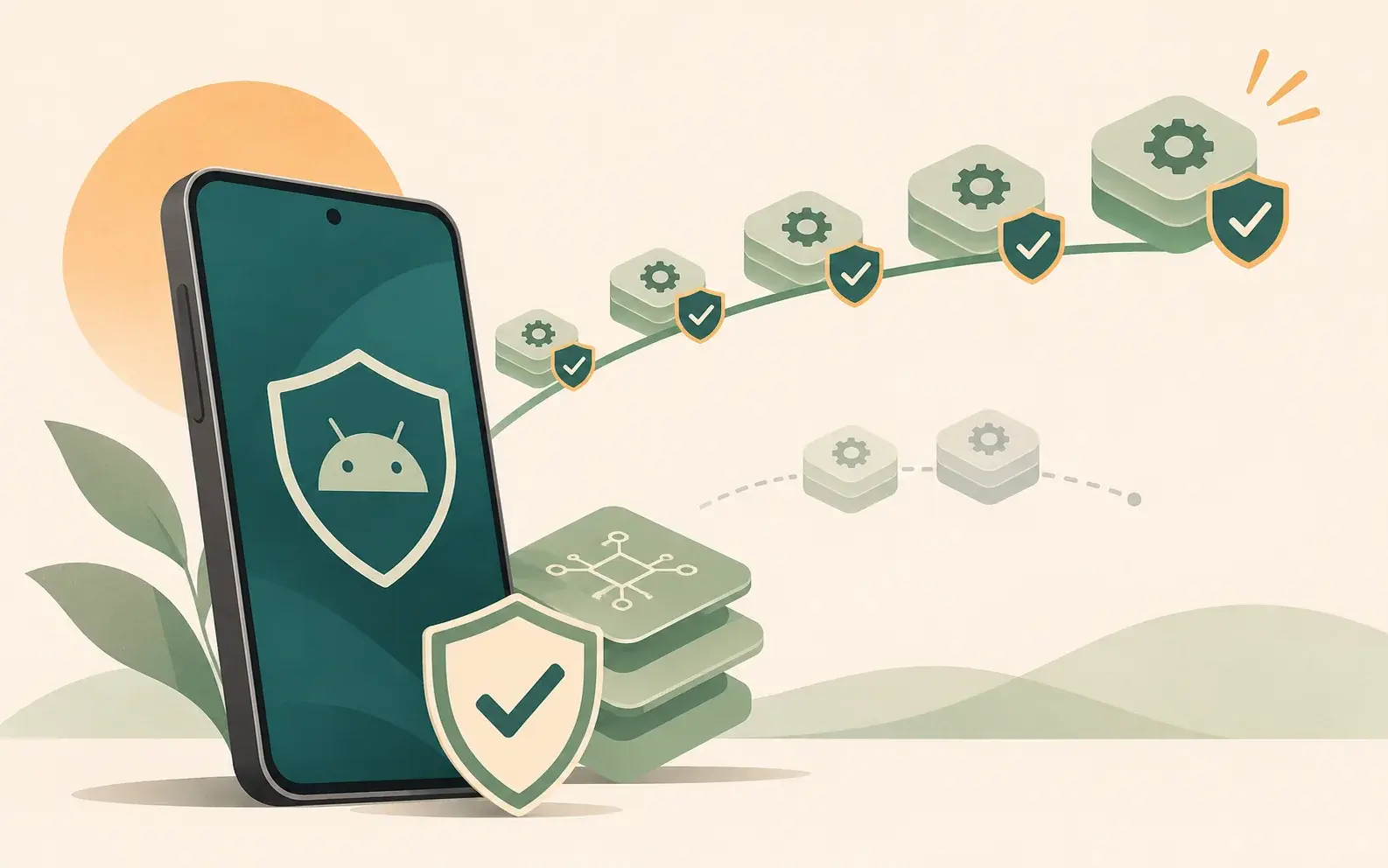
Two smartphones can have similar processors, cameras and displays yet age very differently. One may receive fixes and new Android features for years; the other may stop getting important security patches while its hardware is still perfectly usable.
That difference is easy to overlook beside visible features such as a 120Hz screen or faster charging.
The short answer: security updates should be a serious buying criterion, especially if you intend to keep the phone for several years. Major Android upgrades matter too, but the number of promised upgrades is not the same as the length or reliability of security support. You need to examine both—and check when the support period actually began.
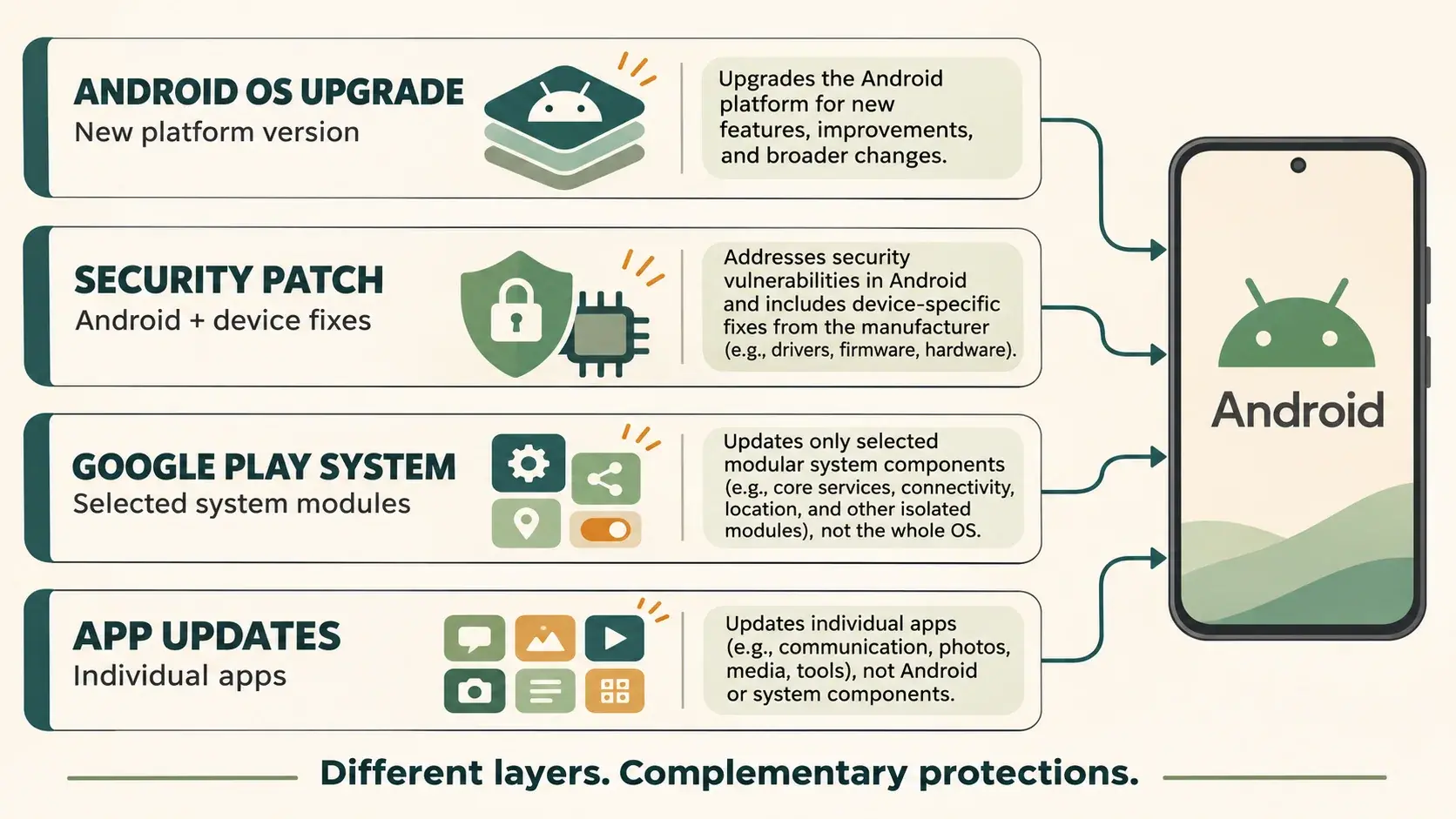
Android upgrades, security patches and Google Play updates are different
A phone receives several kinds of software updates. Marketing descriptions often group them together, even though they perform different jobs.
| Update type | What it generally does | What to check before buying |
|---|---|---|
| Major Android OS upgrade | Moves the phone to a newer Android version, potentially bringing platform features, privacy changes and compatibility improvements | How many version upgrades the specific model is promised |
| Manufacturer security update | Fixes disclosed vulnerabilities in Android and relevant device-specific components | The support end date and expected release frequency |
| Google Play system update | Updates certain modular Android components separately from full manufacturer firmware | Whether the device supports it; do not treat it as a substitute for firmware patches |
| App and service update | Updates individual apps or services, sometimes adding features and fixing vulnerabilities | Continued app compatibility and updates through trusted stores |
An Android version such as Android 15 or 16 describes the broad platform generation. An Android security patch level is a date-based indication of which relevant bulletin fixes the firmware claims to include. The Google Play system update has its own status. Google explains how to view these separately in Android settings. Source: Android Help.
This distinction is important because a phone can be on an older Android version while still receiving security fixes. Conversely, a relatively recent Android version does not prove that its current firmware has the latest patches.
What a security patch actually protects
Android security bulletins document vulnerabilities and corresponding fixes. Depending on the issue, those fixes may involve Android's framework, operating-system components, kernel or hardware-vendor software. Problems can range from unintended access to sensitive information to more serious forms of code execution or privilege escalation.
The fixes are not merely cosmetic. Phones hold email sessions, saved passwords, photos, messages, authentication apps and access to banking or UPI services. An attacker exploiting a software flaw may bypass protections that work perfectly well against ordinary misuse.
Not every published vulnerability affects every phone, and receiving an update does not make a device invulnerable. Nevertheless, ongoing patch support reduces the period during which known, applicable weaknesses remain uncorrected. Google publishes Android security bulletins regularly, with device makers responsible for delivering applicable fixes in their products. Source: Android Security Bulletins.
Are major Android upgrades as important as security updates?
They matter for somewhat different reasons.
A new Android version can introduce better permission controls, APIs, system features and under-the-hood improvements. Newer platform versions can also help a phone remain compatible with software developed around newer Android capabilities. Manufacturers may add their own interface features in the same release.
But being on the newest Android version is not the only measure of whether a phone is safe. A supported older version with current security patches can be a better practical proposition than a phone whose major version looks newer but whose manufacturer has stopped maintaining it.
There are limits to this comparison. Some security improvements require newer platform architecture, hardware features or major system changes; an old version cannot necessarily gain them through patches. And manufacturers sometimes bundle security fixes into a major upgrade rather than releasing them separately.
For a buyer, the useful questions are therefore: How long will security fixes continue? How many major platform upgrades are promised? And does the company reliably deliver updates for this exact model?
Why the number of promised years can mislead
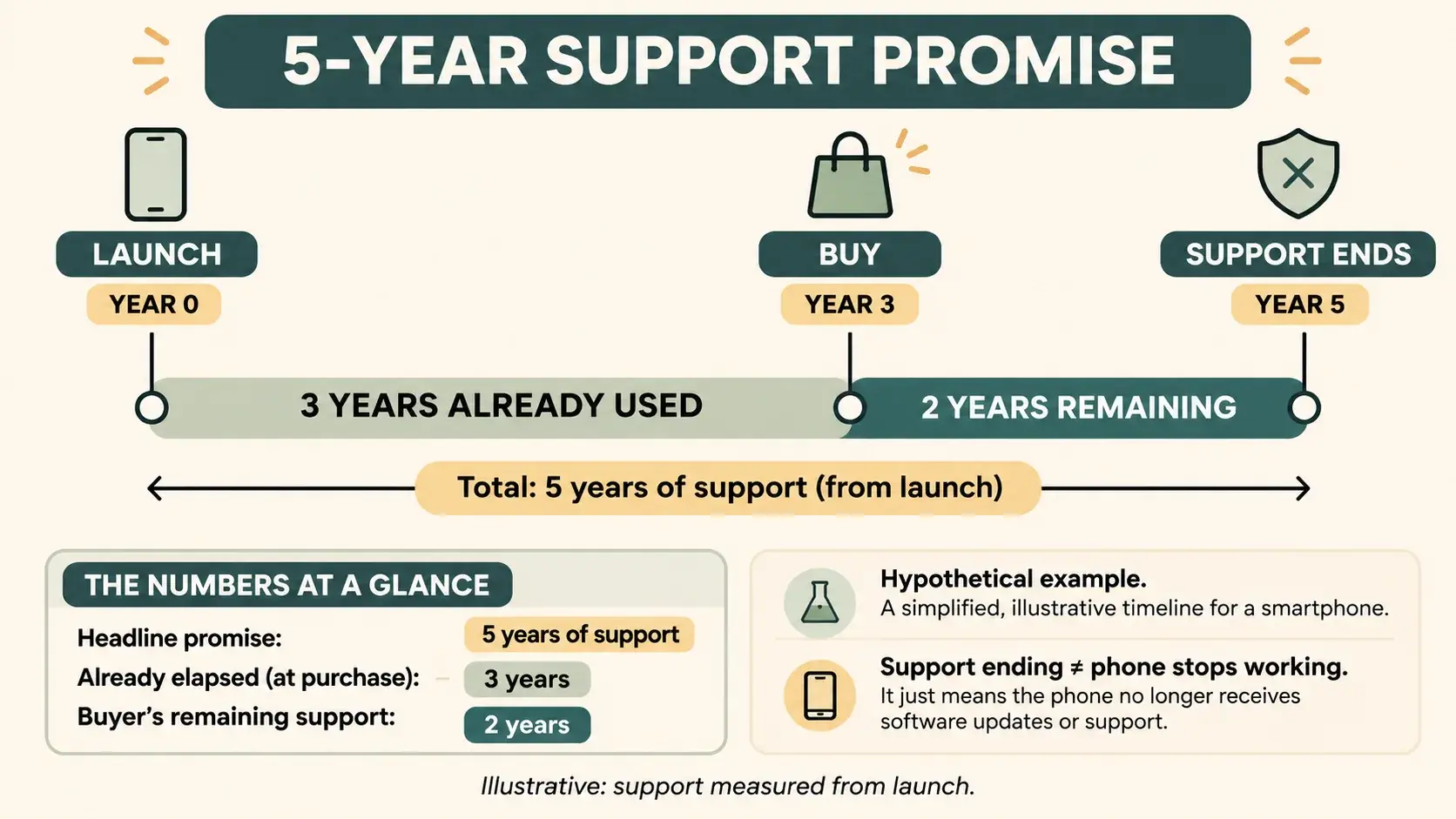
A headline such as “seven years of updates” sounds straightforward. It may not mean seven years from the day you buy the phone.
Consider a hypothetical model launched in January 2024 with five years of security support measured from launch. Buying a new, unsold unit in January 2027 would leave roughly two years of the originally promised window, not five.
The support starting point also varies by manufacturer. Google's support page says Pixel 8 and later phones receive seven years of updates starting when each device first became available on the Google Store in the United States. Source: Google Pixel update policy.
Other policies use expressions such as “from launch date” or promise a certain number of operating-system generations. Six OS generations means a count of version upgrades; six years of security support is a duration. Neither guarantees every new feature on every older device.
Examples that show why you must check the model
These are documented examples, not a ranking of the latest phones:
- Google Pixel 8 and later: Google states a seven-year update period measured from first US Google Store availability of the model. Check the exact Pixel generation rather than assuming every Pixel has the same policy.
- Samsung Galaxy S24 series: Samsung India announced seven generations of OS upgrades and seven years of security updates for this series. That commitment should not automatically be applied to every earlier Galaxy S or every budget Galaxy phone.
- Samsung Galaxy A56/A36/A26 generation: Samsung announced up to six generations of Android and One UI upgrades, with six years of security updates. The scope differs from the Galaxy S24 announcement.
- OnePlus 11: OnePlus India's specifications promise at least four generations of Android upgrades and five years of security updates from the launch date. That is a model-specific policy, not a universal rule for every OnePlus phone.
Official references: Samsung Galaxy S24, Samsung Galaxy A series, OnePlus 11 specifications.
Policies, release schedules and market availability change. For any purchase, use the Indian product listing and current support documentation for the exact model, including its regional variant, rather than an old comparison chart or an advertisement for a different series.
Monthly, quarterly and occasional patches: does frequency matter?
Yes, although a missed calendar month is not automatic proof of negligence.
Google publishes regular Android security bulletins. Manufacturers must incorporate applicable fixes, test them against their software and hardware, and distribute the resulting update. Some phones receive monthly releases; others receive quarterly or less frequent security updates. Regional rollout schedules and network-related testing can also affect timing.
Samsung, for example, publishes an official security-update scope that separates supported devices into monthly, quarterly and biannual groups. It also warns that devices may change groups as they age, and that availability can vary by model, region and carrier. Source: Samsung Mobile Security.
For a phone holding sensitive accounts, timely and consistent updates are preferable to unexplained, extended gaps. However, a quarterly schedule can still be a legitimate supported schedule; it is not equivalent to receiving no patches at all.
Practical rule: examine both the promised end date and the actual cadence. “Five years of updates” with poorly documented delivery is less reassuring than a clear, maintained schedule. No manufacturer can guarantee that all newly discovered vulnerabilities will be fixed immediately.
Can Google Play updates keep an unsupported phone secure?
Only to a limited extent.
Android's Mainline architecture allows certain modular system components to be updated outside the normal full-system release cycle. Google Play system updates can deliver some of these changes, while individual apps and Google services can also update through their own channels. Source: Android Open Source Project — Mainline.
That is useful because not every fix requires a complete firmware download. But these mechanisms do not replace every manufacturer update. Device-specific drivers, kernel components, radio firmware and other parts of a handset may still depend on the manufacturer and its hardware partners.
Google Play Protect is another layer: it scans apps for potentially harmful behaviour and can issue warnings or take protective action. It does not make an unsupported operating system equivalent to a fully patched one. Source: Google Play Protect.
Think of protection as several overlapping layers. Current apps, secure account settings and Play Protect help; continuing firmware security support addresses vulnerabilities those measures may not be able to fix.
How many years of support do you actually need?
Start with how long you intend to own the phone, not the largest number printed on a launch slide.
If you replace your phone every two or three years
A model with at least that much remaining security support may meet your needs, provided its hardware and performance are suitable. Extra years are still valuable for resale and for anyone who keeps the phone longer than planned, but they need not dominate every purchase decision.
If you keep phones for four or five years
A clear four- or five-year remaining security window becomes much more important. A modest camera improvement may feel less valuable in year four than knowing the device is still receiving fixes and essential app support.
If you buy discounted older stock or a refurbished phone
This is where the support clock matters most. A two-year-old model advertised as “new” can have fewer supported years left than a newer budget phone. Also verify its current patch level and whether the manufacturer still lists it for updates. A clean factory reset does not restart the update commitment.
Consider this illustrative comparison:
| Choice | Price | Security support remaining at purchase | Price divided by supported years* |
|---|---|---|---|
| Older discounted phone | ₹19,000 | 2 years | ₹9,500/year |
| Newer phone | ₹23,000 | 4 years | ₹5,750/year |
These are fictional prices and support windows, used only to demonstrate the arithmetic. The calculation is not a total ownership-cost model or a recommendation to replace a phone on its last support day. Battery condition, repair costs, resale value and features also matter.
The ₹4,000 cheaper option is not necessarily the better long-term value if you are planning four years of use. On the other hand, if you expect to upgrade within two years and the older model is otherwise excellent, it may still be reasonable.
How to check a phone's update support before buying
A five-minute verification can tell you more than a seller's claim that the handset has “the latest Android.”
- Identify the exact model and Indian variant. A brand's flagship policy may differ from its mid-range and entry-level lines. Be careful with imported models or names reused across generations.
- Find the manufacturer's written commitment. Look on its official Indian specifications, launch announcement or security-support website. Record both OS-upgrade count and security-support length.
- Establish the starting date. Is support measured from initial release, first availability or another defined event? Do not calculate the remainder from your purchase date unless the manufacturer explicitly says so.
- Check update frequency and history. See whether the model receives monthly, quarterly or other scheduled fixes. A published policy is stronger evidence than rumours about a future upgrade.
- Inspect the actual handset, if available. In Settings, find Android version, Android security update and Google Play system update. Paths vary by brand; Google's Android Help documents these items.
- Allow for rollout differences. A device may not receive the newest bulletin immediately. Compare its patch date with the maker's documented schedule rather than treating any single number as the entire security picture.
On many Android phones, you can start at Settings → About phone → Android version for version and patch information, then use Settings → System → Software update or the manufacturer's equivalent. Some devices place update controls under Security & privacy. Source: Android Help.
Remember that a screenshot of a recent patch does not itself prove that future updates are promised. Conversely, a seven-year commitment is not proof that the particular handset in front of you is already up to date. Verify policy and present condition separately.
What happens when Android security support ends?
The phone does not suddenly stop switching on. Calls, photographs, downloaded apps and many everyday functions may continue to work. The real change is that you can no longer assume the manufacturer will correct future applicable vulnerabilities in that device's firmware.
Some apps may keep receiving updates; others may eventually require a newer Android version or impose their own device-security conditions. There is no universal date on which all banking or payment apps stop working, and ending OS support does not by itself mean your bank account is compromised.
If you must keep an unsupported phone, reduce unnecessary exposure: update the apps that still receive fixes, use a strong device lock and multi-factor authentication, keep backups, avoid unofficial app downloads and suspicious links, and do not bypass Android security protections. These precautions cannot patch unsupported firmware. For a primary phone handling important accounts, moving to a supported device is generally the safer long-term choice.
What should matter most when choosing between two phones?
Software support belongs alongside the processor, battery, camera, display, repairability and price—not below them as an afterthought. A phone promising seven years of updates is not automatically superior to one promising five: the better device still needs sufficient performance, a maintainable battery and a support period that matches your ownership plan.
Prioritise in this order: enough remaining security-support years for your intended use, a credible delivery record, useful Android upgrades, and the hardware you actually need. For a phone used for payments, work and personal data, security support deserves especially high weight.
The smartest purchase is not necessarily the model with the newest Android version today. It is one that is likely to remain reliable, compatible and supported for the years you plan to own it.
Sources and Further Reading
- Google Android Help — Check and update your Android version
- Android Open Source Project — Android Security Bulletins
- Android Open Source Project — Mainline modular system
- Google Pixel Help — Software update support periods
- Samsung Mobile Security — Current security update scope
- Samsung India — Galaxy S24 update commitment
- Samsung India — Galaxy A56/A36/A26 update commitment
- OnePlus India — OnePlus 11 specifications and update policy
- Google Play Help — Play Protect