Five Things Everyone Should Understand Before Buying a Smartphone
Before buying a smartphone, understand what processor, display, camera, battery and software specifications really mean—and which numbers can mislead you.
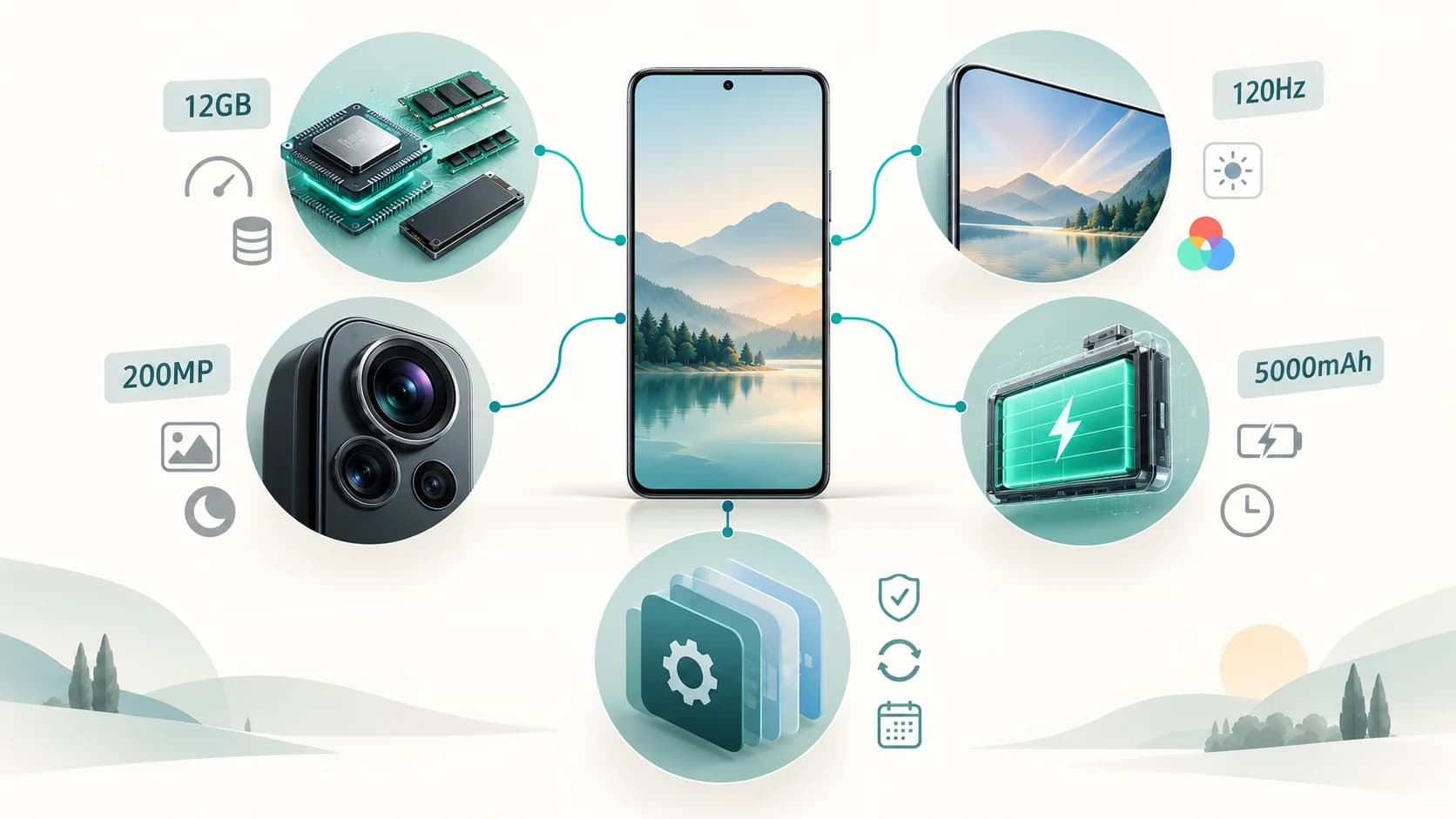
A smartphone specification sheet can look impressively precise.
200MP camera.
12 GB RAM.
120Hz AMOLED display.
5,000mAh battery.
Eight-core processor.
The numbers make comparison seem straightforward. Find the phone with the biggest numbers, and you should get the better device.
Unfortunately, smartphones don't work like that.
A 200MP camera can produce worse photographs than a 50MP camera. A phone with 12 GB of RAM can feel slower than one with 8 GB. Two phones with identical battery capacities can finish the day with very different amounts of charge remaining.
The problem isn't that specifications are useless.
The problem is that individual specifications describe parts of a system, while you experience the system as a whole.
Before comparing phones, there are five things worth understanding. Once these make sense, most smartphone specification sheets become much easier to read.
1. Performance Is About the Whole System, Not RAM or GHz Alone
When someone says a phone is “fast,” several different things may be involved.
How quickly does it:
- open an app?
- switch between apps?
- render a game?
- edit a video?
- process a photograph?
- perform an AI task?
- remain fast after twenty minutes of heavy use?
Those jobs don't all depend on the same component.
The processor is actually several processors
What people casually call the processor is usually a system-on-a-chip, or SoC.
A modern mobile SoC can integrate:
- CPU for general computation
- GPU for graphics
- NPU or AI accelerator
- image signal processor for cameras
- video-processing hardware
- modem and connectivity hardware
- memory controllers
Qualcomm's current smartphone platforms, for example, describe CPU, GPU, NPU and ISP as distinct parts of the same mobile computing platform.
That means one processor can be excellent for gaming because of a strong GPU, while another may have different strengths in AI, photography or efficiency.
Clock speed isn't a universal performance score
A specification such as:
3.5 GHz
tells you how fast a processor clock can operate.
It does not tell you how much useful work that processor completes during each clock cycle.
Two processors running at the same frequency can have very different architectures and performance.
The same applies to core count.
An “octa-core” chip is not automatically faster than another octa-core chip.
Processor generation and architecture matter much more than simply counting GHz or cores.
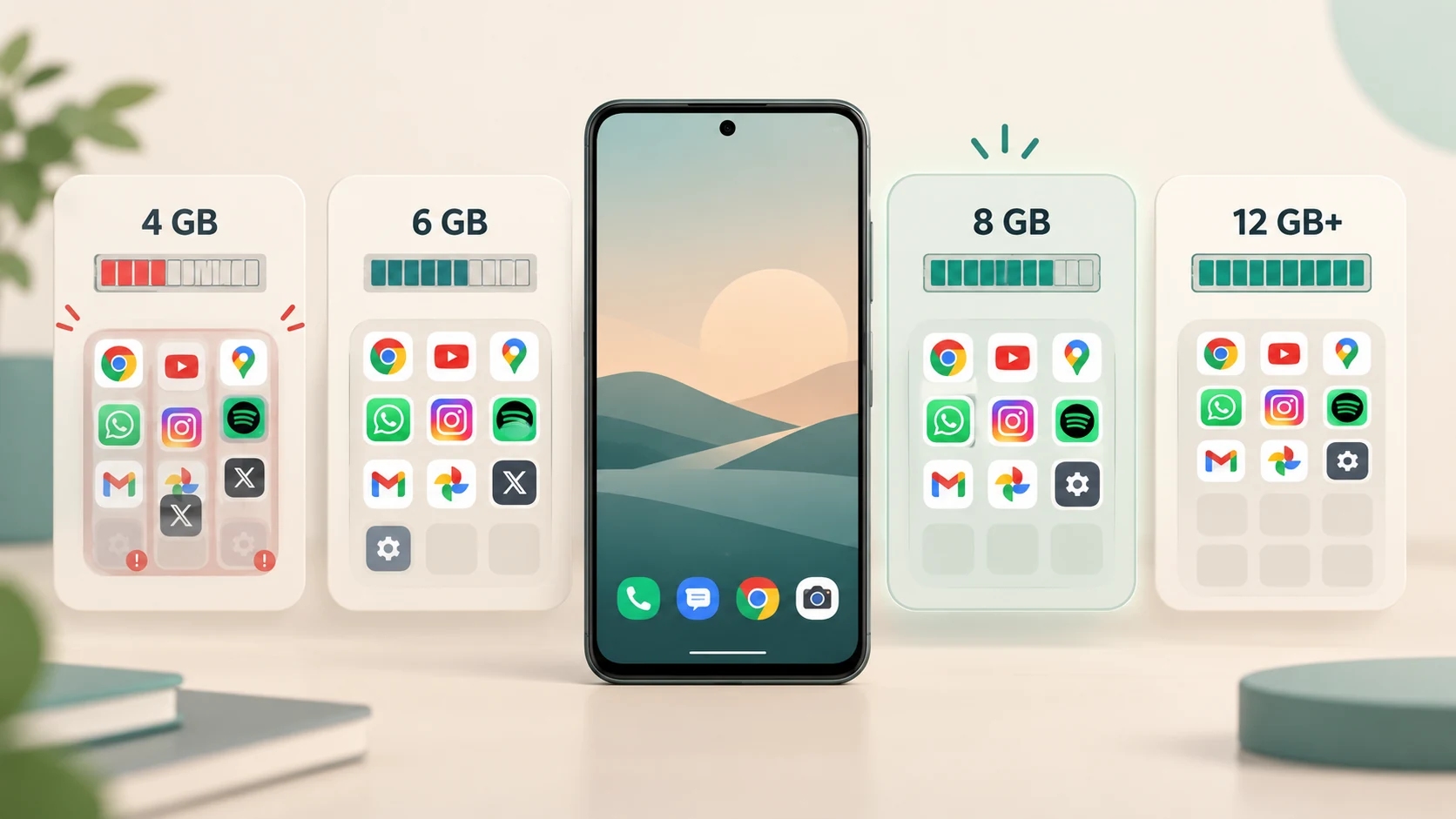
RAM does a different job
RAM is the phone's working memory.
Android keeps recently used apps in RAM so that returning to them can be faster. When memory becomes scarce, the system can reclaim memory and eventually terminate cached processes.
So more RAM mainly helps with:
- keeping more apps available
- multitasking
- large applications
- avoiding frequent reloads
It does not make a weak processor suddenly powerful.
A phone with:
16 GB RAM + weak processor
can still be slower in games and heavy tasks than:
8 GB RAM + strong processor.
Storage has a role too
Storage is where applications, photographs, videos and files live permanently.
But storage also participates in performance.
When an application starts, parts of its code and data have to move from storage into RAM. Android uses demand paging, meaning code can be loaded from persistent storage into physical memory when required.
So storage speed can affect:
- app launches
- game loading
- file transfers
- installation
- large media operations
And extremely low free storage can cause practical problems. Google's current Android troubleshooting guidance says devices may begin experiencing issues when less than roughly 10% of storage remains free.
What should you actually look for?
Think of performance as:
processor + RAM + storage + cooling + software optimization
rather than searching for one winning specification.
For ordinary use, you do not necessarily need the fastest processor available.
But if you want:
- demanding gaming
- video editing
- on-device AI
- long-term performance headroom
the processor tier deserves more attention than simply buying the phone with the most RAM.
2. A Good Display Is More Than Resolution and 120Hz
The screen is the component you interact with every time you use the phone.
Yet buyers often reduce display quality to two specifications:
resolution
and
refresh rate.
Both matter.
Neither tells the whole story.
Resolution determines how many pixels the display contains
A higher-resolution panel can display finer detail.
But the practical difference depends on:
- screen size
- viewing distance
- pixel density
- content
Once text and images already look sharp at normal viewing distances, increasing resolution further can produce relatively small visible benefits.
This is why two displays with different resolution numbers can both look extremely sharp in everyday use.
Refresh rate affects motion
A 60Hz display can update its image up to 60 times per second.
A 120Hz display can update up to 120 times per second.
Higher refresh rates can make:
- scrolling
- animations
- supported games
look smoother.
Samsung's support documentation describes 120Hz as providing smoother navigation and gaming while also warning that higher refresh rates can affect battery consumption.
Adaptive refresh matters more than the maximum number
A screen does not need to operate at 120Hz while showing a static photograph.
Modern adaptive-refresh systems can reduce refresh rate when high speed isn't needed and raise it for motion.
Android's adaptive-refresh-rate system explicitly aims to lower unnecessary high-refresh operation to reduce power consumption.
Current iPhones provide another real-world example. Apple's iPhone 17 display supports adaptive refresh rates up to 120Hz and can reduce the rate significantly when appropriate.
So:
“120Hz”
is useful information.
But:
how intelligently the phone uses 120Hz
also matters.
Brightness can matter more than resolution outdoors
A beautiful screen that becomes difficult to read in sunlight can be frustrating.
When comparing displays, consider:
- outdoor brightness
- automatic brightness behavior
- reflection handling
- HDR capability
- color accuracy
- viewing angles
The display is one area where trying the phone in person can tell you something the specification sheet cannot.
OLED doesn't automatically mean excellent
OLED technology can provide:
- very deep blacks
- high contrast
- per-pixel illumination
- potentially efficient dark interfaces
But two OLED panels can still differ substantially in:
- brightness
- color calibration
- refresh behavior
- power consumption
- touch response
“AMOLED” or “OLED” describes the display technology.
It is not a complete quality rating.
3. Camera Quality Cannot Be Reduced to Megapixels or Camera Count
Smartphone camera marketing produces some of the biggest numbers on the box.
A phone may advertise:
200MP
and another:
50MP
It is tempting to assume the first camera must be four times better.
It isn't.
Megapixels measure resolution
Megapixels tell you how many pixels the captured image can contain.
Higher resolution can genuinely help with:
- fine detail
- large prints
- cropping
- sensor-based zoom
But resolution is only one part of photography.
A camera also depends on:
- sensor size and design
- lens quality
- aperture
- autofocus
- stabilization
- dynamic range
- image processing
- available light
Sony's mobile image-sensor documentation explicitly describes a trade-off between fitting more pixels onto a sensor and maintaining sensitivity, while modern sensor technologies use techniques such as Quad Bayer structures to balance resolution and low-light performance.
High-megapixel phones often don't output high-megapixel photos
A 200MP sensor may normally create a 12.5MP photograph.
That happens through pixel binning, where information from groups of neighboring sensor pixels is combined.
Samsung documents 200MP sensors capable of combining sixteen neighboring pixels in a 4×4 arrangement for lower-resolution output in darker conditions.
So seeing:
200MP
on a specification sheet does not mean every photo you take will contain 200 million final pixels.
Sensor and processing can matter enormously
Sony's mobile sensors, for example, devote substantial engineering effort to low-light noise and high dynamic range rather than simply maximizing pixel count.
Smartphones also perform large amounts of computational photography.
The final image can involve:
- multiple exposures
- HDR
- noise reduction
- sharpening
- color processing
- motion detection
- face processing
That is one reason two phones with similar sensors can produce very different photographs.
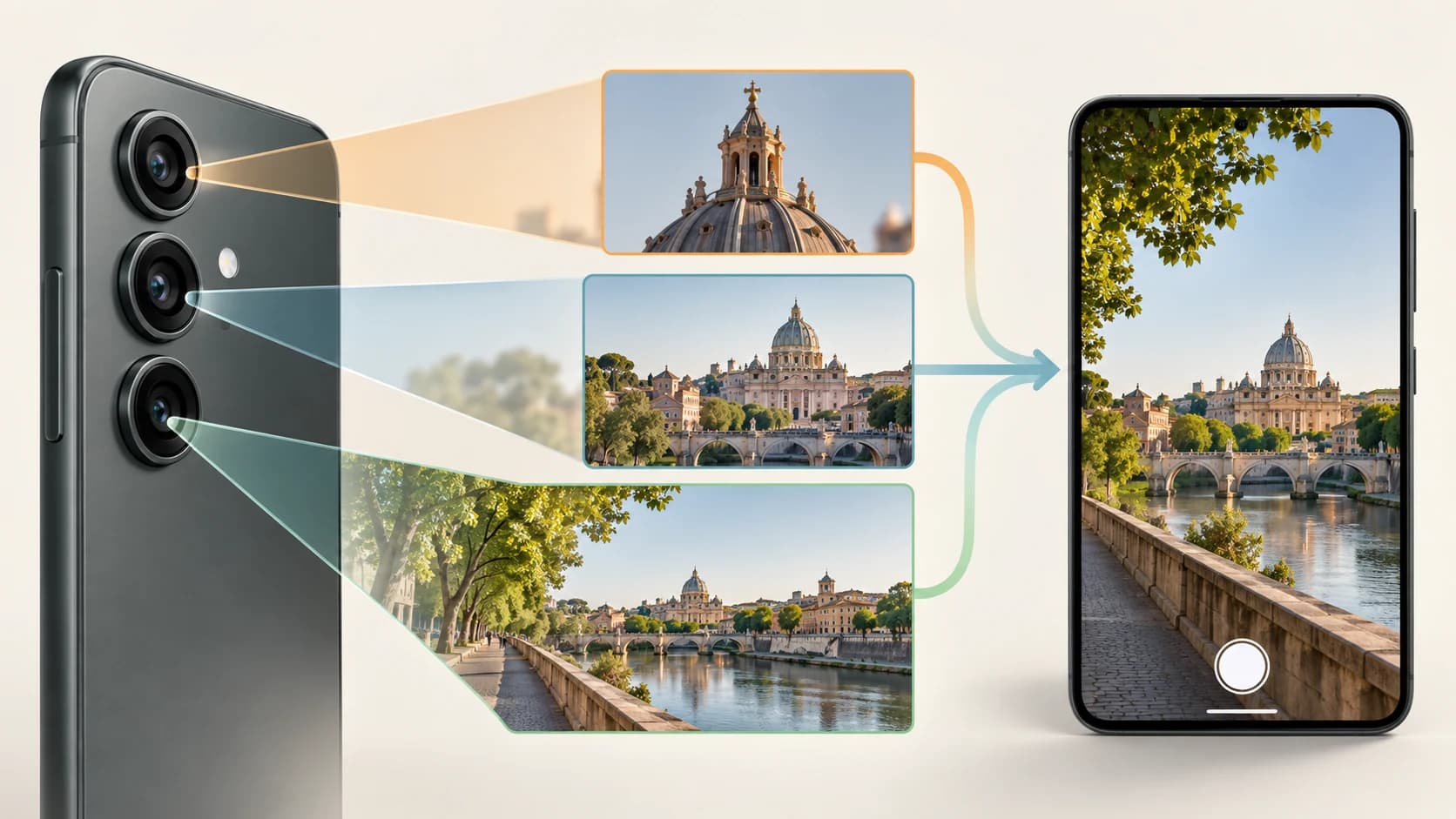
More cameras don't necessarily mean a better camera system
A phone might have:
main + ultrawide + telephoto
These provide genuinely different optical perspectives.
That can be useful.
But another phone might advertise:
main + ultrawide + 2MP macro + 2MP depth
simply to increase the camera count.
Do not compare:
3 cameras vs 4 cameras.
Compare:
What useful focal lengths do I actually get, and how good is each one?
For most buyers, a strong main camera plus a useful ultrawide or telephoto is more valuable than several weak secondary cameras.
4. Battery Capacity Is Not the Same Thing as Battery Life
Battery specifications look wonderfully simple.
5,000mAh sounds better than 4,500mAh.
And if every other variable were identical, the larger battery would generally provide more stored charge.
But every other variable is rarely identical.
Battery life depends on how quickly the phone spends energy
Think of battery capacity as the size of a fuel tank.
Runtime also depends on how fast the engine burns the fuel.
Phone power consumption is influenced by:
- display brightness
- refresh rate
- processor efficiency
- network signal
- 5G usage
- gaming
- GPS
- cameras
- background apps
- software optimization
Google's Android battery guidance specifically identifies screen brightness, navigation, video, games, GPS, connectivity and background activity among the factors that can significantly affect battery life.
That means:
5,000mAh + inefficient hardware
can lose to:
4,700mAh + highly efficient hardware.
Real battery tests are therefore usually more useful than battery capacity alone.
High refresh rates and brightness have a cost
A brighter display consumes more energy.
Refreshing it more frequently can also increase consumption.
This is one reason adaptive refresh exists.
Apple's Low Power Mode, for example, can reduce display brightness and limit ProMotion displays to lower refresh rates to conserve power.
Charging speed and battery endurance are different questions
A phone with very fast charging may be convenient.
That does not automatically mean it has long battery life.
One specification tells you:
how quickly energy can be added.
The other tells you:
how long the phone can run before that energy is exhausted.
Consider them separately.
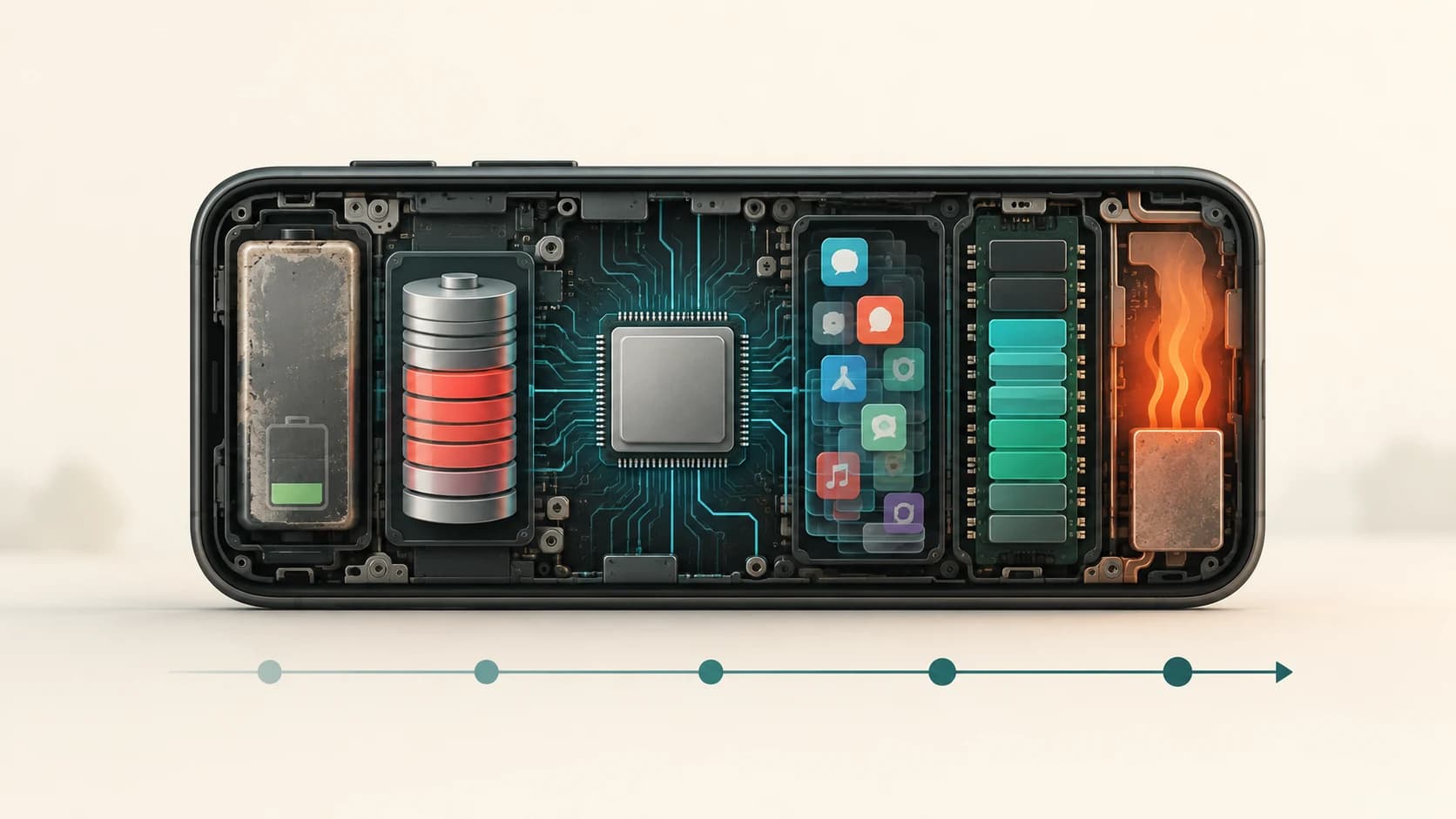
Batteries also age
Lithium-ion batteries are consumable components.
Apple describes battery lifespan in terms of chemical ageing influenced by factors such as temperature history and charging patterns. As the battery ages, the amount of charge it can hold declines.
If you plan to keep a phone for several years, also consider:
- battery-health tools
- availability of battery replacement
- local service options
- replacement cost
A phone that is easy to maintain can be more valuable long term than one with slightly better launch-day specifications.
5. Software Support Determines How Long the Hardware Remains Useful
This is one of the least exciting specifications when you buy a phone.
It may become one of the most important several years later.
A phone can have:
- excellent processor
- brilliant screen
- great camera
- strong battery
and still become a poor long-term purchase if software support ends quickly.
Updates aren't only about new features
Phone updates can include:
- security patches
- bug fixes
- operating-system upgrades
- compatibility changes
- performance improvements
- new features
Security updates matter particularly because vulnerabilities continue to be discovered after the hardware leaves the factory.
Support policies now vary enormously
Some manufacturers currently offer long update commitments on selected models.
Google says Pixel 8 and later phones receive seven years of OS and security updates from their original availability date.
Samsung says its current Galaxy S26 series receives seven generations of OS upgrades and seven years of security updates from launch.
But those examples should not be interpreted as an industry-wide standard.
Policies differ by:
- manufacturer
- model
- price tier
- launch year
- region
Check the specific model, not just the brand.
Think about the phone's fourth year, not only its first day
When two phones cost roughly the same, ask:
Which one will still receive security updates three or four years from now?
Then consider:
- battery replacement
- storage capacity
- spare parts
- service availability
That can matter more over the ownership period than a small benchmark advantage.
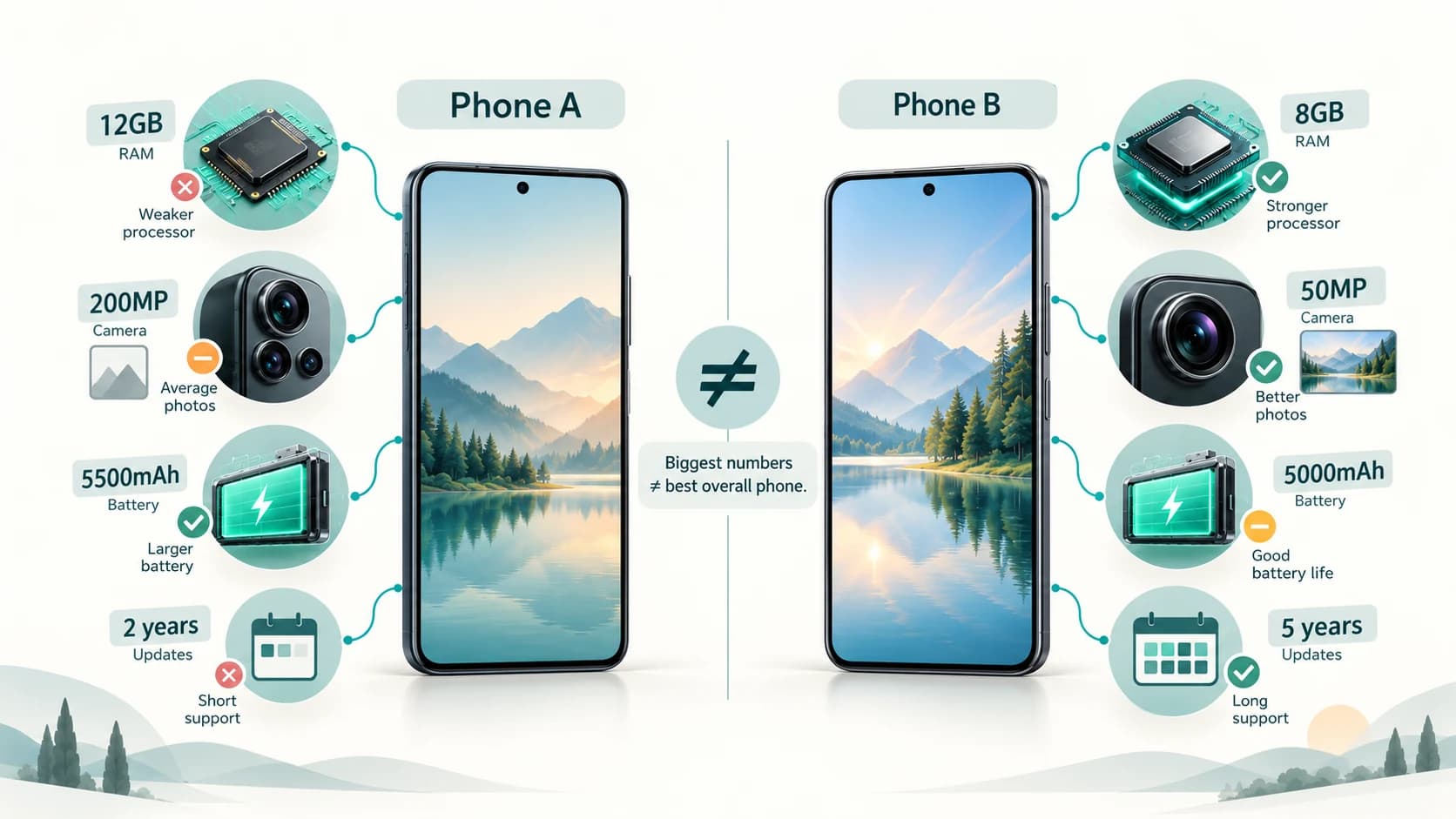
The Specification-Sheet Trap
Imagine these two hypothetical phones.
| Specification | Phone A | Phone B |
|---|---|---|
| RAM | 12 GB | 8 GB |
| Camera | 200MP | 50MP |
| Display | 120Hz OLED | 120Hz OLED |
| Battery | 5,500mAh | 5,000mAh |
| Processor | Entry-midrange | Upper-midrange |
| Main camera sensor/lens | Average | Strong |
| Update support | 3 years | 6 years |
Phone A wins more of the obvious numerical comparisons.
Phone B may still provide the better overall experience for many people.
Why?
Because Phone B might offer:
- stronger real performance
- better photography
- longer useful software life
The specification sheet did not lie.
You simply asked the wrong specifications to answer questions they could not answer.
Start With Your Use, Not the Phone
Before comparing devices, identify what you actually do.
If you mostly use:
- YouTube
- banking
- browsing
- social media
you probably do not need flagship processing power.
If you play demanding games
Prioritize:
- processor and GPU
- cooling
- display
- battery
before worrying about whether you have 12 GB or 16 GB RAM.
If photography matters most
Prioritize:
- actual camera samples
- main camera quality
- useful telephoto/ultrawide cameras
- stabilization
- video quality
before megapixel count.
If you keep phones for five years
Prioritize:
- software support
- processor headroom
- enough RAM
- adequate storage
- battery service
If you watch a lot of video
The display, speakers and battery may matter far more than benchmark scores.
There is no universally best specification.
There is only the best balance for the way you use the device.
A Simple Smartphone Buying Checklist
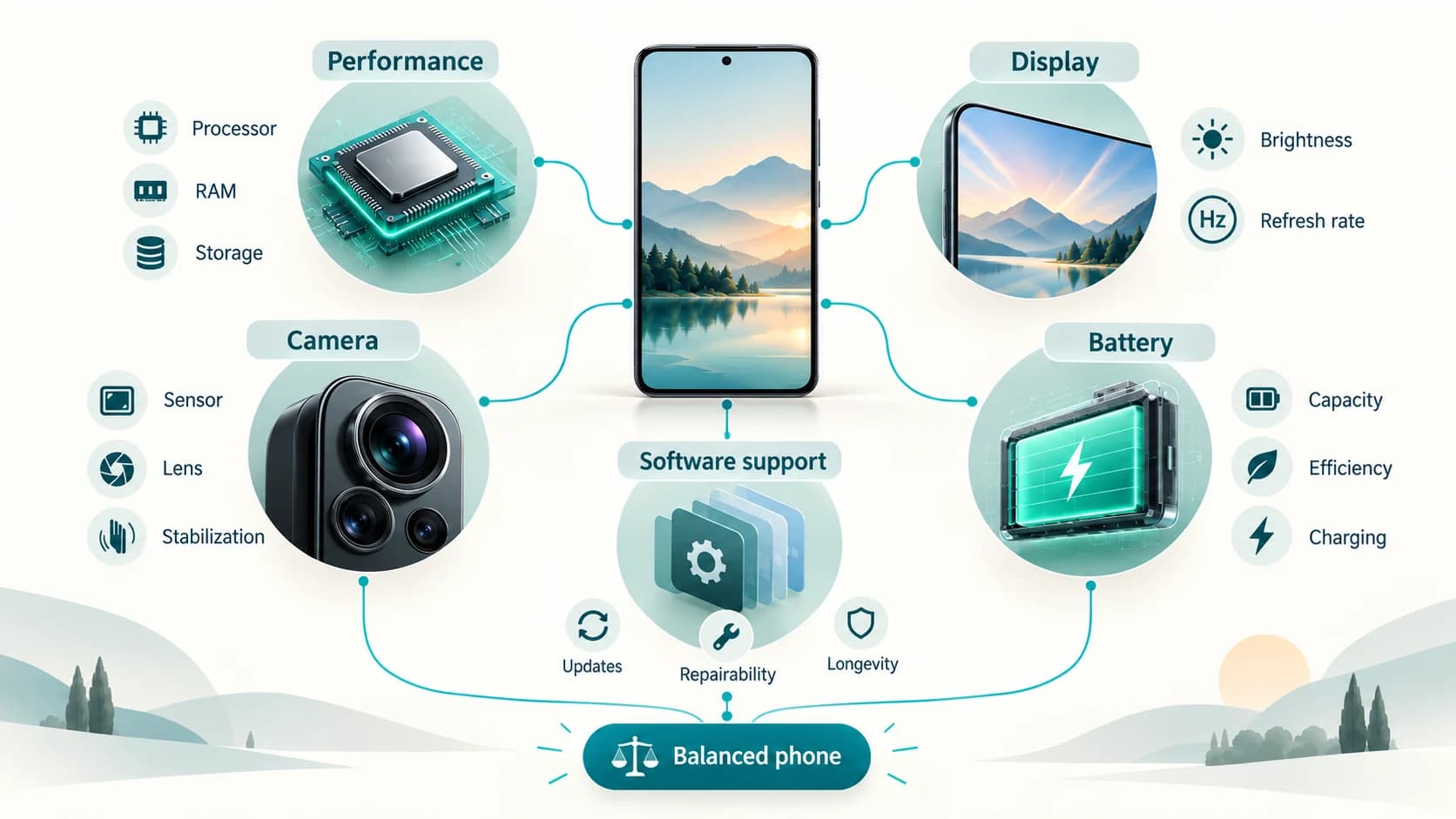
Before paying, answer these questions.
Performance
- Is the processor appropriate for my workload?
- Is there enough physical RAM?
- Does the phone have enough storage for several years?
- Is sustained performance good under load?
Display
- Is it readable outdoors?
- Is the refresh rate adaptive?
- Do I prefer this screen size?
- Does the display actually look good to me?
Camera
- Are the additional cameras genuinely useful?
- Do independent samples look good in daylight and low light?
- Is stabilization good?
- Is the telephoto optical or mostly digital zoom?
Battery
- How does it perform in real battery tests?
- How fast does it charge?
- Can the battery be replaced reasonably?
Long-term ownership
- How many years of security updates are promised?
- How many major OS upgrades?
- Is repair/service support available?
- Will the storage still be adequate in several years?
If those five areas are strong, you are probably looking at a good phone.
If one giant specification is being used to distract from weaknesses elsewhere, you may be looking at clever marketing instead.
The Best Phone Is Usually the Most Balanced One
Smartphone buyers are encouraged to think in superlatives:
fastest processor
most RAM
highest megapixel camera
largest battery
brightest display
But you never use those parts independently.
You use a phone.
And a phone is a system.
A powerful processor is less useful if it overheats.
A 200MP camera is less useful if the lens and processing are poor.
A 120Hz screen is less impressive if it cannot be seen comfortably outdoors.
A huge battery is less valuable if the hardware wastes energy.
Excellent hardware has a shorter useful life if software support ends early.
So before buying your next smartphone, remember these five principles:
- Performance comes from the whole computing system, not one number.
- A display should be judged by how it looks and behaves, not simply resolution or refresh rate.
- Megapixels and camera count do not measure overall camera quality.
- Battery capacity does not directly tell you battery life.
- Software support is part of the product you are buying.
Once you understand those five ideas, smartphone shopping becomes much less confusing.
You stop searching for the phone with the largest numbers.
You start searching for the phone with the right compromises.