Why Does a Phone Become Slower as It Gets Older?
Phones can feel slower after a few years because of battery ageing, low storage, heavier apps, background activity, heat and changing software demands.
A new phone feels almost unnaturally quick.
Apps open immediately. The keyboard appears without hesitation. Photos save quickly. Switching between apps feels effortless.
Three or four years later, the same phone may take longer to open the camera, hesitate while switching apps, reload webpages more often and occasionally stutter through animations.
It is tempting to conclude that the processor itself has simply “worn out.”
Usually, that is not what happened.
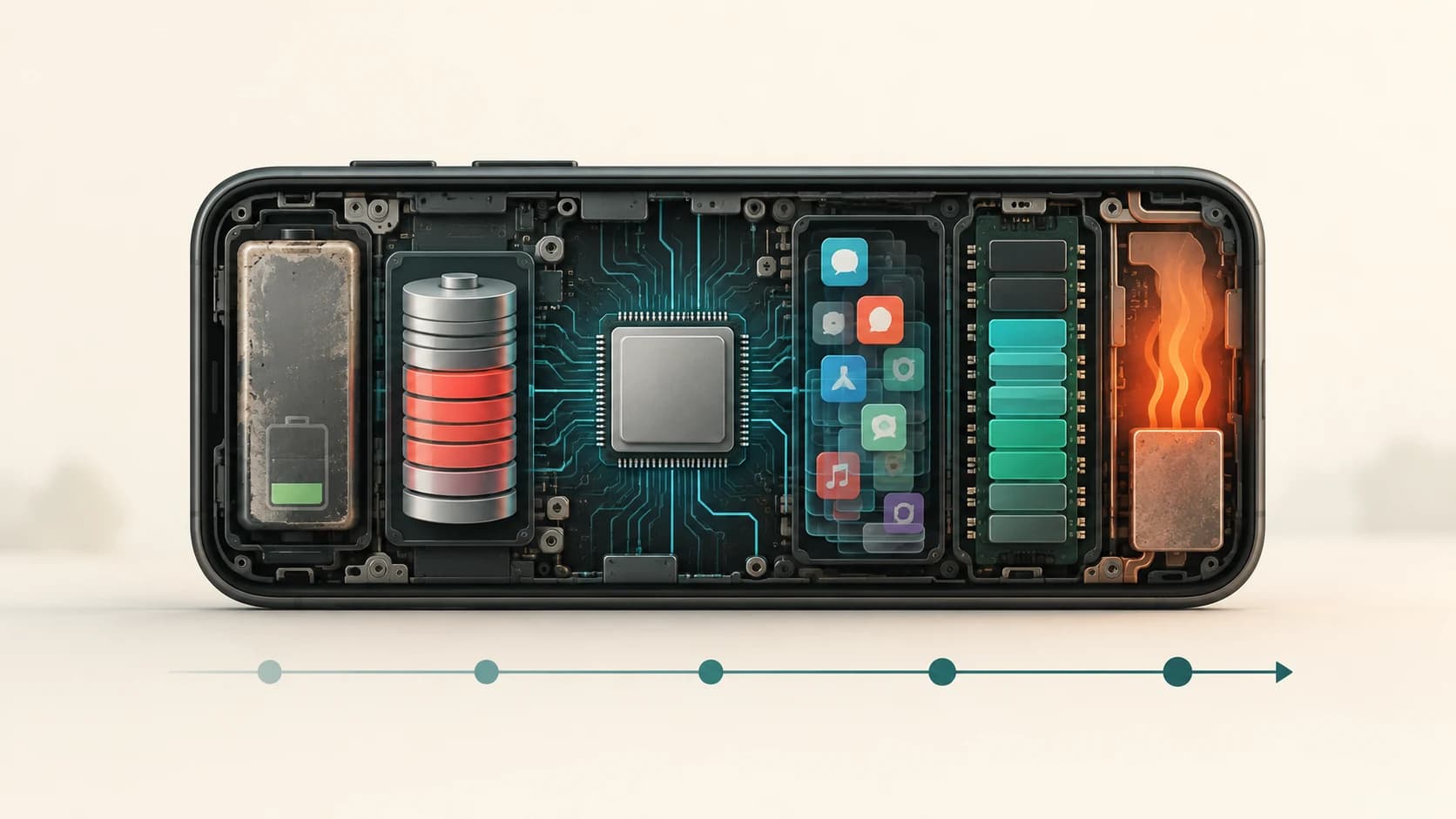
A processor does not normally lose a little computing speed every birthday. Instead, several things around it change. The battery chemically ages. Storage fills. Apps and operating systems evolve. More data accumulates. Background services compete for resources. Heat can trigger performance limits. And hardware that once had plenty of headroom gradually finds itself closer to its limits.
The phone may contain essentially the same CPU it had on day one.
The workload surrounding that CPU is no longer the same.
The Processor Usually Hasn't Become Physically Slower
A smartphone processor performs calculations according to its hardware design and operating conditions.
Simply storing the phone in your pocket for three years does not normally reduce a 3 GHz processor to 2 GHz because the silicon has “aged.”
Electronic components can fail or degrade under extreme conditions, but ordinary smartphone slowdown is usually better explained by software, battery, storage, memory and thermal management.
That distinction is useful because many causes of slowdown can actually be improved.
A slow old phone is not necessarily a permanently slow phone.
Battery Ageing Can Affect More Than Battery Life
Most people first notice battery ageing because the phone no longer lasts as long between charges.
But lithium-ion battery ageing can affect performance too.
As a battery chemically ages:
- its maximum capacity decreases
- its internal electrical resistance can increase
- its ability to supply sudden bursts of power can decline
Apple explains that an aged lithium-ion battery can have more difficulty delivering the instantaneous peak power required by a phone's electronics. When that happens, the operating system can manage performance to avoid unexpected shutdowns.
This is not unique to the basic chemistry of an iPhone battery. Rechargeable lithium-ion batteries used across smartphones are consumable components.
Google similarly says Pixel batteries lose capacity with age and can become less capable of delivering power under demanding temperature conditions. Google notes that replacing an aged Pixel battery can improve performance in cold or warm environments as well as restore runtime.
Why would a weak battery slow a processor?
Imagine the processor suddenly needs far more power because you:
- launch a game
- take several computational photographs
- export a video
- open a demanding application
The processor would like to increase its operating frequency and consume more power.
But the battery must safely supply that power.
If the power-management system determines that the battery cannot reliably support the demand, the device may limit performance rather than risk instability or an unexpected shutdown.
Apple explicitly lists possible effects of battery-related performance management including longer app-launch times, lower frame rates and increased processing times.
So replacing a badly aged battery can sometimes make an older phone feel considerably better even though its processor has not changed.
Storage Gradually Fills Up
When you first configure a phone, perhaps only 30 GB of a 128 GB device is occupied.
Years later it may contain:
- thousands of photos
- videos
- downloaded media
- messages and attachments
- offline music
- app data
- caches
- maps
- operating-system files
Eventually the phone might have only a few gigabytes free.
That matters.
Google's current Android troubleshooting guidance says a phone can begin experiencing problems when less than 10% of storage is free.
Apple similarly recommends maintaining at least 1 GB of available storage to avoid slowdowns on iPhone and iPad.
Those aren't universal performance thresholds for every phone. But both platforms make the same broader point:
A device needs working space, not merely enough room to store your existing files.
Why Does Free Storage Matter?
The operating system constantly creates and removes temporary information.
Apps maintain caches.
Databases change.
Photos are processed.
Updates are downloaded and unpacked.
Browsers store temporary resources.
A nearly full device has less flexibility for these operations.
The storage system itself must also manage where information is placed and how blocks of flash memory are reclaimed.
This does not mean that deleting one photograph will suddenly double your phone's speed.
But a device operating permanently at the edge of its storage capacity has less room to work comfortably.
That is why freeing substantial space can sometimes make an apparently ageing phone feel healthier.
Apps Get Bigger—And Often Do More
Think about an app you used five years ago.
Now imagine its current version.
It may have gained:
- richer animations
- higher-resolution graphics
- AI features
- video
- live content
- background synchronization
- location functions
- widgets
- larger databases
- more complex interfaces
The hardware in your old phone has not gained additional processing power or RAM to compensate.
This creates a simple mismatch:
hardware capability stays mostly fixed
while
software expectations can grow.
That does not mean developers deliberately make older phones slow.
A modern app may simply be doing substantially more than the version that existed when your phone was new.
Software Updates Are Not Automatically the Villain
A common theory is:
“Every system update deliberately slows old phones so people buy new ones.”
That is too simplistic.
Updates can include:
- performance improvements
- bug fixes
- security patches
- more efficient code
- storage optimizations
But updates can also introduce new features and background services that require resources.
There is another short-term effect.
After a major update, phones may perform extra work such as downloading components, rebuilding caches or optimizing software. Google explicitly notes that Pixel devices can temporarily consume more power following an update because the phone is downloading and optimizing new software.
That temporary post-update behaviour should not be confused with permanent ageing.
The more important long-term issue is compatibility: newer operating systems and apps increasingly target the capabilities expected from newer hardware while still trying to support older devices.
RAM Does Not Increase as Your Phone Gets Older
Storage and RAM are different.
Storage holds your apps, photos and files over the long term.
RAM holds information that actively running software needs quickly.
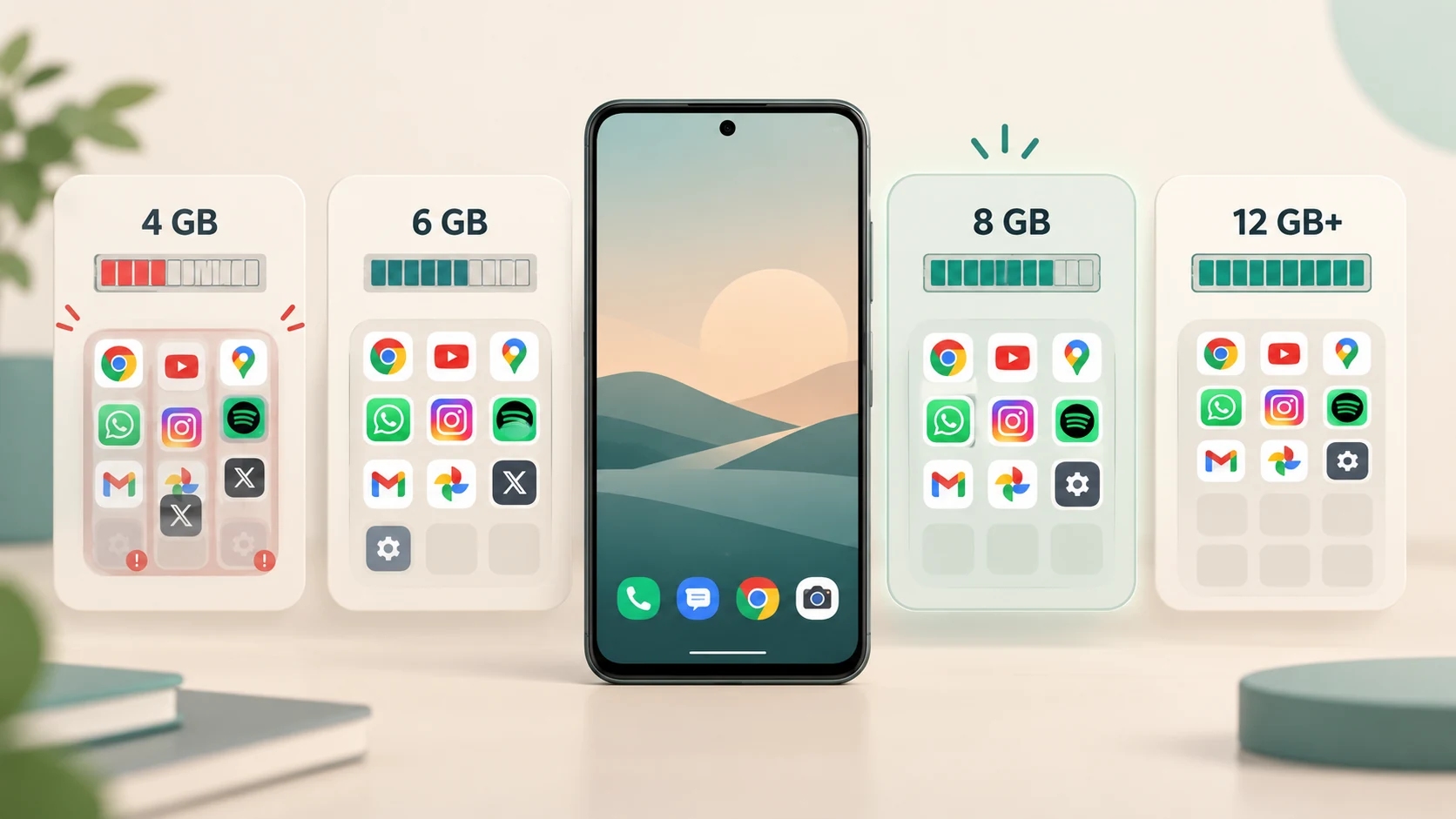
Suppose a phone shipped with 4 GB of RAM.
Four years later, it still has 4 GB.
But applications may require more memory.
When too many things compete for limited RAM, the operating system has to become more aggressive about reclaiming memory and terminating background processes.
Then you notice something familiar:
You switch from your browser to the camera.
Take a photo.
Return to the browser.
The webpage reloads.
That reload can make the phone feel slow even if the processor itself is operating normally.
Google's Android performance documentation specifically notes that memory-constrained devices are more likely to experience problems including slow app startup, unresponsive applications and crashes.
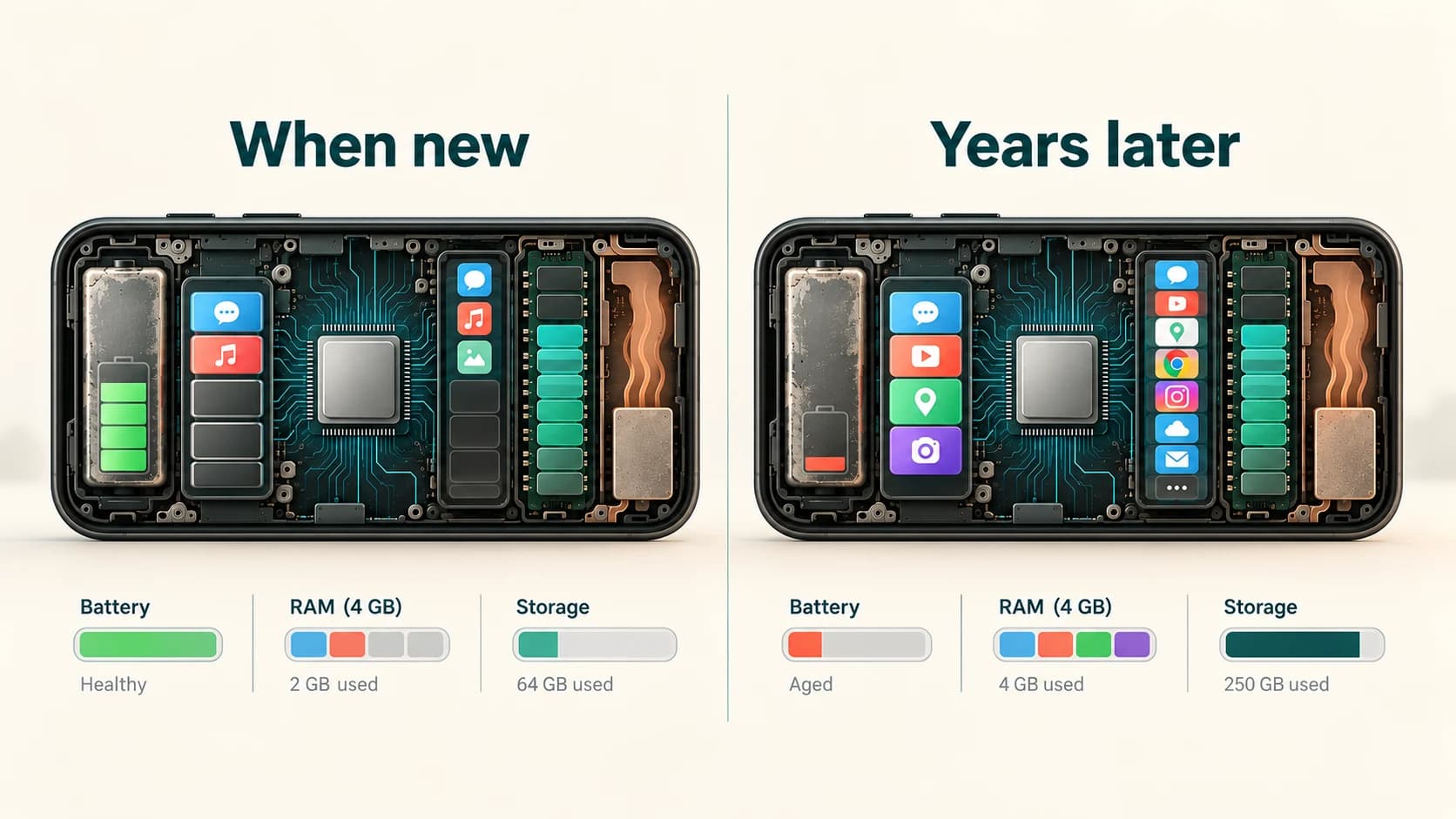
An older phone may therefore feel less responsive simply because modern software leaves less spare RAM than software did when the device was new.
More Apps Can Mean More Background Work
Installing an app does not necessarily mean it consumes significant CPU power all day.
Modern Android and iOS both restrict what apps can do in the background.
But some legitimate background activity still exists.
Applications may need to:
- synchronize messages
- check for updates
- upload photographs
- fetch new content
- process location events
- refresh widgets
- maintain notifications
- back up information
Android's developer documentation warns that background processes can consume both memory and battery and can have a substantial impact on performance when poorly managed.
If you owned a phone for four years and installed dozens of applications during that period, your software environment may be much more complicated than it was during the first week.
That can affect responsiveness even though no individual app seems obviously responsible.
Apps Also Accumulate Data and Caches
An application installed yesterday is often cleaner than the same app after three years of use.
Over time it may accumulate:
- downloaded images
- temporary files
- thumbnails
- databases
- offline media
- search history
- cached webpages
Caches normally exist for a good reason.
Storing information locally can make an app faster because it does not need to download or reconstruct the same material repeatedly.
So routinely deleting every cache is not automatically beneficial.
Google even notes that after clearing an Android app's cache, the app may be slower the next time it opens because it has to recreate temporary data.
The problem is excessive or poorly managed accumulated data, not the mere existence of caches.
Heat Can Make a Fast Phone Temporarily Slow
Processors generate heat.
Modern smartphones manage that heat aggressively because they have no large desktop-style cooling fan.
When temperature rises too far, the phone can reduce power consumption by lowering processor or graphics performance.
This is called thermal throttling.
Android's thermal-management documentation describes several levels of thermal mitigation. Under severe thermal stress, the platform can limit system capacity enough to cause visible effects such as display stutter or other degraded performance.
Apple similarly says an iPhone or iPad can run more slowly when it becomes too hot or too cold.
Why might an older phone seem to heat up more often?
Several factors can contribute:
- an aged battery may be less efficient under heavy load
- newer software may ask more of the processor
- more background activity may occur
- demanding modern games and camera features may push older hardware closer to maximum load
The processor may therefore spend more time operating near conditions where the system has to reduce performance.
Heat creates a cycle that users can feel:
heavy workload
↓
temperature rises
↓
phone reduces performance
↓
game or app becomes slower
↓
phone cools
↓
performance can rise again
That is why a phone can be fast when you begin gaming and noticeably slower twenty minutes later.
Power-Saving Modes Can Make a Phone Feel Slower
Sometimes the phone is not actually struggling.
It is intentionally using less power.
Apple says Low Power Mode reduces power consumption by disabling or slowing some features.
Google likewise explains that Adaptive Battery and other battery optimizations can reduce activity and, in some situations, affect performance or delay notifications in order to extend battery life.
As a battery ages and drains faster, users may spend more time in battery-saving modes.
That can create the impression:
“My old phone has become slower.”
Part of the difference may actually be:
“My old phone spends more time operating under power-saving restrictions.”
A Slow Network Can Feel Like a Slow Phone
Not every delay comes from the processor.
Suppose an app opens immediately but then spends four seconds loading its content.
Was the phone slow?
Perhaps not.
The delay might come from:
- weak Wi-Fi
- congested mobile data
- a slow server
- background downloads
- network switching
Both Apple and Google's troubleshooting guidance specifically separate network-related slowness from device-performance problems.
This distinction matters more today because so many apps depend on continuous internet access.
A five-year-old phone connected to excellent Wi-Fi can sometimes feel faster than a new flagship struggling on a poor connection.
What About the Flash Storage Itself Wearing Out?
Phones use NAND flash storage.
Flash memory does have a finite write endurance, and storage controllers perform techniques such as wear levelling to manage it.
But it would be misleading to claim that NAND wear is the normal reason every old phone becomes sluggish.
For most users, the more practical explanations are:
- very little free storage
- larger software workloads
- memory pressure
- battery ageing
- background activity
- thermal limits
Actual storage failure is a different problem and can produce errors, corruption or complete device failure rather than simply a predictable, gradual slowdown.
So the familiar statement:
“The memory chip wears out and that's why every old phone is slow”
is not a good general explanation.
Why Does a Factory Reset Sometimes Make an Old Phone Feel New Again?
This is a useful clue.
A factory reset cannot:
- make the CPU newer
- add RAM
- reverse battery chemistry
- replace storage hardware
Yet people sometimes report a dramatic improvement afterward.
Why?
Because a reset can remove years of accumulated software state:
dozens of unused apps
background services
temporary files
large caches
old settings
application databases
nearly full storage
The phone restarts with a much simpler software environment.
If performance improves substantially, that tells you the slowdown was at least partly software-related.
However, a factory reset is not magic.
If the real limitation is a badly aged battery, insufficient RAM or genuinely outdated hardware, the improvement may be limited.
Is Constantly Closing Apps a Good Way to Speed Up a Phone?
Usually not.
This is another persistent smartphone myth.
Modern mobile operating systems are designed to manage background applications themselves.
An app shown in the recent-apps screen is not necessarily consuming significant processing power.
In fact, Apple explicitly warns that unnecessarily force-closing apps can make the device slower because the application then has to reload its data completely the next time it opens.
Android likewise says users normally do not need to close apps manually and recommends force-stopping primarily when an application is misbehaving.
A genuinely broken or resource-hungry app can cause problems.
Swiping away every application every few minutes is not a general performance optimization.
How to Tell What Is Actually Making Your Phone Slow
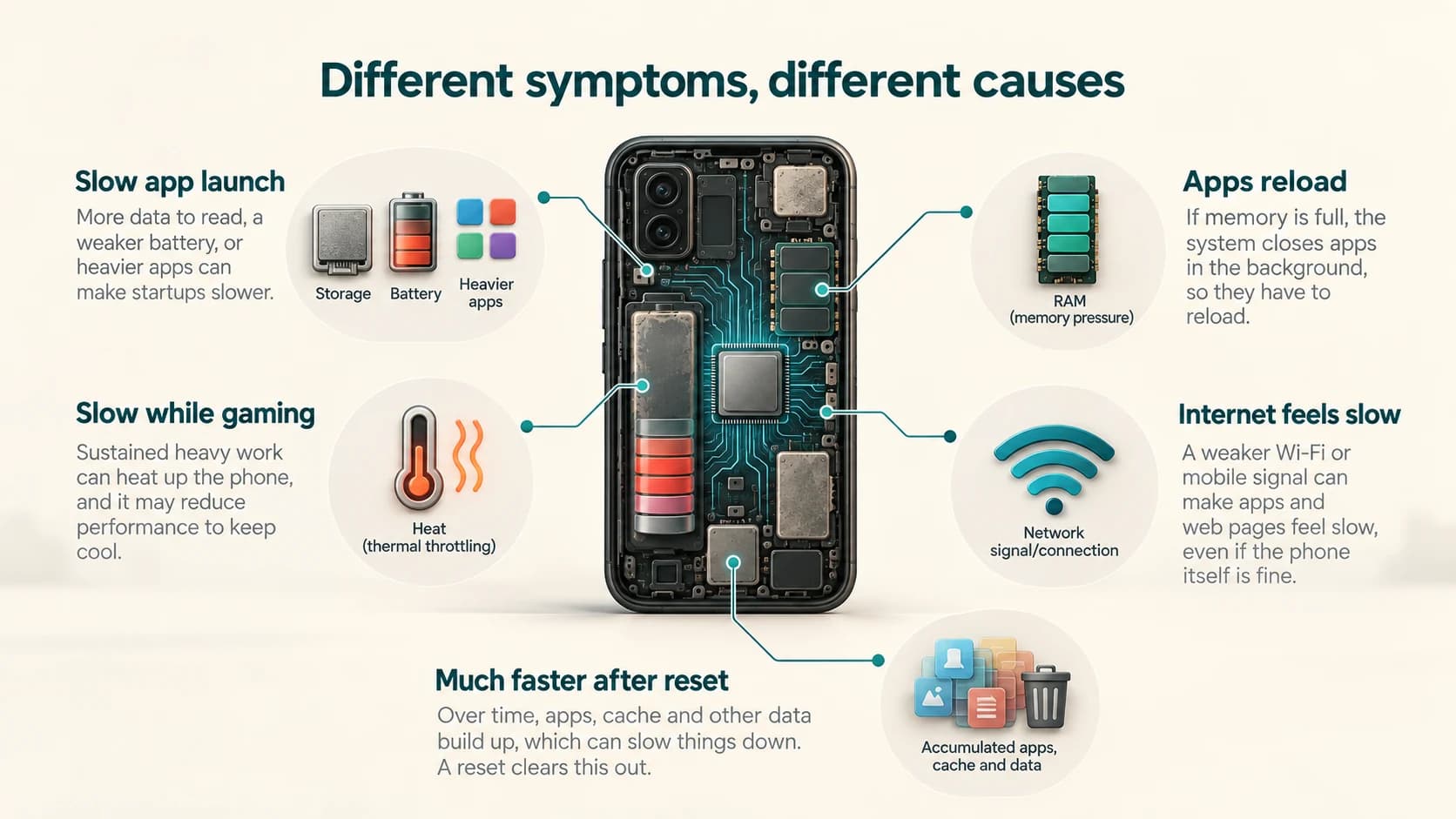
Rather than assuming “old age,” look at the symptoms.
| Symptom | More likely causes |
|---|---|
| Apps open slowly | Low storage, memory pressure, aged battery, heavier apps |
| Apps constantly reload | Limited RAM / memory pressure |
| Phone slows during gaming | Heat / thermal throttling |
| Slow only on internet apps | Network or server problem |
| Poor speed when battery is low | Battery or power-management limits |
| Slow after a major update | Temporary optimization, software issue or heavier workload |
| Phone becomes much faster after reset | Accumulated apps/data/background activity |
| Fast when cool, slow when hot | Thermal management |
| Battery drains rapidly and phone also lags | Battery ageing or resource-heavy software |
No single test proves the cause, but patterns are useful.
What Can You Actually Do About It?
Before replacing an older phone, several steps are worth trying.
Free meaningful storage
Do not aim to free 200 MB on a nearly full 128 GB phone.
Create comfortable headroom.
Google says Android devices can encounter problems below roughly 10% free storage, while Apple recommends keeping at least 1 GB free.
Remove apps you no longer use
Unused applications consume storage and may retain data.
Modern Android can automatically archive or pause unused applications, including stopping some unused apps from running in the background.
Check battery health
On supported phones, inspect the manufacturer's battery-health information.
A heavily degraded battery may be worth replacing before replacing the entire phone.
Look for one problematic app
If the slowdown began suddenly rather than gradually, a particular application may be responsible.
Google specifically recommends testing whether downloaded applications are causing slowness or instability.
Restart occasionally
Restarting terminates running processes and recreates system state.
It will not cure hardware limitations, but it can fix temporary problems.
Install stable software updates
Updates can fix performance bugs and security vulnerabilities.
If slowdown appears immediately after an update, allow time for post-update processing before concluding that the update permanently damaged performance.
Avoid unnecessary heat
Heavy gaming while charging in a hot environment can place a device near its thermal limits.
Lower temperatures give the processor more room to sustain higher performance.
Consider a battery replacement
If the phone is still powerful enough for your needs but its battery is badly degraded, replacing the battery can be far cheaper than replacing the device.
When Is the Hardware Simply Too Old?
Eventually, optimisation can only do so much.
Suppose a phone has:
- 3 or 4 GB of RAM
- an older processor
- slower storage
- an ageing battery
and modern applications increasingly expect more.
No cleanup utility can turn that device into current flagship hardware.
The phone may still function perfectly well for:
- calls
- messaging
- simple browsing
- banking
- music
but struggle with:
- modern games
- heavy multitasking
- advanced camera processing
- AI features
- large websites
- demanding video editing
This is not necessarily because the manufacturer “made it slow.”
The workload may simply have outgrown the hardware's original performance margin.
Why Some Old Phones Still Feel Fast
Not every phone ages badly.
A device that originally shipped with:
- a powerful processor
- generous RAM
- fast storage
- plenty of unused storage space
has more performance headroom.
If its owner also keeps the software environment relatively clean and replaces the battery when necessary, it may remain responsive for many years.
This explains why two phones of the same age can feel completely different.
Age itself is not the performance metric.
What matters is the relationship between:
hardware capability
and
today's workload.
The Phone Hasn't Simply “Gotten Tired”
The most useful way to think about smartphone ageing is as a change in balance.
When the phone was new:
fresh battery + lots of free storage + clean software + modern hardware
gave it comfortable headroom.
Years later:
aged battery + fuller storage + more apps + larger software + greater memory pressure + heavier workloads
can consume much of that headroom.
The processor may still be capable of almost exactly the same calculations it could perform when the phone was new.
It simply has more obstacles around it.
That is why cleaning up storage, removing problematic software or replacing a battery can sometimes breathe surprising life into an old phone.
And it is also why those fixes eventually stop helping.
The hardware itself has not necessarily become much slower.
The world of software around it has become heavier.