How Do Banks Store and Protect Records for Millions of Customers?
Learn how banks organize millions of customer records using databases, core banking systems, encryption, access controls, backups, disaster recovery and continuous security monitoring.
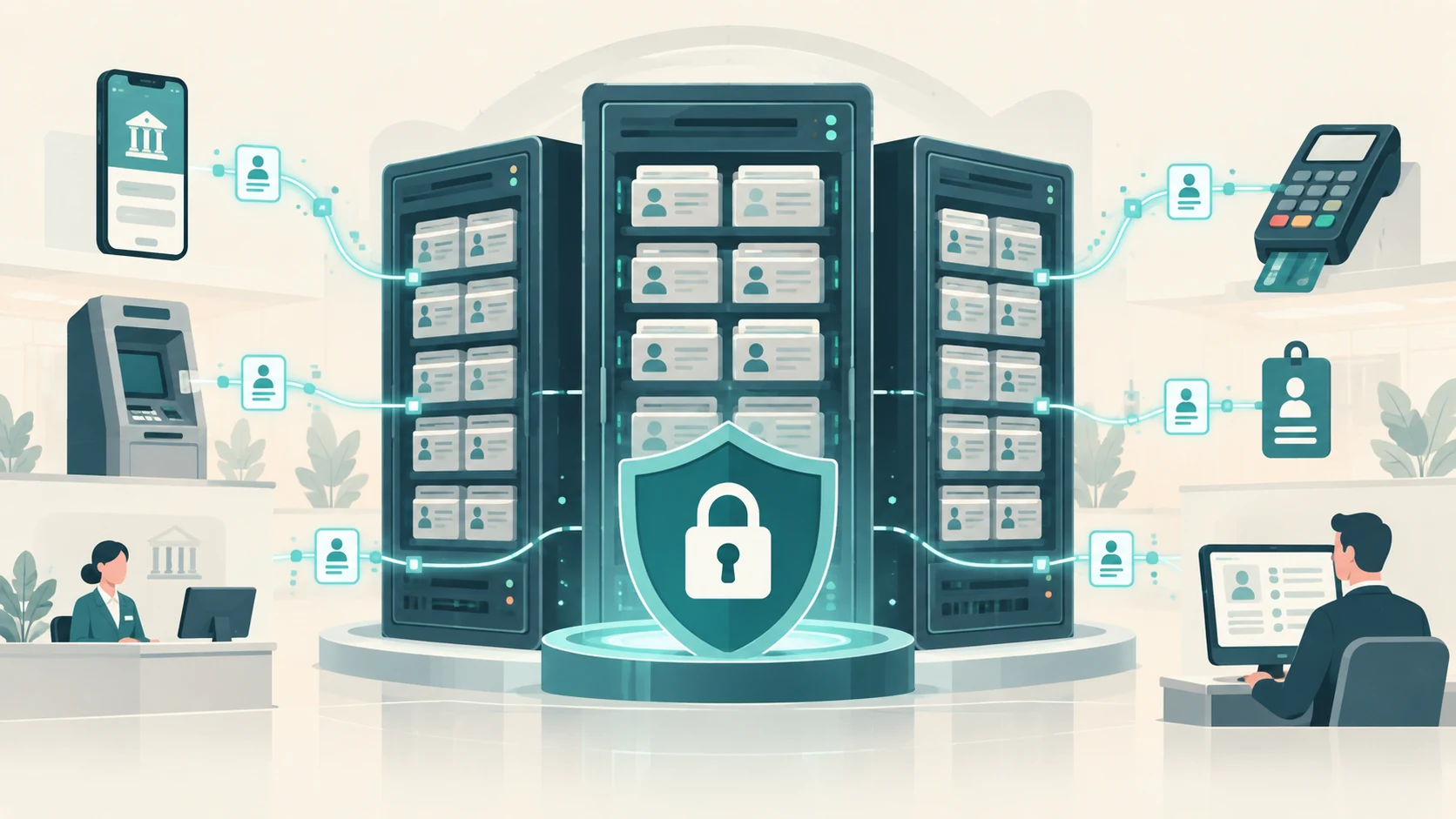
A large bank may serve millions of people.
For every customer, it may need to keep information about:
- identity and KYC,
- account numbers,
- balances,
- deposits and withdrawals,
- loans,
- cards,
- beneficiaries,
- mobile and internet banking,
- transaction history,
- security events,
- customer-service interactions.
Now multiply that by millions of customers and years of activity.
The result is an enormous amount of data.
Yet when you open a banking app, your balance can appear in seconds.
When you visit a branch, an authorized employee can retrieve your account.
When a regulator or investigator requires a historical transaction, the bank may need to reconstruct what happened years earlier.
How is all of this stored without becoming one impossible pile of files?
The answer is that banks use specialized databases, applications and storage systems, connected through carefully controlled identifiers and protected by multiple layers of security.
The most important point is:
There usually is not one single “customer file” containing everything.
A customer's financial life is distributed across several systems, each designed for a particular job.
A Customer Record Is Really a Collection of Related Records
Imagine one customer called Customer 12345.
The bank may hold information about that person in several places.
Customer-information system
May contain:
- name,
- date of birth,
- contact information,
- customer ID,
- relationship information.
KYC/document system
May contain:
- identity documents,
- address documents,
- verification records,
- KYC status.
Core banking system
May contain:
- savings account,
- current account,
- deposits,
- account balances,
- ledger entries.
Card system
May contain:
- debit or credit card relationship,
- card status,
- limits,
- transaction references.
Loan system
May contain:
- loan amount,
- instalments,
- interest,
- repayment schedule.
Digital-banking system
May contain:
- registered device information,
- beneficiaries,
- channel settings,
- login and security events.
These systems can refer to the same customer using controlled identifiers.
So rather than one enormous document saying:
“Everything about Customer 12345”
the architecture is closer to:
customer ID
↓
linked to
accounts + cards + loans + KYC + transactions + security records
This makes the data easier to manage and lets each system specialize.
Banks Use Databases, Not Millions of Individual Spreadsheets
A database is designed to store huge numbers of structured records and retrieve them quickly.
Suppose the bank has a table conceptually containing:
| Account ID | Customer ID | Product | Status |
|---|---|---|---|
| A1001 | C12345 | Savings | Active |
| A1002 | C12345 | Fixed Deposit | Active |
| A1003 | C98765 | Current | Active |
Another table may contain transactions:
| Transaction ID | Account ID | Date | Amount | Type |
|---|---|---|---|---|
| T90001 | A1001 | 28 Sep | −₹500 | UPI |
| T90002 | A1001 | 28 Sep | +₹20,000 | Credit |
Real banking databases are far more complex.
But the basic idea is the same.
The database does not search every customer's records line by line each time.
It uses structures such as:
- indexes,
- keys,
- partitions,
- optimized queries.
These allow systems to find the required information quickly even when there are billions of records.
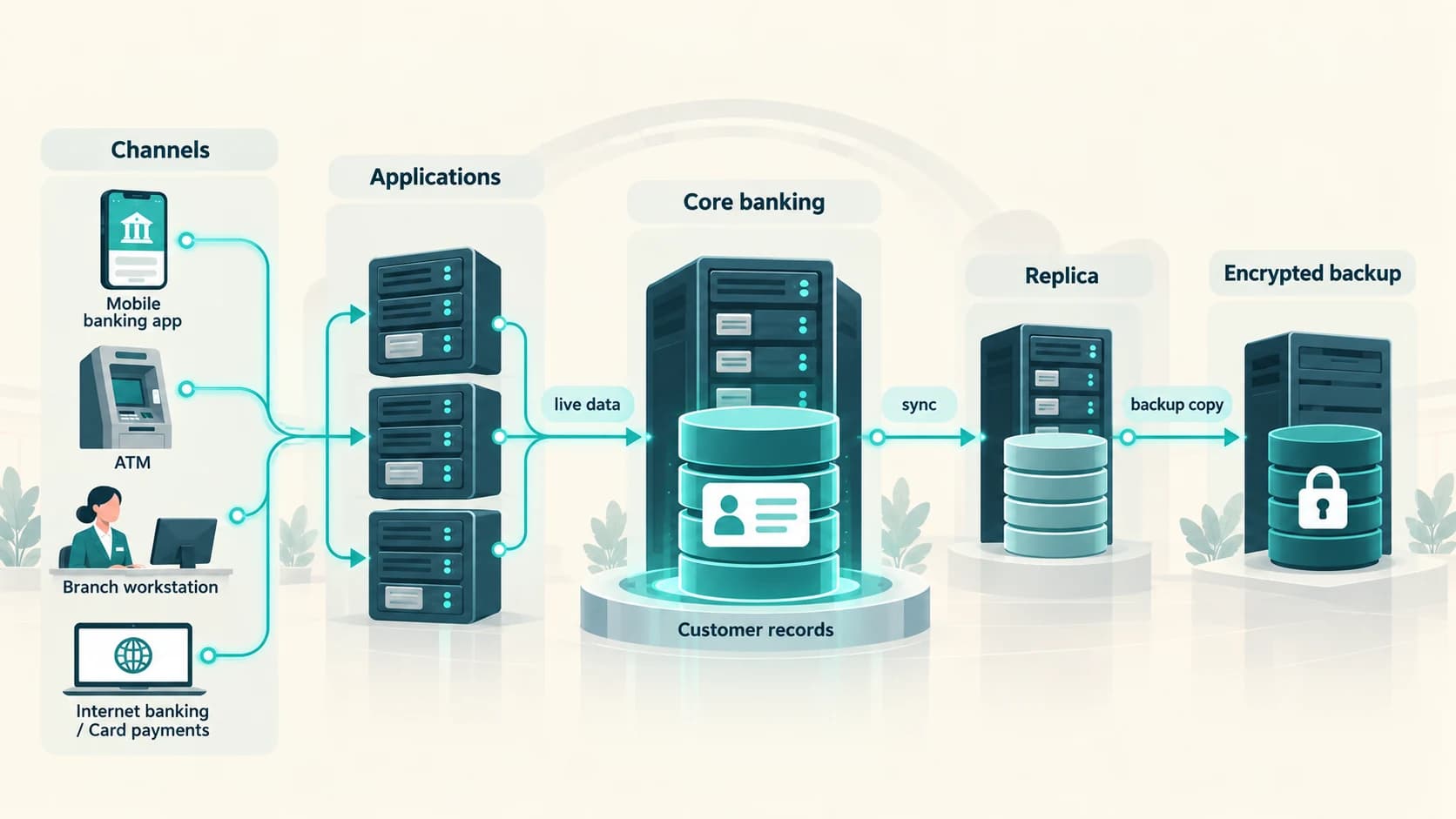
The Core Banking System Maintains the Financial Ledger
One of the most important systems is the Core Banking Solution, or CBS.
RBI has described core banking as a centralized processing model that allows customers to use banking services across branches and channels rather than being tied to one branch's isolated records.
The core system helps maintain authoritative records for products such as:
- savings accounts,
- current accounts,
- deposits,
- loans,
- ledger balances.
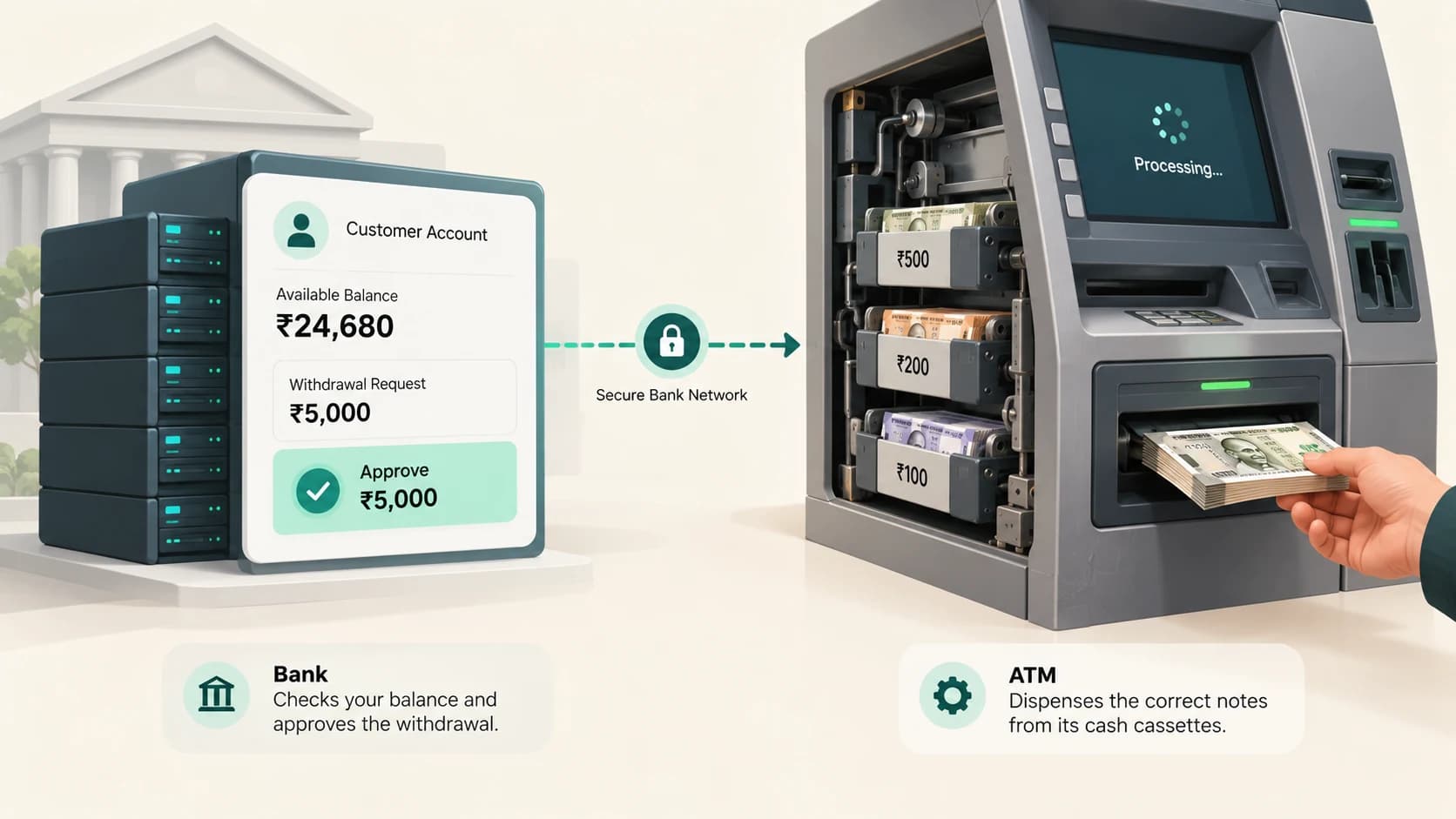
Suppose your account shows:
₹75,000
and you withdraw:
₹5,000
the bank's authoritative financial records need to reflect the transaction correctly.
Conceptually:
Opening balance: ₹75,000
Withdrawal: −₹5,000
Updated balance: ₹70,000
The mobile app may display this information.
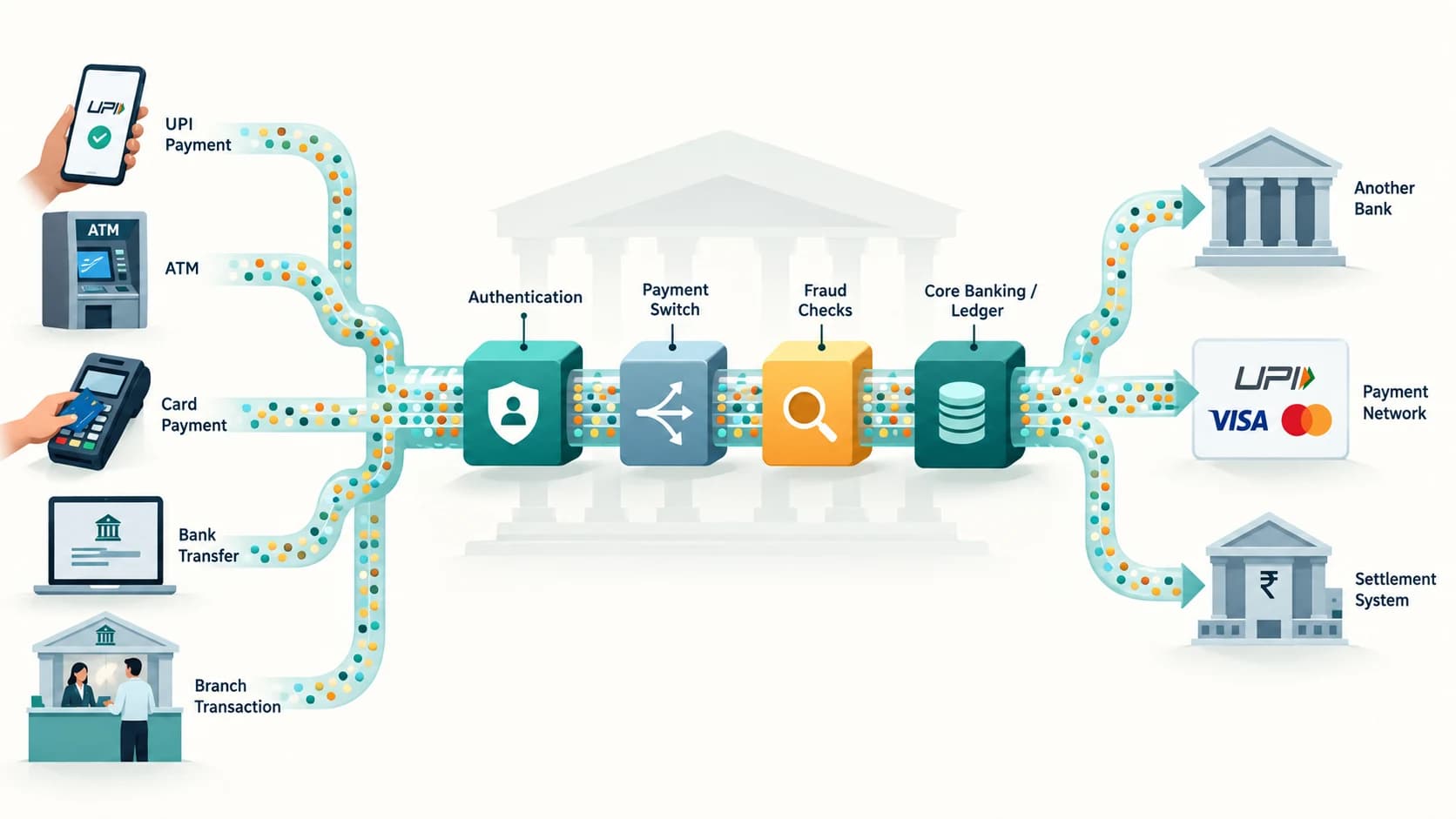
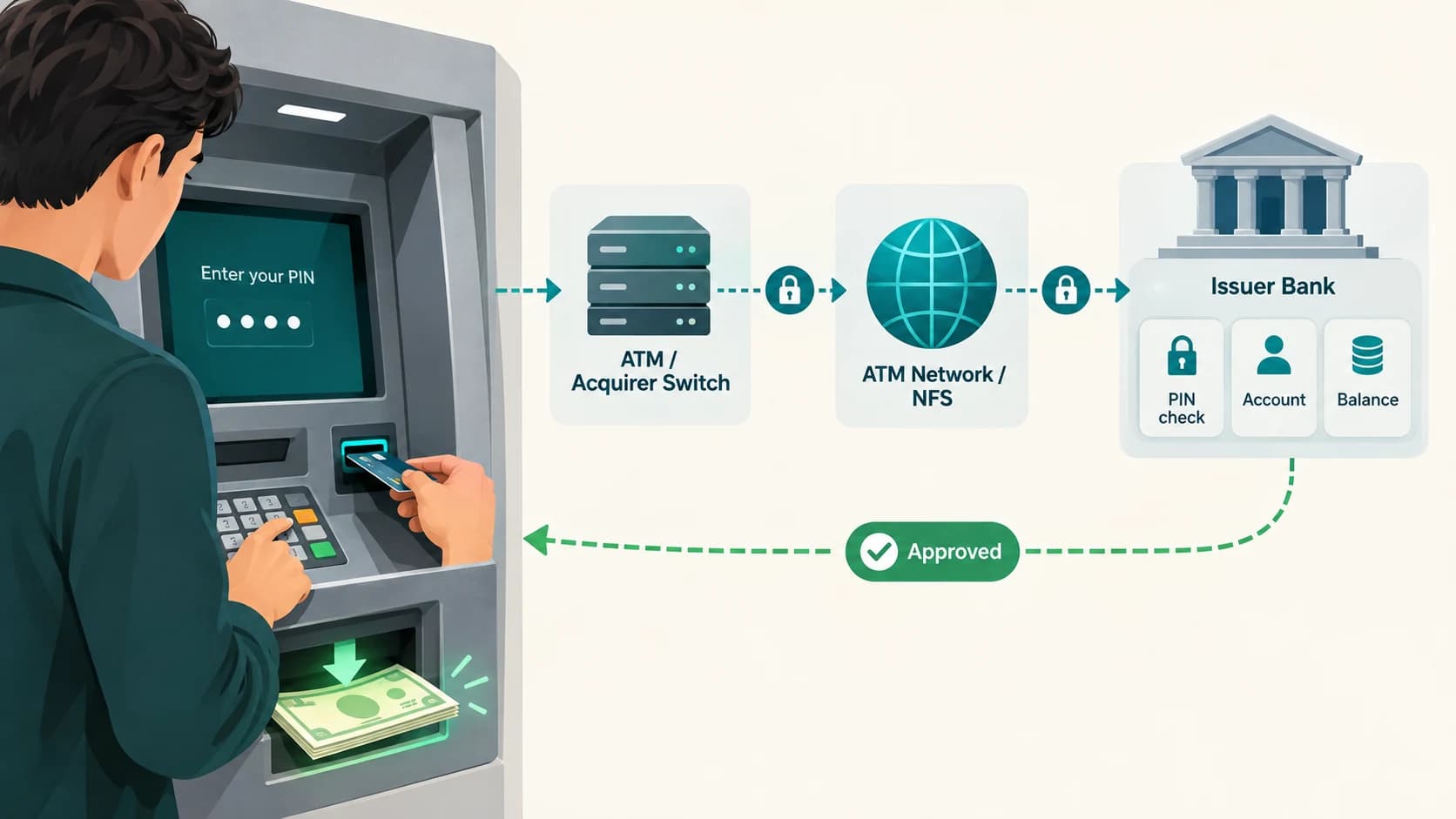
The ATM may request authorization against it.
The branch may retrieve it.
But the app, ATM and branch terminal are not separate owners of the money.
They are channels accessing the bank's underlying systems.
A Transaction Is More Than a Changed Balance
If banks stored only the latest account balance, they would lose the history of how that balance was created.
Instead, financial systems maintain transaction and accounting records.
This is crucial.
Suppose an account shows:
₹70,000
The bank may need to prove that this came from:
₹75,000 opening position
↓
−₹5,000 ATM withdrawal
and not from an unexplained manual change.
That is why transaction systems use:
- transaction IDs,
- timestamps,
- debit/credit entries,
- references,
- audit trails.
A bank must be able to reconstruct important financial activity.
RBI's current KYC directions require regulated entities to maintain transaction records in a way that permits reconstruction of individual transactions and to preserve necessary transaction records for at least five years from the transaction date.
Not All Bank Data Looks Like a Database Row
Some information is naturally structured.
For example:
- account number,
- amount,
- interest rate,
- transaction date.
Other information may be document-like.
For example:
- scanned KYC document,
- signed form,
- loan agreement,
- statement PDF,
- customer correspondence.
Banks can therefore use different storage systems for different types of information.
A simplified architecture may include:
Relational or transactional databases
for structured financial records,
document or object storage
for files and images,
log platforms
for security and system events,
data warehouses or analytical platforms
for reporting and analysis.
The customer sees one bank.
Behind the screen, there can be many data systems.
How Can a Database Hold Billions of Transactions?
Large databases are designed to split the work.
One technique is partitioning.
Imagine a transaction table containing years of records.
Rather than treating every row as one undivided block, the system can divide the data by factors such as:
- date,
- account range,
- product,
- region,
- another technical key.
Now a query for transactions from September 2026 does not necessarily need to scan ten years of unrelated history.
Large institutions can also distribute workloads across multiple servers.
The exact architecture varies by bank.
The principle is simple:
Do not make one computer do every data job.
Replication Creates More Than One Copy
Keeping only one copy of a bank's critical records would be dangerous.
A hardware failure could become catastrophic.
Banks therefore use redundancy.
A database may replicate information to another system so that there is another current or near-current copy available.
Conceptually:
Primary database
↓
replication
↓
secondary database
This can help with:
- availability,
- recovery,
- maintenance,
- disaster resilience.
But replication is not the same as backup.
If a bad change is immediately copied from the primary system to the replica, both copies may contain the same bad change.
That is why banks also need backups and recovery controls.
Encryption Protects Data While It Moves
When banking systems communicate, sensitive information should not travel as ordinary readable text.
RBI's IT Governance, Risk, Controls and Assurance Practices directions require regulated entities to use strong cryptographic controls for transmission channels, data processing and authentication.
For customer-facing banking, this is why you commonly see:
HTTPS / TLS
between your browser or banking app and the bank.
Internal systems also use protected connections.
Encryption in transit helps prevent someone who intercepts network traffic from simply reading:
- passwords,
- account information,
- payment messages.
The key idea is:
readable data
↓
encryption
↓
unreadable ciphertext
↓
authorized system decrypts it.
Data Can Also Be Encrypted While Stored
Protection is also needed when information is sitting on disks, storage arrays or cloud infrastructure.
Banks can use encryption at rest so that stolen physical storage or unauthorized low-level access does not automatically reveal readable customer information.
Encryption may be applied at different layers, such as:
- storage volumes,
- databases,
- specific fields,
- backup media.
Not every piece of data needs to be encrypted in exactly the same way.
Banks classify information according to sensitivity and risk.
RBI's 2023 IT directions require regulated entities to identify and map information assets according to confidentiality, integrity and availability.
The Encryption Key Is More Sensitive Than the Encrypted Data
Encryption creates another problem.
If an attacker steals both:
the encrypted database
and
the key needed to decrypt it,
the encryption provides little protection.
So cryptographic keys themselves require strong security.
Sensitive payment environments commonly use Hardware Security Modules, or HSMs, to protect important keys and perform cryptographic operations.
An HSM is a specialized secure device designed so that critical keys are harder to extract or misuse.
Banks also use controlled key-management processes involving:
- restricted access,
- key rotation,
- separation of duties,
- auditing.
Security therefore is not just:
Encrypt the data.
It is:
Protect the keys that make the encryption useful.
Employees Do Not All Get Access to Everything
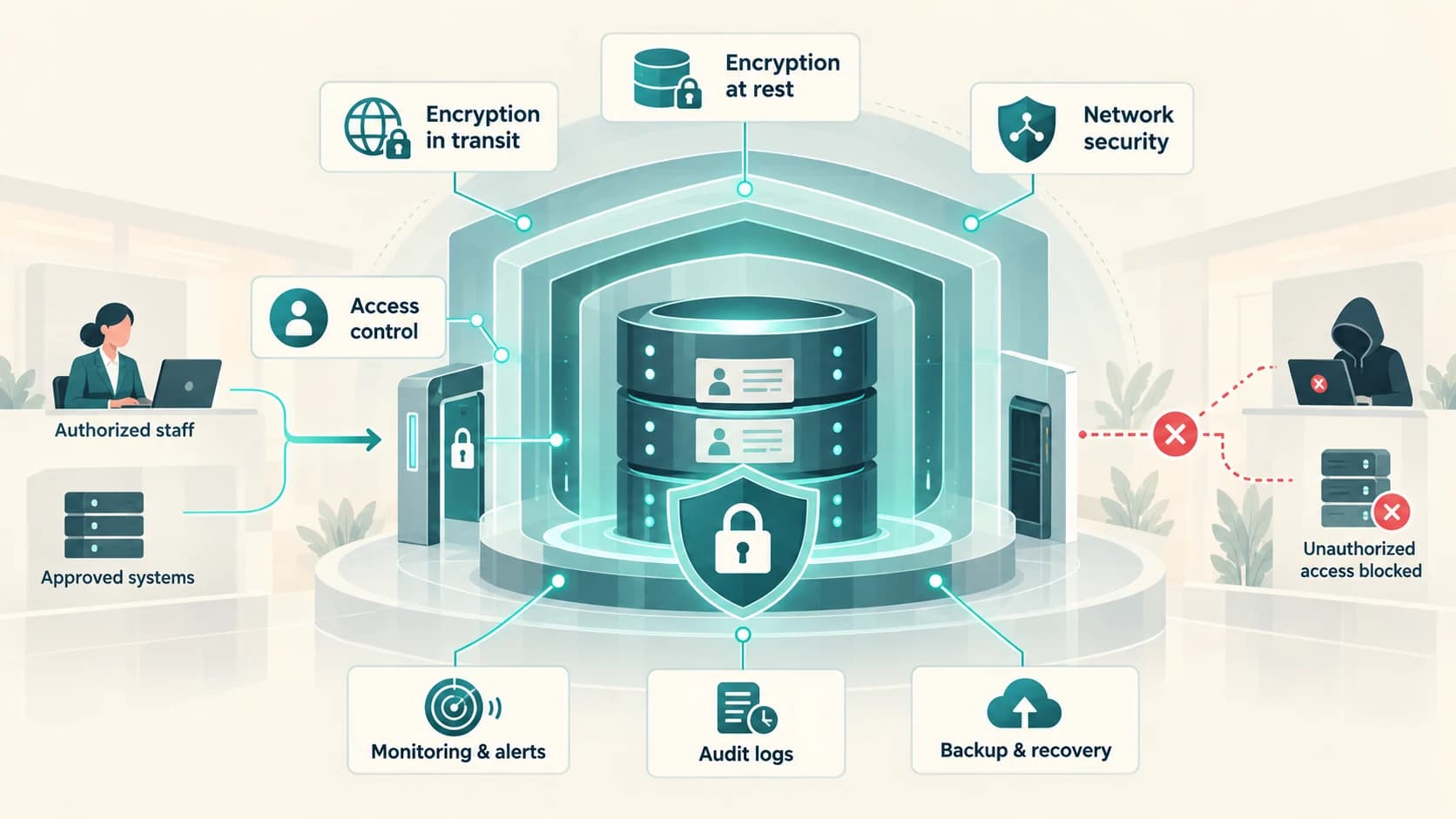
A bank employee should not be able to browse every customer's full record simply because they work for the bank.
RBI's 2023 IT directions require access to information assets to be based on a valid business need.
The principle is commonly called least privilege.
For example:
Teller
May need:
- basic account details,
- transaction functions.
Loan officer
May need:
- loan application,
- income information,
- repayment details.
Security analyst
May need:
- login events,
- device and fraud alerts.
Database administrator
May need technical access to database infrastructure but should not automatically have unrestricted business use of customer information.
Systems can enforce this through:
- role-based access,
- privileged-access management,
- approvals,
- multi-factor authentication,
- segregation of duties.
The goal is to ensure that people see only what their role requires.
What Is Data Masking?
Sometimes an employee needs to recognize information without seeing the whole value.
Instead of displaying:
1234 5678 9012 3456
the system might show:
XXXX XXXX XXXX 3456
This is masking.
The employee can identify the relevant card without being shown the complete number.
Similar techniques can be applied to:
- account numbers,
- phone numbers,
- identity information.
Masking reduces unnecessary exposure.
It does not replace access control or encryption.
It adds another layer.
Tokenisation Can Replace Sensitive Data With a Substitute
In some payment environments, sensitive credentials can be replaced with a token.
For example, instead of an ordinary merchant or application repeatedly storing a real card number, a token can represent that card for an approved purpose.
The token has value to the payment system but exposes less useful information if an unrelated database is compromised.
This is especially important for card credentials.
RBI's card tokenisation framework has restricted ordinary storage of actual card-on-file credentials by many entities in the payment chain.
The broader principle is useful:
If a system does not need the real sensitive value, avoid giving it the real sensitive value.
Banks Record Who Accessed Important Systems
Security is not only about preventing access.
It is also about knowing what happened.
Banks maintain logs of activity such as:
- logins,
- failed authentication,
- administrative actions,
- database activity,
- changes to permissions,
- transaction events,
- system errors.
RBI's digital-payment and IT-security frameworks require effective logging and monitoring.
Logs support questions such as:
Who accessed this system?
When was the record changed?
Which administrator performed this action?
Which device generated the request?
This creates accountability and helps investigators reconstruct incidents.
Monitoring Systems Look for Abnormal Access
Imagine an employee normally looks at 20 customer records a day.
Suddenly the same account attempts to retrieve:
100,000 customer profiles.
That may deserve immediate attention.
Security systems can monitor patterns such as:
- unusual data downloads,
- repeated access failures,
- privileged-account misuse,
- malware alerts,
- suspicious network connections.
Banks can operate Security Operations Centres, or SOCs, that monitor cyber-security events.
The aim is to detect a breach early rather than discovering it months later.
Backups Protect Against Data Loss
A backup is a historical copy designed for recovery.
Banks may create backups at several intervals and store them separately from the active production system.
Backups can help after:
- hardware failure,
- accidental deletion,
- database corruption,
- ransomware,
- operational mistake.
But a backup is useful only if it can actually be restored.
That is why institutions perform recovery tests.
A folder called:
BACKUP
does not automatically mean the data is safe.
The organization needs to know:
- what was backed up,
- when,
- whether it is complete,
- whether it is protected,
- how long restoration takes.
Disaster Recovery Protects Against Larger Failures
A backup helps recover data.
A Disaster Recovery site, or DR site, is designed to help restore actual banking operations after a major disruption.
Imagine the bank's primary data centre is affected by:
- flood,
- fire,
- power event,
- major equipment failure,
- cyber incident.
RBI's 2023 IT directions require regulated entities to implement physical and environmental controls at data centres and disaster-recovery sites and say the DC and DR sites should be geographically well separated so the same location-based threat does not affect both.
A simplified design is:
Primary data centre
↓
replicated critical systems/data
↓
geographically separate DR site
The bank periodically tests whether important services can actually be recovered.
Two Important Disaster-Recovery Questions
Engineers often think about two practical questions.
How much data could we afford to lose?
This is related to the Recovery Point Objective, or RPO.
How long can this service remain unavailable?
This is related to the Recovery Time Objective, or RTO.
A real-time payment system may require much stricter objectives than a low-priority historical reporting tool.
Banks classify systems by criticality and design continuity controls accordingly.
Not every database requires the exact same recovery target.
Physical Security Still Matters
Digital information ultimately runs on physical infrastructure somewhere.
Data centres therefore require physical controls.
These can include:
- restricted entry,
- surveillance,
- power redundancy,
- fire detection and suppression,
- environmental monitoring,
- secure equipment areas.
RBI's IT directions specifically require physical and environmental controls for data-centre and disaster-recovery facilities.
Cybersecurity is therefore not only about software.
Someone with uncontrolled physical access to critical infrastructure can create serious risk.
What If the Bank Uses Cloud Computing?
Modern financial institutions can use cloud services for suitable workloads, subject to regulatory and risk requirements.
Moving data to the cloud does not mean the bank transfers responsibility to the cloud provider.
RBI's Outsourcing of IT Services directions state that regulated entities remain responsible for the confidentiality and integrity of customer data handled by service providers.
The RBI framework for cloud outsourcing emphasizes controls such as:
- identity and access management,
- role-based access,
- least privilege,
- multi-factor authentication,
- segregation of customer data,
- security monitoring,
- resilience,
- audit access.
If a cloud provider hosts systems for several organizations, the data must be logically separated and protected from co-mingling or unauthorized access.
Outsourcing Does Not Remove the Bank's Responsibility
A bank may use an external company for:
- data centre services,
- cloud infrastructure,
- cybersecurity,
- software,
- document processing.
But the customer still has a relationship with the regulated financial institution.
RBI's 2023 Outsourcing of IT Services directions explicitly state that outsourcing should not diminish the regulated entity's obligations to customers or impede RBI supervision.
The bank must assess service providers for issues including:
- information security,
- data protection,
- backup arrangements,
- business continuity,
- disaster recovery,
- confidentiality.
Contracts must give the bank appropriate access to records and audit rights.
The important principle is:
“A vendor stores it” is not an excuse for weak security.
Why Can't Banks Delete All Old Records Immediately?
Data minimization is useful for security, but banks also have legal and regulatory record-keeping obligations.
RBI's current KYC directions require regulated entities to:
- maintain necessary transaction records for at least five years from the date of the transaction,
- preserve customer-identification and address records for at least five years after the business relationship ends.
The purpose includes allowing transactions to be reconstructed and records to be provided to competent authorities where required.
So closing an account does not necessarily mean every historical record can be erased the next day.
Retention depends on:
- type of information,
- regulatory requirement,
- legal obligation,
- bank policy.
This is why record management needs both security and lifecycle rules.
Are All Bank Records Required to Stay Only in India?
This question needs a careful answer.
RBI's 2018 Storage of Payment System Data directive requires authorised payment-system providers to ensure that the entire data relating to payment systems operated by them is stored in systems in India, subject to the specified treatment of a foreign leg of a transaction.
That is a specific payment-system-data requirement.
It should not be simplified into:
“Every piece of every bank's information must always exist only in India.”
Different categories of banking and outsourced data can be subject to different regulatory requirements.
Banks have to identify which rule applies to which system.
Why One Database Breach Does Not Automatically Mean Someone Can Move Your Money
Customer records are extremely sensitive.
A data breach can create serious privacy and fraud risk.
But knowing information such as:
- name,
- phone number,
- account number,
should not, by itself, be enough to transfer money.
Transaction systems normally add other controls such as:
- passwords or MPINs,
- device binding,
- OTP or additional authentication,
- UPI PIN,
- fraud monitoring,
- transaction limits.
This is an example of defence in depth.
The data layer is protected.
The transaction-authorization layer is also protected.
A bank should not depend on the secrecy of one database field as its only defence.
What Happens If an Attacker Reaches a Bank's Network?
A well-designed bank assumes that attacks will occur.
The goal is to stop one compromise from becoming unrestricted access to the whole organization.
Possible layers include:
Internet-facing firewall
↓
web/application layer
↓
segmented internal network
↓
restricted database tier
↓
privileged access controls
↓
encryption + key management
↓
monitoring + audit logs
An attacker who reaches one server should not automatically inherit access to:
- every customer,
- every database,
- every backup,
- every cryptographic key.
This principle is called defence in depth.
The Three Things Banks Are Really Protecting
Information security is often described through three goals.
Confidentiality
Only authorized people and systems should be able to read the information.
Integrity
Data should not be altered incorrectly or without authorization.
Availability
Authorized customers and bank systems should be able to access the information when needed.
These goals can conflict.
If a bank made the database completely inaccessible, confidentiality might improve—but banking would stop.
If it made everything easy for everyone to access, availability would improve—but privacy would collapse.
Security engineering tries to balance all three.
RBI's IT directions explicitly use confidentiality, integrity and availability when classifying information assets.
How One Customer's Records Might Move Through the Bank
Imagine opening a new account.
1. Customer profile is created
The bank assigns a customer identifier.
2. KYC records are captured
Identity and address information enters controlled KYC/document systems.
3. Account is opened in the core system
The financial relationship receives account identifiers.
4. Digital banking is registered
Device and channel information may be linked.
5. Transactions begin
Each deposit, payment and withdrawal creates financial records and references.
6. Logs record system activity
Security and application systems capture relevant events.
7. Replication and backups protect availability and recovery
Critical information is copied according to the bank's resilience architecture.
8. Retention rules preserve records
Historical information remains available for the required period.
To the customer, all of this appears as:
one banking app.
Behind it is a network of controlled data systems.
The Secret Is Controlled Duplication, Not One Perfect Copy
At first, it may sound safer to keep only one copy of every record.
In practice, a bank needs some duplication.
It needs:
- replicas for availability,
- backups for recovery,
- DR copies for disasters,
- analytical copies for authorized reporting,
- logs for auditing.
The challenge is not to eliminate every copy.
It is to make every authorized copy:
- necessary,
- controlled,
- protected,
- traceable,
- governed by retention rules.
Uncontrolled copies are dangerous.
Controlled redundancy is what helps a banking system survive failures.
Banks Protect Records by Combining Data Engineering and Security Engineering
That is the central idea.
Storing millions of customer records is not simply a question of buying a very large hard drive.
Banks need systems that can answer several questions simultaneously:
Can we retrieve this customer's record quickly?
Can we process two transactions safely at the same time?
Can we prove what changed?
Can we stop unauthorized employees from browsing data?
Can we continue if a server fails?
Can we recover after a disaster?
Can we retain records for the legally required period?
The answer is a layered architecture built from:
databases
for structured records,
core banking systems
for financial ledgers,
specialized storage
for documents and logs,
encryption
for confidentiality,
access control
for least privilege,
monitoring
for detection,
replication
for availability,
backups
for recovery,
and
disaster-recovery systems
for resilience.
Your banking app makes millions of records feel like one simple account screen.
That simplicity is possible only because a much more complicated information system is working behind it.