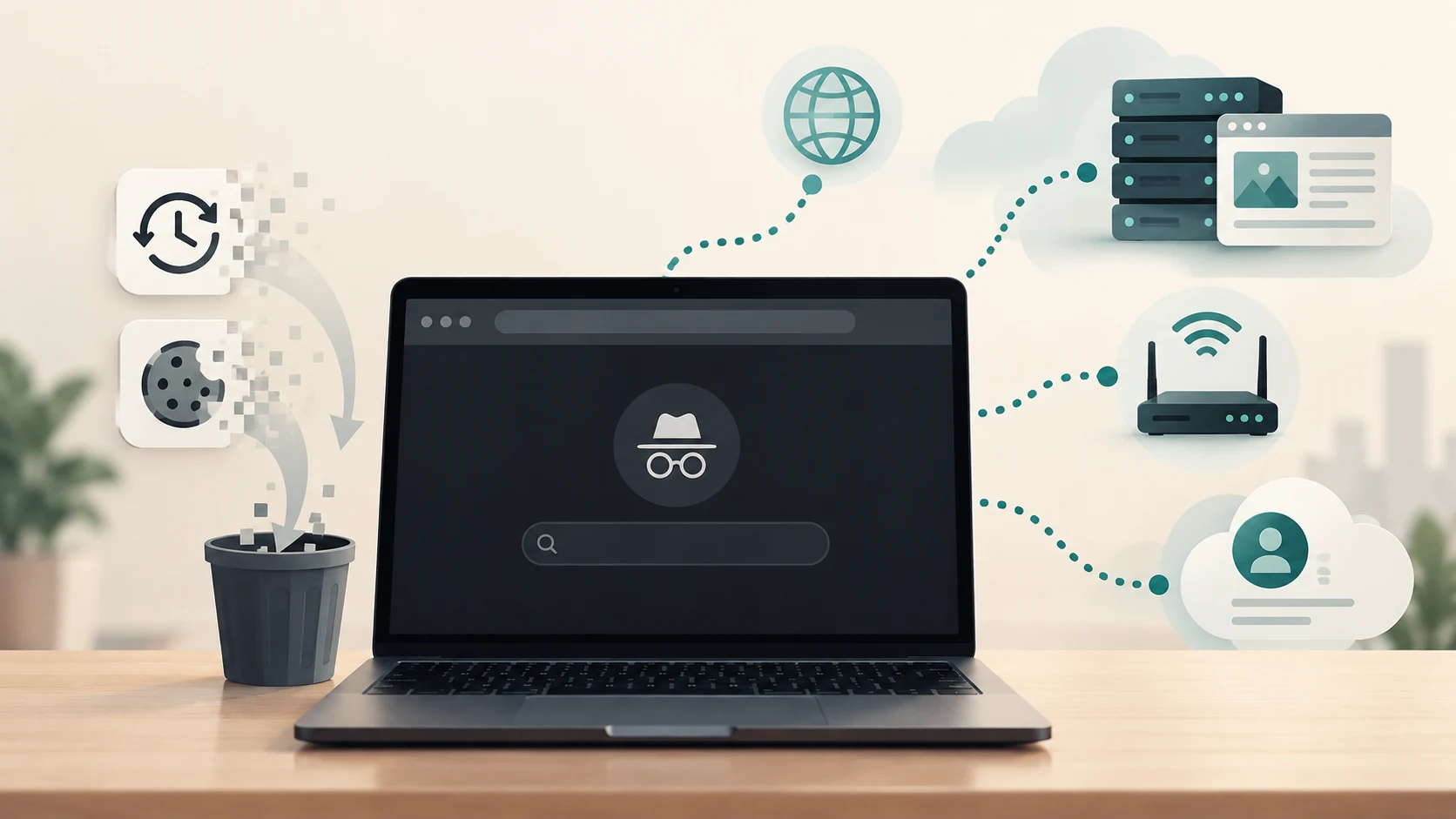
How Much Personal Data Do You Generate in an Ordinary Day?
From searches and locations to payments and fitness data, see how an ordinary day creates a surprisingly detailed digital trail—and where it goes.
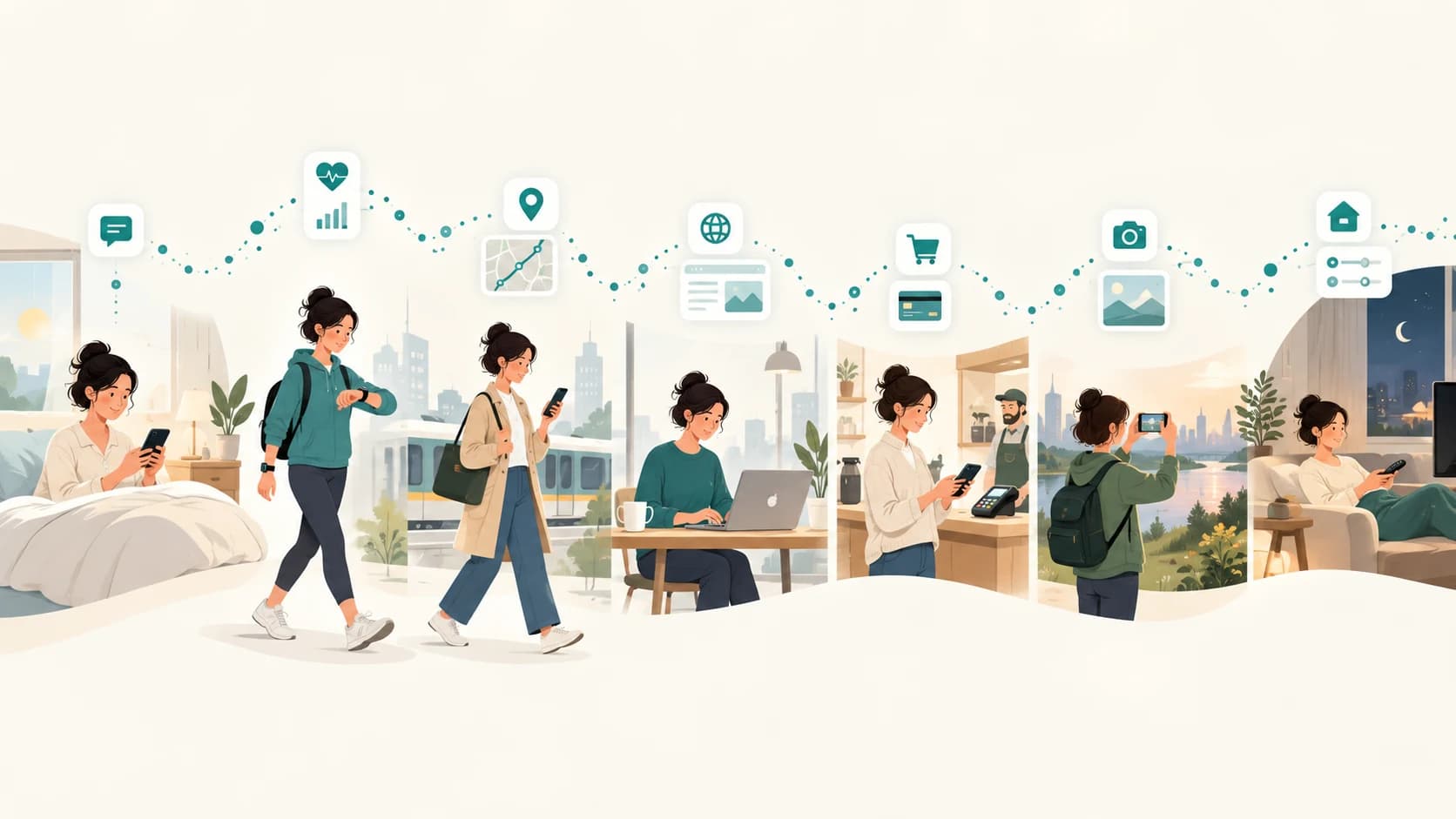
You wake up and check your phone.
Before breakfast, you may have unlocked the device, dismissed notifications, checked the weather, opened a messaging app, watched a video and searched for something.
Nothing about that feels like “creating data.”
You were simply using your phone.
Yet those few minutes can involve several kinds of information: device activity, timestamps, search queries, app interactions, IP addresses, cookies, account activity and possibly location.
Later, a navigation app may record where you travel. A smartwatch may measure your heart rate and steps. A website may recognize your browser. A card payment creates a transaction record. A streaming service remembers what you watched. A smart speaker can process a voice request.
By bedtime, your ordinary day has left behind a complicated digital trail.
So how much personal data did you generate?
There is no useful universal answer such as “2.7 gigabytes per person per day.”
Personal data is not best measured in bytes.
A 5 MB photograph may reveal less about your behaviour than a tiny record containing your location, timestamp and account identifier. Some information stays on your device. Some reaches a company. Some is discarded quickly. Some is retained. And additional information can be inferred later from patterns in the original data.
The more useful question is:
What kinds of personal data can an ordinary day create, and who gets to see them?
First, What Counts as Personal Data?
People often think personal data means obvious identity information:
- your name
- phone number
- email address
- home address
- photograph
But the category can be much broader.
The European Commission's guidance, for example, lists information such as location data, IP addresses, cookie IDs and mobile advertising identifiers as examples of personal data when they relate to an identifiable individual.
That matters because much of the data generated during an ordinary digital day doesn't contain your name.
A record might instead say:
Device 8F23
08:14
Opened weather app
Approximate location: Delhi
By itself, that may look less personal than a name and address.
But connect the device identifier to an account, combine it with repeated activity, or associate it with other information, and it can become part of a detailed picture of one person.
Personal data is often about linkability, not merely whether your name appears in the database.
“Generated” Does Not Mean “Collected”
There is another distinction worth making before following the day.
Your devices constantly produce information internally.
That does not mean every piece of it is transmitted to a company.
For any digital activity, there are several possible stages:
Created on the device
↓
Made available to an app
↓
Sent across the internet
↓
Stored by a service
↓
Combined with other information
↓
Used to make an inference
A phone's accelerometer, for example, can produce motion measurements.
An app might never request them.
Another app might use them only locally.
A third service might upload information derived from them.
Those are very different privacy situations.
Operating systems increasingly expose this distinction to users. Apple's App Privacy Report, for example, can show how frequently apps access privacy-sensitive resources such as location, camera and microphone, as well as the network domains they contact. Android's Privacy Dashboard similarly provides timelines for app access to location, camera and microphone on supported devices.
7:00 a.m.: Your Phone Already Knows Quite a Lot
Imagine the first few minutes after waking up.
You pick up the phone.
The operating system already knows technical information required simply to function:
- time
- battery state
- network connection
- installed applications
- device configuration
- notifications waiting to be displayed
Some diagnostic or analytics information may also be generated, depending on settings and platform.
Then you start using apps.
You open a weather service.
It might request your location.
Modern phones can estimate location using combinations of:
- GPS
- Wi-Fi
- Bluetooth
- mobile networks
Apple documents all of these as possible inputs to Location Services, while Android distinguishes between approximate and precise location and between foreground and background access.
One apparently simple action—checking today's temperature—could therefore be associated with:
time + device + app + account + network + location + request
Not every weather app collects all of those fields.
The point is that the underlying technology makes several different kinds of data possible.
7:30 a.m.: Your Smartwatch Has Been Working While You Slept
If you wear a fitness tracker or smartwatch, data collection did not necessarily start when you woke up.
The device may have spent the night estimating:
- sleep duration
- sleep stages
- heart rate
- resting heart rate
- breathing rate
- blood-oxygen-related measurements on supported devices
- skin-temperature variation on some devices
During the day it may add:
- steps
- distance
- active minutes
- workouts
- GPS routes
Google's current Fitbit documentation lists many of these categories, with the exact measurements varying by device.
Notice the difference between raw measurement and inference.
A sensor may measure heart signals and movement.
Software can then use those observations to estimate:
You slept for 6 hours and 42 minutes.
That sleep estimate is new information created from other data.
This is one reason counting personal data is so difficult: digital systems do not merely store what you explicitly provide. They can derive additional information from it.
8:30 a.m.: Travelling Creates a Location Trail
Now imagine you leave for work or college.
You open navigation.
The application may repeatedly obtain your current position so it can:
- place you on the map
- calculate your route
- notice when you turn
- estimate arrival time
- detect whether you have left the route
A single journey is therefore not necessarily represented by one location.
It can involve a sequence:
08:31 — Point A
08:33 — Point B
08:35 — Point C
08:37 — Point D
...
Add timestamps and those points become a movement pattern.
Depending on the service and settings, location history may or may not be retained. Google, for example, says its Timeline feature is off by default; when enabled, precise device locations can be regularly saved to create a personal map of places and routes.
Location is a useful example of why context matters.
One coordinate may tell someone where you were.
A month's worth of coordinates may reveal patterns such as:
- where you appear to live
- where you regularly work
- when you commute
- which places you visit repeatedly
The insight can be more valuable than the individual measurements.
9:15 a.m.: Opening a Website Creates More Data Than the Page You See
You arrive and open a website.
It looks like one action:
Load page.
Behind the scenes, your browser sends requests to web servers.
A standard web request can expose technical information.
For example, the HTTP User-Agent traditionally identifies characteristics of the browser and operating system, although modern browsers have reduced some of this information for privacy reasons.
A Referer header can, depending on the site's policy and browsing situation, tell a server which page a request came from.
The website also sees the network request itself, which normally means it can receive an IP address at the server/network level.
Then there are cookies.
A cookie is a small piece of information a site can ask the browser to store. When appropriate, the browser can send that cookie back on later requests, allowing the site to recognize that those requests belong to the same browser or session.
Websites can also use browser storage such as localStorage to retain data associated with a site across browser sessions.
So visiting a page can generate information about:
what page was requested
when it was requested
which browser made the request
which network address it came from
whether that browser had visited before
which page referred it
depending on the site's design, browser configuration and privacy settings.
10:00 a.m.: Searching and Watching Build an Activity History
Now you search for:
best laptop under ₹60,000
Then watch three laptop reviews.
Later you search for SSD upgrades.
These are individually small events.
Together they begin to describe an interest.
Google's My Activity documentation provides a useful illustration of the kinds of activity an online account can retain depending on settings. It can include searches, articles read, videos watched and associated details such as device, app or location information.
Activity can then be used for functions such as recommendations.
With appropriate settings, platforms may also use previous activity to personalise advertising. Google's My Ad Center documentation, for example, says saved activity can influence personalised ads and recommendations when those settings are enabled.
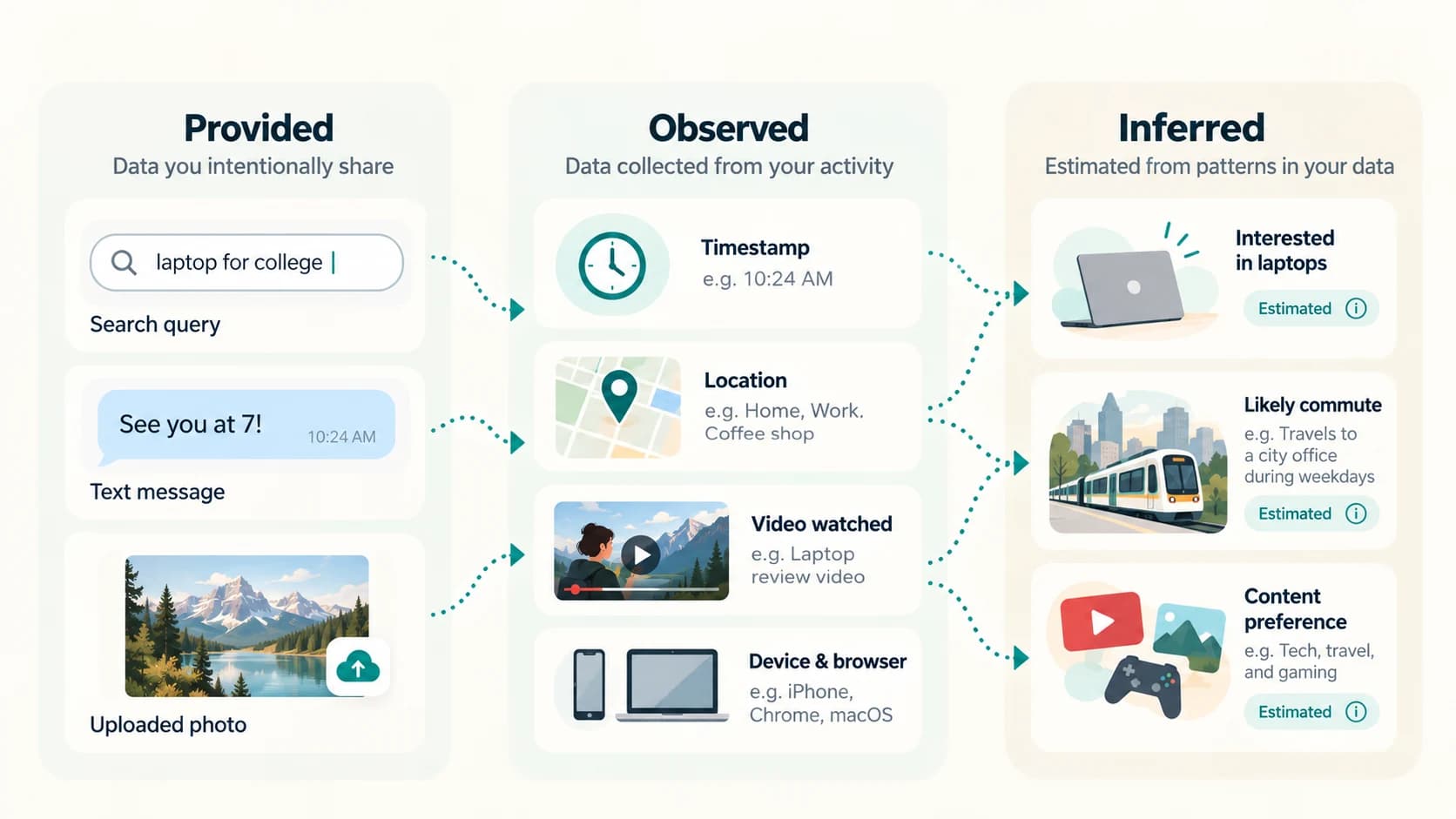
This creates another important category:
Data you deliberately provide
A search phrase.
Data observed about your behaviour
You watched a particular video for a particular session.
Data inferred about you
You may be interested in buying a laptop.
Those three should not be confused.
12:30 p.m.: A Digital Payment Creates a Transaction Record
You buy lunch and tap a card or make another electronic payment.
A payment needs enough information to authorize and settle the transaction.
The exact data depends on the payment method and participants, but transaction records can include details such as:
- amount
- date
- time
- merchant
- merchant location
- payment-account information
Visa's privacy notice lists transaction information including date, time, location, amount and merchant information. Mastercard similarly describes receiving details such as the merchant name and location, date and total transaction amount when processing payments.
The payment itself may last seconds.
The resulting financial record can persist far longer because payment systems, merchants and financial institutions need records for functions such as:
- account statements
- refunds
- fraud detection
- disputes
- accounting
- regulatory requirements
A lunch purchase is therefore also a data event.
2:00 p.m.: Communication Creates Content and Metadata
You send someone a message:
I'll arrive at 6.
The message itself is content.
But communication can also create metadata: information about the communication rather than the sentence itself.
Depending on the service, examples can include:
- sender
- recipient
- timestamp
- device
- delivery status
- message size
- conversation identifiers
This distinction matters.
An encrypted messaging system may protect message content so that the provider cannot read the conversation, while still needing some information to route and operate the service.
So saying:
"The message is encrypted."
does not automatically mean:
"No data about the interaction exists."
Privacy depends on exactly what the system stores and protects.
5:30 p.m.: Photos Generate More Than Pixels
You take a photo.
The visible picture might occupy several megabytes.
But the file may also contain metadata describing things such as:
- date and time
- camera characteristics
- orientation
- editing information
- location, if geotagging is enabled
Then several more events may happen.
You edit the photo.
Back it up.
Send it through a messaging app.
Upload it to social media.
Every stage can create another copy or another record of activity.
This shows why asking:
"How much data did I create?"
quickly becomes ambiguous.
Do we count only the original photo?
The cloud backup?
The thumbnail?
The upload log?
The social-media post?
The message containing the photo?
The recipients' copies?
One human action can create many technical records.
7:00 p.m.: Your Television and Smart Home Can Join In
Connected devices expand the trail beyond the phone.
A smart television may process viewing activity.
A thermostat may maintain temperature and usage history.
A smart speaker may process voice requests.
Amazon's current Alexa documentation, for example, says Alexa can process voice recordings and transcripts when users interact with it. Connected smart-home integrations may also provide information such as device type, status and usage history.
Imagine saying:
Turn off the bedroom light.
To you, that is a sentence.
To a digital system, the interaction could potentially involve:
account + device + voice request + timestamp + smart-light identifier + resulting device state
Again, implementation and settings matter.
A connected home is not automatically a surveillance system, but it does create new kinds of machine-readable activity that did not exist with an ordinary mechanical switch.
9:00 p.m.: Entertainment Creates Behavioural Data
You open a streaming platform.
You browse ten films.
Open two descriptions.
Watch one trailer.
Start a movie.
Stop after 18 minutes.
Choose another.
Those choices can become behavioural signals.
A streaming platform does not need you to press a button marked:
My interests are...
It can learn something from how you use the product.
That is the difference between declared preferences and observed preferences.
You declare:
I like science fiction.
Or the service observes:
This account repeatedly watches science-fiction programmes and rarely finishes romantic comedies.
Observed behaviour can sometimes describe preferences more accurately than questionnaires.
And derived recommendations create yet another layer of information.
The Data You Never Typed Can Be the Most Interesting
By now, the day's digital information can be divided into three broad groups.
1. Data you provided
Examples:
- messages
- searches
- photographs
- profile details
- voice commands
- form entries
2. Data systems observed
Examples:
- timestamps
- location
- IP address
- device information
- website visits
- transaction details
- video viewing
- app interactions
- fitness measurements
3. Data systems inferred
Examples might include:
- likely interests
- preferred content
- common commute
- sleeping patterns
- purchasing tendencies
An inference is not necessarily a fact.
A recommendation system can misunderstand you.
But the inference can still affect what the system shows you.
This is one reason the amount of information about a person can eventually exceed the information that person knowingly entered.
So How Many Data Points Do You Generate?
There still isn't a credible universal number.
Two people can live completely different digital lives.
Person A may use:
- a basic phone
- cash
- no smartwatch
- few apps
- no smart-home devices
Person B may use:
- a smartwatch all day
- GPS navigation
- contactless payments
- cloud photo backup
- social networks
- streaming platforms
- smart speakers
- connected appliances
Even for the same person, counting depends on what you call a data point.
Is a 30-minute GPS route:
one trip
or
hundreds of location measurements?
Is watching a video:
one event
or a collection of:
- page load
- play
- pause
- seek
- watch duration
- recommendation impression
- network requests
And should duplicate server logs count as more personal data?
There is no standard unit.
That is why dramatic claims such as:
"The average person generates exactly X megabytes of personal data every day"
should be treated cautiously unless the author explains exactly what is being measured.
Data Volume and Privacy Risk Are Not the Same Thing
Consider these two records.
Record A
A 12 MB photograph of a blank wall.
Record B
Home address
Work address
Daily departure time
Daily arrival time
Record B may use only a tiny amount of storage.
It is potentially much more revealing.
Privacy is therefore not mainly about how many gigabytes exist.
It is about:
- sensitivity
- persistence
- linkability
- who can access the data
- what it can reveal
- what can be inferred from it
A tiny identifier can connect several enormous datasets.
A huge media file may reveal almost nothing meaningful about its owner.
Not Everything Is Sent to “The Internet”
It is also wrong to picture every measurement immediately flowing into one gigantic global database.
Modern devices perform significant processing locally.
Operating systems restrict sensitive permissions.
Some applications use end-to-end encryption.
Some analytics are optional.
Some records are aggregated or deleted.
Some services deliberately minimise collection.
And different companies possess different pieces.
Your bank does not automatically receive your smartwatch's heart-rate data.
Your fitness app does not automatically get your card transactions.
Your navigation app does not inherently possess your private messages.
However, when several datasets are connected through common accounts, identifiers or integrations, the resulting picture can become much richer.
The European Commission's guidance reflects this broader principle: separate pieces of information can constitute personal data when together they can identify a person.
You Have More Control Than It May Seem
You cannot realistically use modern digital services without generating any data.
But you can reduce unnecessary collection.
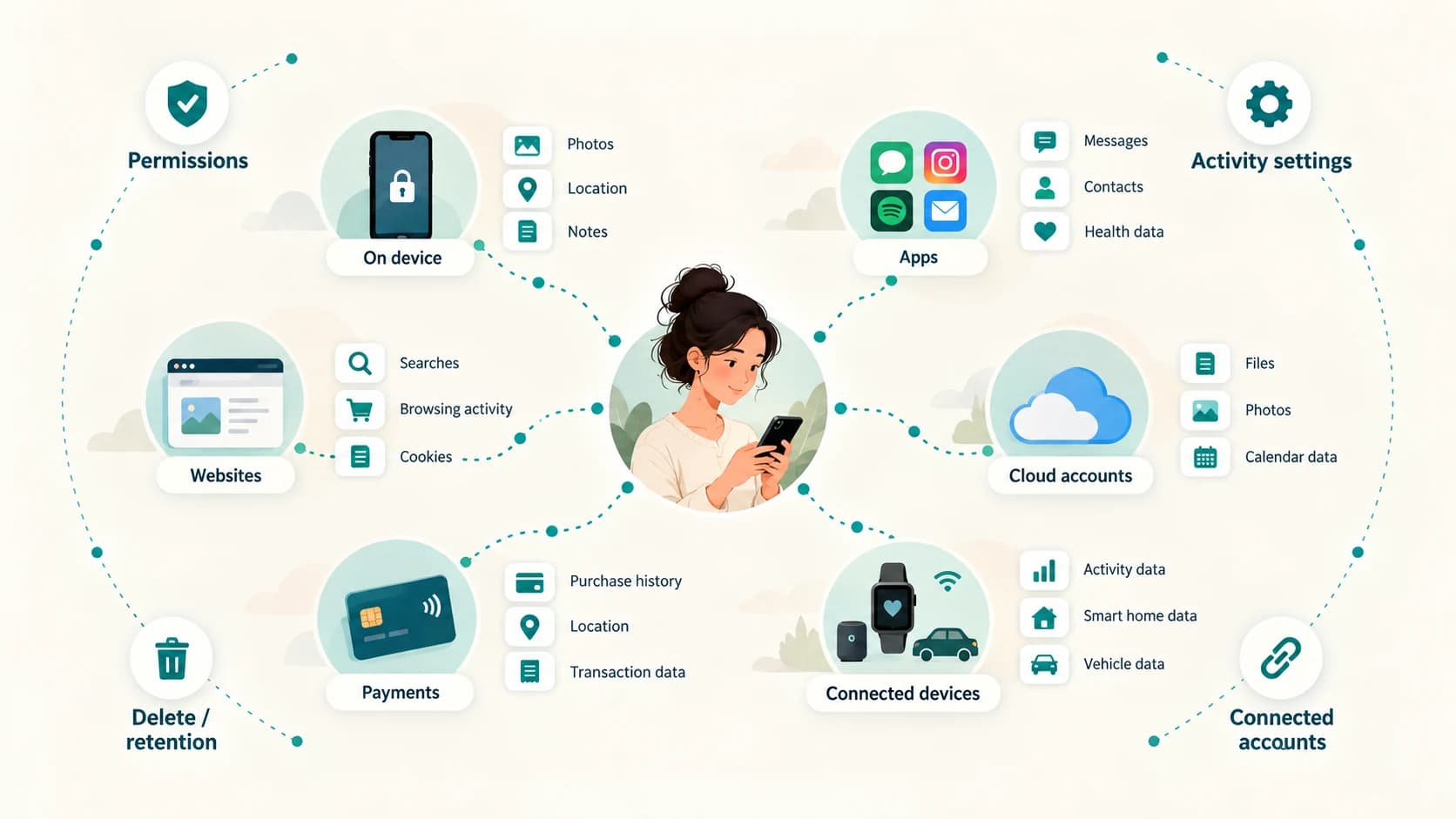
Review app permissions
Check which apps can access:
- location
- camera
- microphone
- contacts
- photos
- health data
Ask whether the permission makes sense for the app's function.
Prefer “while using” or approximate location when enough
Both Android and iOS provide more granular location controls than an all-or-nothing choice.
Inspect account activity
Services such as Google My Activity allow users to review and delete certain saved activity and control whether categories of future activity are retained.
Review privacy dashboards
Android's Privacy Dashboard and Apple's App Privacy Report can help reveal which apps have been using sensitive permissions.
Check connected devices and services
A fitness tracker, smart speaker or third-party account integration may continue generating data even when you are not actively thinking about it.
Delete accounts you no longer use
Old accounts can continue holding information long after the app disappears from your home screen.
The goal does not have to be zero data.
That is unrealistic for most people.
A better goal is:
generate and share data deliberately rather than unknowingly.
The Digital Version of an Ordinary Day
By bedtime, you may barely remember all the digital interactions you had.
Your systems do not experience the day that way.
To them it can look more like:
07:03 — phone activity
07:12 — weather request
07:30 — health measurements synced
08:31 — navigation begins
09:15 — website request
10:02 — search
10:07 — video watched
12:34 — payment
14:06 — message
17:42 — photo uploaded
19:08 — smart-home command
21:14 — film started
No one company necessarily holds that complete timeline.
Some events may never leave the device.
Some may be deleted.
Others may exist across several services.
But collectively, modern technology is extremely good at converting ordinary life into machine-readable events.
So how much personal data do you generate in an ordinary day?
Probably far more individual signals than you consciously create.
But the exact number is less important than understanding their structure.
Your digital trail is not one giant file labelled “My Personal Data.”
It is thousands of possible fragments spread across devices, browsers, applications, accounts, merchants and services.
And sometimes the most revealing information is not something you ever typed at all.
It is what those fragments can say when someone puts them together.