Processor, RAM or Storage: What Matters Most in a Phone?
Processor, RAM and storage affect a phone in different ways. Learn what each one does, what actually makes a phone fast and what to prioritize when buying.
Two phones cost roughly the same.
One offers a powerful processor but only moderate RAM.
Another advertises 12 GB or 16 GB of RAM with a weaker processor.
A third gives you 512 GB of storage while the others offer 128 GB or 256 GB.
Which one is actually faster?
And which specification should matter most when you buy a phone?
The answer becomes much easier once you stop treating processor, RAM and storage as three competing versions of the same thing.
They do completely different jobs.
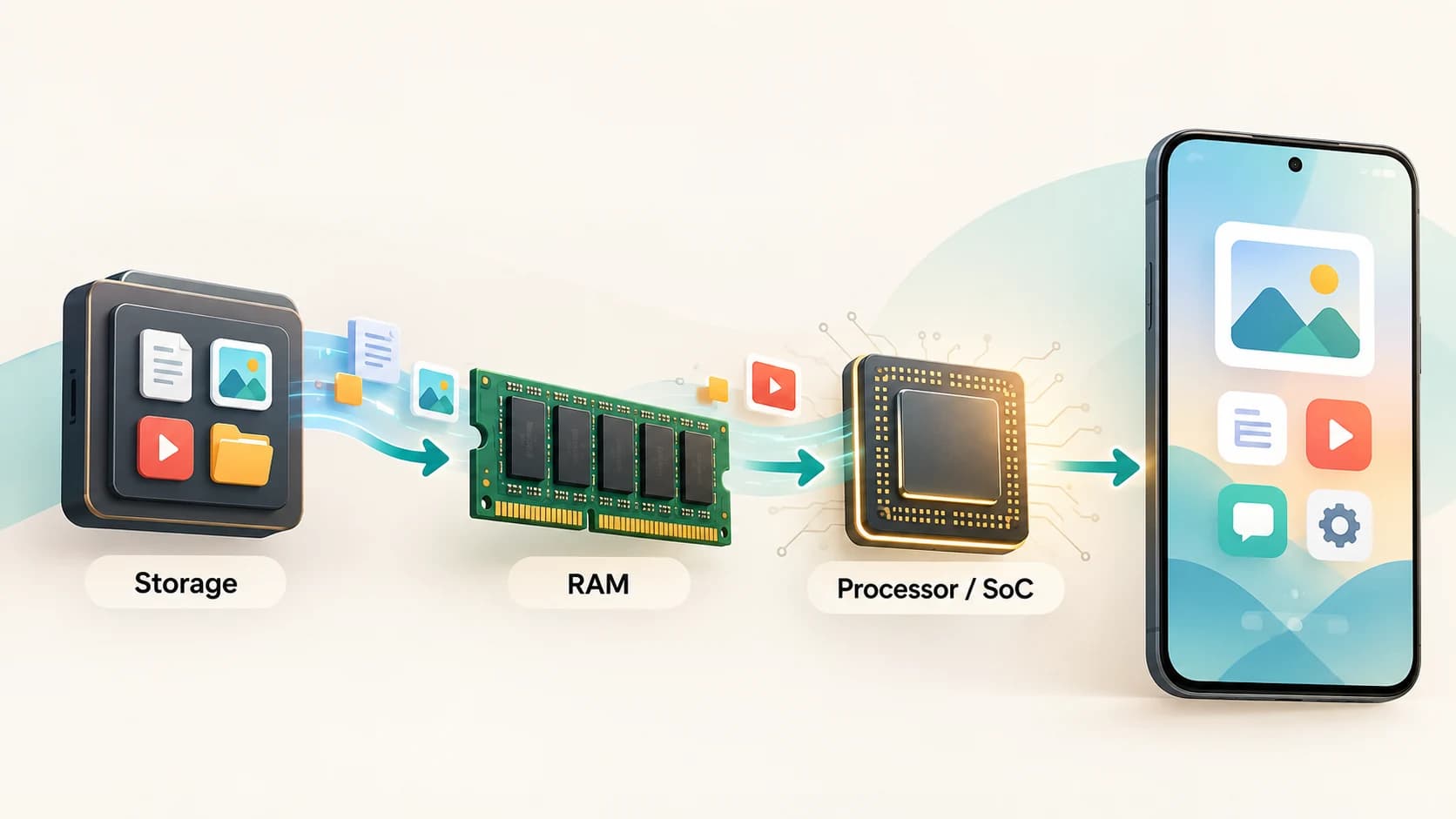
A useful simplified view is:
Processor = does the work
RAM = holds the work currently in use
Storage = keeps apps and files long term
When you open an app, all three can become involved. Storage supplies the app's code and data. RAM gives that active information somewhere fast to live. The processor executes the instructions.
A weakness in any one of them can therefore make the phone feel slow, but in different ways.
What Does the “Processor” in a Phone Actually Do?
When people say a phone has a Snapdragon, Dimensity, Exynos or another processor, they are usually referring to something broader than a traditional CPU.
A modern smartphone uses a system-on-a-chip, or SoC.
The SoC can contain several specialized components, including:
- CPU
- GPU
- AI or neural-processing hardware
- image signal processor
- video-processing hardware
- modem and connectivity components
- memory controllers
- security hardware
Qualcomm, for example, describes its current mobile platforms as integrating CPU, GPU, NPU, ISP and connectivity functions rather than functioning as a CPU alone.
The CPU handles general computation
The central processing unit executes much of the general-purpose code behind:
- opening apps
- running the operating system
- browser processing
- spreadsheets
- application logic
- file compression
- many background tasks
A faster CPU can complete CPU-heavy work more quickly.
The GPU handles graphics
The graphics processing unit is particularly important for:
- games
- interface rendering
- 3D graphics
- some computational workloads
A phone can have a reasonably fast CPU but a much weaker GPU, making it acceptable for ordinary apps but much less capable in demanding games.
The NPU handles AI workloads
Modern phones increasingly contain dedicated neural processing units, or NPUs.
These can accelerate certain machine-learning tasks such as:
- on-device AI
- image enhancement
- speech processing
- generative features
- recognition tasks
The ISP affects the camera
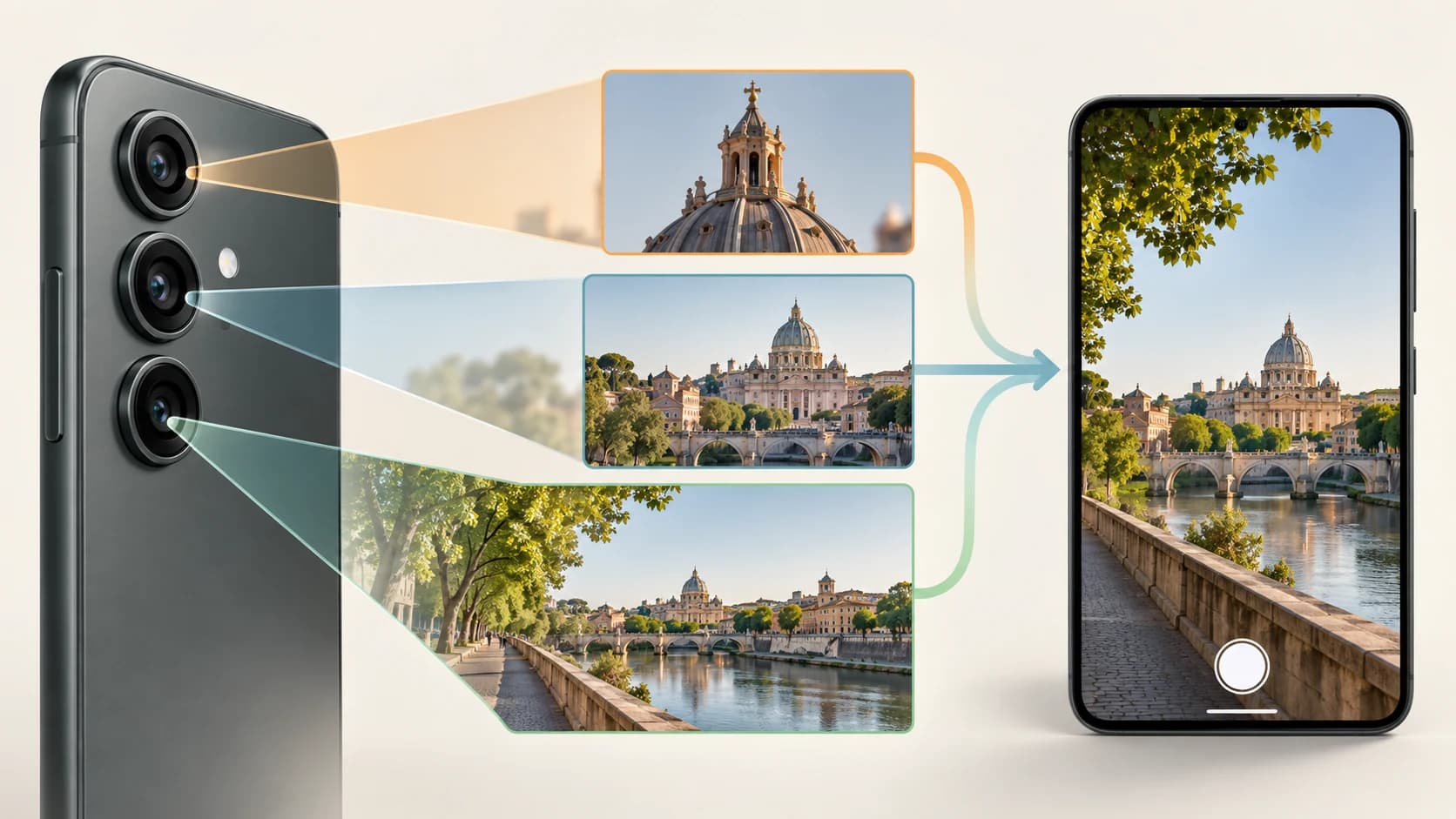
The image signal processor, or ISP, helps process information coming from the camera sensors.
That means your processor platform can influence photography even when two phones appear to have similar camera specifications.
The “processor” specification is therefore really describing a major part of the phone's computational foundation.
Why the Processor Usually Sets the Performance Ceiling
Imagine a phone with a weak processor and enormous amounts of RAM.
You install:
16 GB RAM
Would a demanding game suddenly run like it does on a flagship processor?
No.
RAM can give the game enough working memory, but it cannot perform the GPU calculations required to render the game faster.
Likewise, adding 1 TB of storage does not make a slow CPU complete a video export quickly.
The processor determines how quickly calculations can be performed.
That is why processor capability tends to matter greatly for:
- gaming
- video editing
- demanding camera processing
- on-device AI
- emulation
- heavy web pages
- long-term software demands
This makes the processor particularly important when you want a phone to remain capable for several years.
Software can become more demanding.
You cannot upgrade the phone's SoC later.
But Processor Specifications Can Also Be Misleading
A processor name alone does not tell you exactly how a phone will behave.
Performance also depends on:
- cooling
- power limits
- battery condition
- manufacturer tuning
- operating-system optimization
- sustained temperature
- app optimization
A very fast processor may deliver exceptional performance for a short benchmark and then reduce its frequency when the phone becomes too hot.
Another phone using the same SoC may sustain performance differently because its cooling system is better.
So the processor matters enormously, but:
processor model ≠ guaranteed real-world performance.
What Is RAM?
RAM stands for Random Access Memory.
It is the phone's fast, temporary working memory.
Suppose you open:
- Chrome
- Maps
- Spotify
- Camera
Those apps and parts of their active data may occupy RAM while you use them.
The operating system also needs RAM.
So do background services.
RAM is not where your photographs permanently live. It is where software keeps information it needs quickly while running.
Google describes the distinction simply: storage keeps persistent data such as apps, music and photos, while memory is used for running apps and the Android system.
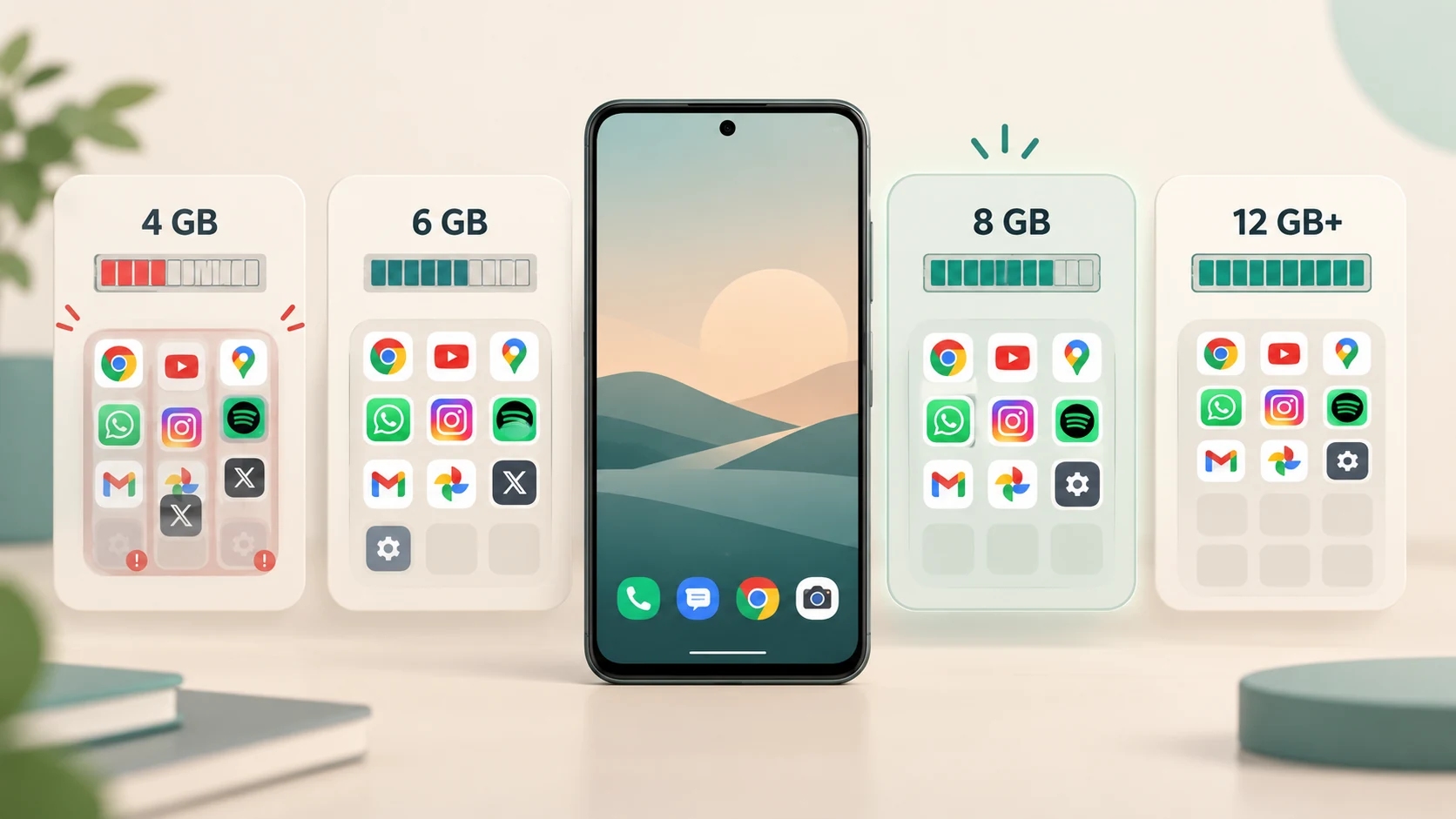
More RAM Mainly Helps the Phone Keep More Things Ready
Imagine reading a long webpage.
You switch to the camera and take several photographs.
Then you return to the browser.
If enough RAM is available
The browser may still be sitting in memory.
You return almost instantly to the page exactly where you left it.
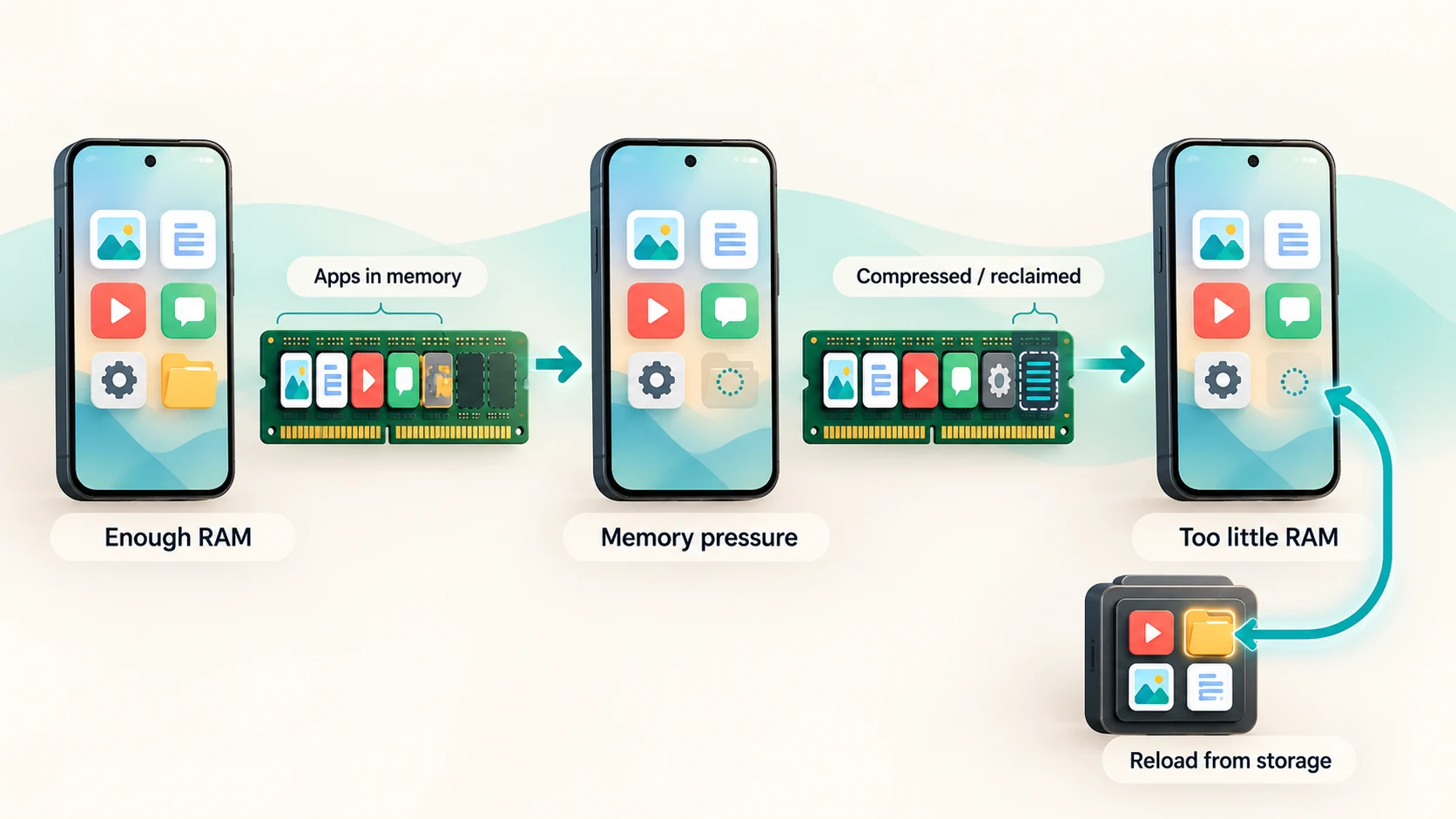
If RAM is under pressure
Android may have removed the browser process from active memory.
When you return, the browser may need to:
- restart parts of itself
- reload code
- restore the page
- retrieve information from storage or the internet
The phone feels slower even though the processor itself has not changed.
Android's memory-management system actively deals with this situation. When memory pressure becomes high, it can reclaim memory and eventually terminate less important background processes so that active applications continue operating.
This is why RAM matters particularly for multitasking.
Too Little RAM Creates a Performance Cliff
RAM shortages do not always produce a gradual slowdown.
A phone may work perfectly well until memory becomes sufficiently constrained.
Then the operating system has to become much more aggressive about:
- reclaiming cached memory
- compressing memory
- evicting data
- terminating background processes
Android's current memory documentation describes this as a performance cliff: while enough memory remains available, extra memory usage may have little visible effect; once memory becomes exhausted, reclaiming and process termination can cause substantial responsiveness problems.
This explains something important about smartphone specifications:
RAM often matters most when you don't have enough of it.
Once you have enough for your workload, adding substantially more may produce a much smaller improvement.
Why 16 GB of RAM Is Not Automatically Faster Than 8 GB
Suppose your normal usage needs only 6 GB of physical RAM at a particular moment.
Phone A has 8 GB.
Phone B has 16 GB.
Both have sufficient memory.
The extra 8 GB in Phone B does not automatically make the CPU calculate twice as quickly.
It does not make a game render at twice the frame rate.
It does not make the storage read files twice as fast.
More RAM can provide:
- more multitasking headroom
- fewer app reloads
- more room for demanding applications
- additional future headroom
But RAM should not be treated like a universal speed multiplier.
This is one reason judging a phone simply by saying:
“It has 16 GB RAM, so it must be very fast.”
can be badly misleading.
A low-end phone with large RAM can still have a slow processor and slow storage.
What About “Virtual RAM”?
Some Android phones advertise features such as:
8 GB physical RAM + 8 GB virtual RAM
That does not mean the phone suddenly contains 16 GB of identical physical memory.
Some manufacturer features use part of internal storage as additional virtual memory. Samsung's RAM Plus, for example, explicitly uses internal storage for this purpose.
Physical RAM is designed for extremely fast working memory.
Flash storage is fundamentally different.
Virtual-memory techniques can help the operating system manage memory pressure and preserve less-active data, but they do not transform flash storage into physical DRAM with identical performance.
Android also uses zRAM, which compresses inactive memory pages inside RAM itself. When memory pressure becomes high, the system can compress, reclaim and eventually terminate processes.
So when comparing phones, do not simply add:
physical RAM + advertised virtual RAM
and treat the result as the phone's real RAM capacity.
Storage Is More Than Just “How Many Photos Can I Keep?”
Storage is where the phone keeps persistent information such as:
- operating system files
- applications
- games
- photographs
- videos
- music
- documents
- downloaded media
- app databases
This is what specifications such as:
128 GB
256 GB
512 GB
1 TB
are describing.
Storage capacity matters enormously if you record:
- lots of 4K video
- high-resolution photos
- large games
- offline movies
- music libraries
But storage has another property that often gets less attention:
speed.
Two 256 GB Phones Can Have Very Different Storage Performance
Capacity and speed are separate characteristics.
A phone can have 256 GB of relatively slow flash storage.
Another can have 256 GB of much faster storage.
Modern Android phones may use different generations or classes of UFS, short for Universal Flash Storage.
Samsung's UFS specifications show substantial differences between storage generations. Its UFS 4.0 products, for example, were designed for much higher read and write throughput than previous generations.
Micron similarly identifies faster random reads as particularly relevant to application loading and responsiveness.
Storage speed can affect:
- boot time
- app installation
- app loading
- game loading
- opening large files
- saving large photographs or videos
- copying data
Android's own performance documentation notes that storage I/O can become a source of startup delays and that code evicted from RAM may have to be read back from storage.
So storage is not merely a digital cupboard.
It participates in performance.
How Processor, RAM and Storage Work Together When You Open an App
The interaction becomes easiest to understand through one ordinary action.
You tap a game icon.
Step 1: Storage supplies the app
The game itself is stored in flash storage.
Code, textures and other data have to be read.
Faster storage can reduce waiting here.
Step 2: RAM holds active information
The game places the data it currently needs into RAM.
Textures, application state and other working information need fast access.
Step 3: The processor executes the game
The CPU handles game logic.
The GPU renders graphics.
Other parts of the SoC may process audio, AI or connectivity.
Step 4: More information moves between storage and RAM
As you enter another level, new resources may be loaded.
Step 5: When you switch apps, RAM becomes especially important
If the game remains in RAM, returning may be quick.
If memory pressure forced the operating system to remove it, the game may have to reload.
So:
Storage loads it.
RAM keeps it ready.
Processor runs it.
You cannot completely replace one with another.
An Easy Analogy: Kitchen, Counter and Cupboards
A simplified analogy can help.
Imagine cooking in a kitchen.
Processor = the cook
A faster cook can perform tasks more quickly.
RAM = the worktop
A large worktop lets you keep more ingredients, pans and tools immediately available.
A tiny worktop forces you to keep putting things away and fetching them again.
Storage = the cupboards and pantry
This is where ingredients and equipment remain when they are not actively being used.
Larger cupboards hold more.
Better-organized, faster-to-access cupboards reduce the time spent retrieving things.
Now imagine:
very fast cook + tiny worktop
The cook constantly has to clear and retrieve things.
huge worktop + very slow cook
Everything is available, but the work itself is still slow.
fast cook + huge worktop + terrible cupboard access
The cook keeps waiting for ingredients.
A good kitchen balances all three.
A good phone does too.
What Actually Matters Most?
There is no universal winner, but the priorities can be separated reasonably well.
For basic everyday use
For:
- messaging
- calls
- social media
- web browsing
- banking
- video streaming
the best experience usually comes from balance.
Once RAM and storage are adequate, a better processor can make the phone feel more responsive and give it more headroom for future software.
For gaming
The processor matters heavily, particularly:
- GPU performance
- CPU performance
- sustained thermal performance
RAM still needs to be sufficient, and fast storage helps with loading, but 16 GB of RAM cannot rescue a weak GPU.
For heavy multitasking
RAM becomes especially important.
If you regularly switch between:
- browser tabs
- editing software
- documents
- social apps
- games
extra memory can reduce app reloads.
Processor performance still determines how quickly each app runs once active.
For photography and video
Storage capacity can become important very quickly.
Large video files can consume hundreds of gigabytes over time.
The SoC also matters because image and video processing rely heavily on the ISP, CPU, GPU and specialized processing hardware.
For keeping a phone for many years
Processor and RAM headroom both matter.
Future apps may demand more processing and more memory.
Enough storage headroom also prevents the phone from becoming permanently close to full.
No single specification solves long-term usability by itself.
Why Nearly Full Storage Can Become a Problem
Buying enough storage is not only about whether the final photograph fits.
Operating systems and apps need free working space.
Google currently warns that Android phones can begin experiencing problems when less than about 10% of storage remains free. This is troubleshooting guidance rather than a universal hardware threshold, but it demonstrates that operating permanently near full capacity is undesirable.
Apps create:
- caches
- temporary files
- updates
- databases
- downloaded content
The operating system also needs room for updates and temporary operations.
So a 128 GB phone that remains nearly full may be less pleasant to use than a 256 GB model with substantial free space, even if their processors are identical.
More Storage Capacity Does Not Automatically Mean More Speed
Another specification trap is assuming:
512 GB must be faster than 128 GB because the number is larger.
Not necessarily.
Capacity tells you how much information fits.
Storage technology and implementation determine performance.
Some higher-capacity flash configurations can perform differently because of their internal architecture, but this varies by device and should not be treated as a universal rule.
The safest distinction is:
GB tells you capacity.
Storage technology and benchmarks tell you speed.
Which Upgrade Gives the Biggest Difference?
Imagine configuring a phone and having enough budget for only one upgrade.
The answer depends on where the bottleneck currently is.
Weak processor → stronger processor
This can improve:
- general responsiveness
- gaming
- heavy applications
- image processing
- AI features
- long-term performance headroom
Insufficient RAM → more RAM
This can improve:
- multitasking
- app retention
- switching between large apps
- responsiveness under memory pressure
But the improvement becomes smaller once memory is already sufficient for your workload.
Insufficient storage → more storage
This gives you:
- more room for apps
- more photos and video
- less need to constantly delete files
- more free-space headroom
But it does not inherently make CPU-heavy tasks faster.
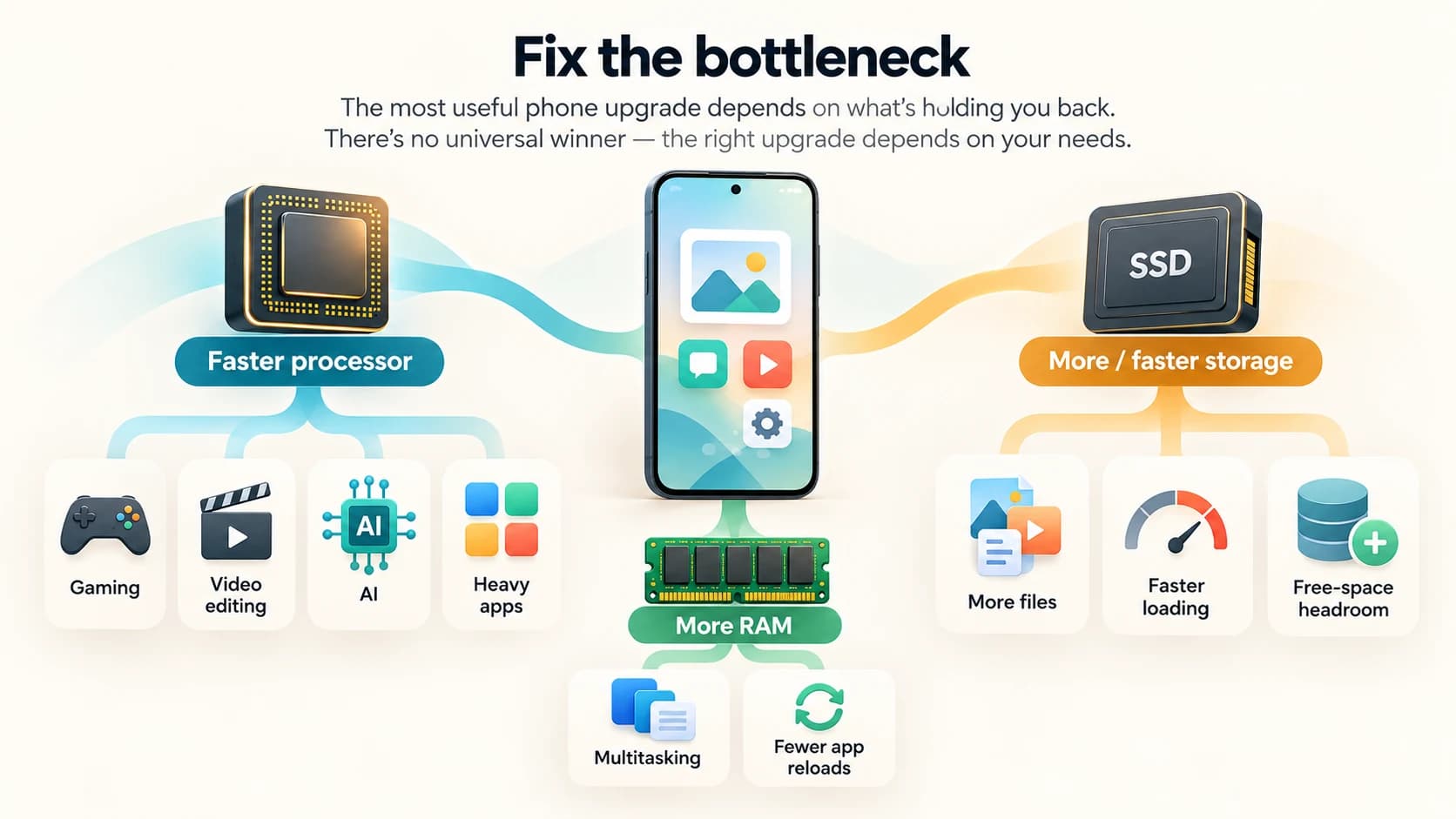
The best upgrade is therefore the one that removes your actual bottleneck.
Why Specification Sheets Can Still Mislead You
Consider these three hypothetical phones.
| Phone | Processor | RAM | Storage |
|---|---|---|---|
| A | Fast | 8 GB | 128 GB |
| B | Slow | 16 GB | 256 GB |
| C | Medium | 8 GB | 512 GB |
Which is best?
You still cannot answer without knowing what the buyer wants.
A gamer may prefer A.
Someone storing large amounts of offline video may prefer C.
A heavy multitasker might care about B's RAM, but its slow processor could still make demanding apps less responsive.
And even the table is incomplete.
You still need to know:
- storage speed
- cooling
- battery
- display
- software support
- camera
- device optimization
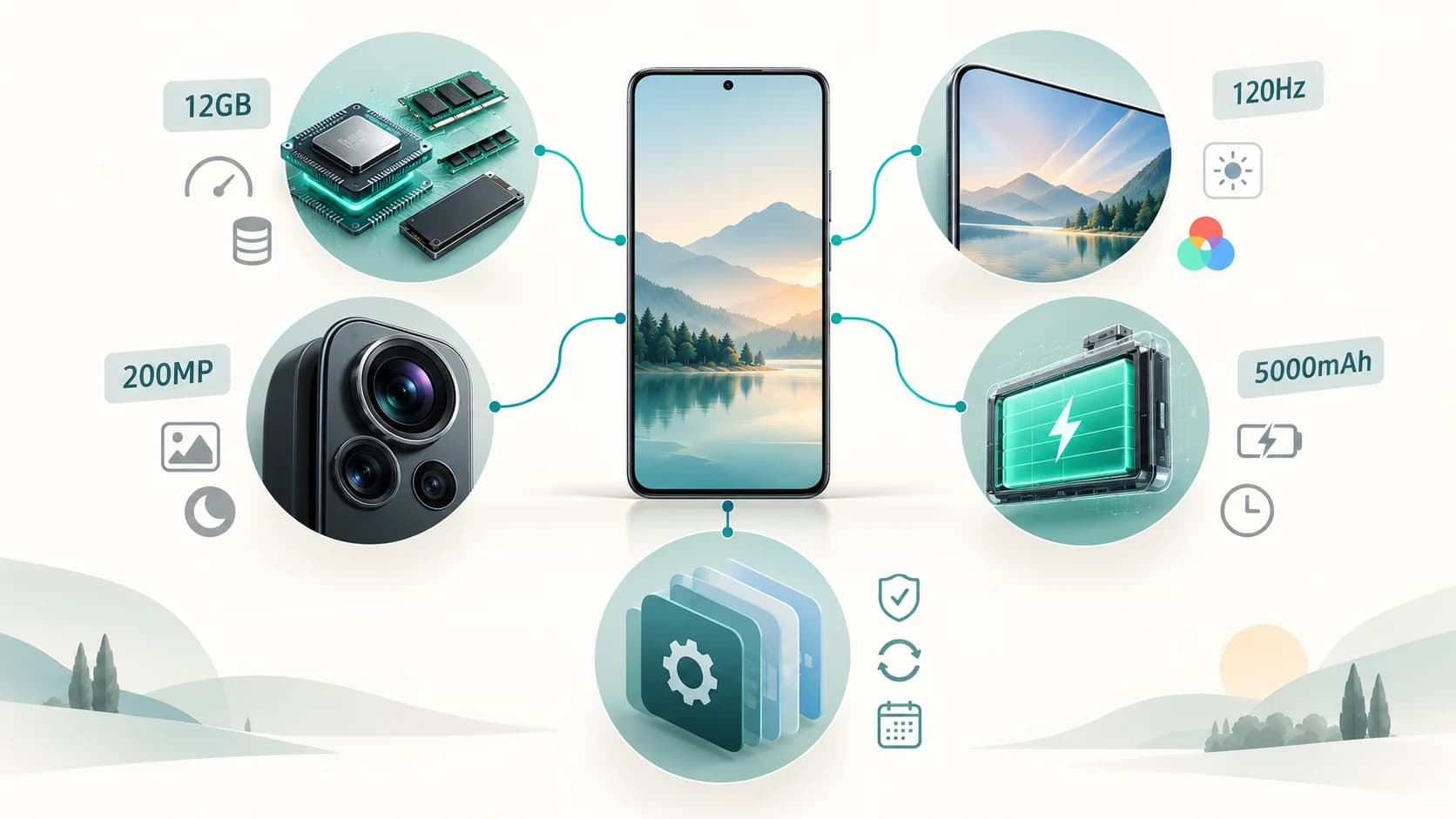
Smartphone performance cannot be reduced to one row of large numbers.
A Better Way to Read Phone Specifications
Instead of asking:
Which phone has the biggest number?
Ask a sequence of questions.
1. Is the processor powerful enough for what I do?
If you game, edit video or intend to keep the phone for many years, pay particular attention here.
2. Is there enough physical RAM?
You want enough that the operating system is not constantly throwing away apps you intend to return to.
More than enough is useful headroom, but not unlimited performance.
3. Is the storage capacity realistic for me?
Look at your current phone.
If you already use 180 GB, buying 128 GB would obviously be uncomfortable.
4. What type of storage does the phone use?
On Android devices where this information is published, UFS generation can help explain performance differences.
5. Will there still be free storage after several years?
Do not plan to operate permanently at 99% capacity.
6. Is the phone well optimized?
Specifications provide hardware capability.
Software determines how effectively much of that capability is used.
So Which Matters Most: Processor, RAM or Storage?
If the question is specifically about raw performance, the processor usually has the greatest influence because it determines how quickly much of the actual computation can happen.
But that answer needs an important qualification.
A powerful processor with insufficient RAM can still suffer frequent app reloads.
A powerful processor and plenty of RAM paired with slow storage can still experience longer loading and I/O delays.
And a brilliantly fast phone with too little storage for its owner becomes frustrating for a completely different reason.
The practical priority is therefore:
First, make sure all three are adequate.
Then optimize according to your use.
For most people, the ideal phone is not:
the strongest processor
or
the most RAM
or
the most storage.
It is the phone in which none of those components becomes an obvious bottleneck.
The processor determines how quickly the work can happen.
RAM determines how much active work can stay close at hand.
Storage determines how much you can keep and how quickly persistent data can be retrieved.
They are not rivals.
They are three parts of the same performance system.