
Malware: Virus, Worm, Trojan, Spyware and Ransomware
Malware: Virus, Worm, Trojan, Spyware and Ransomware. Foundational Computer Awareness explanations, examples and explained practice questions for banking and recruitment exam preparation.
By Akhilesh Saini
Learning objectives
Recognize the five named malware categories, describe typical infection routes, distinguish malware from social engineering, and identify sensible first responses when a device may be compromised.
Why computer security matters
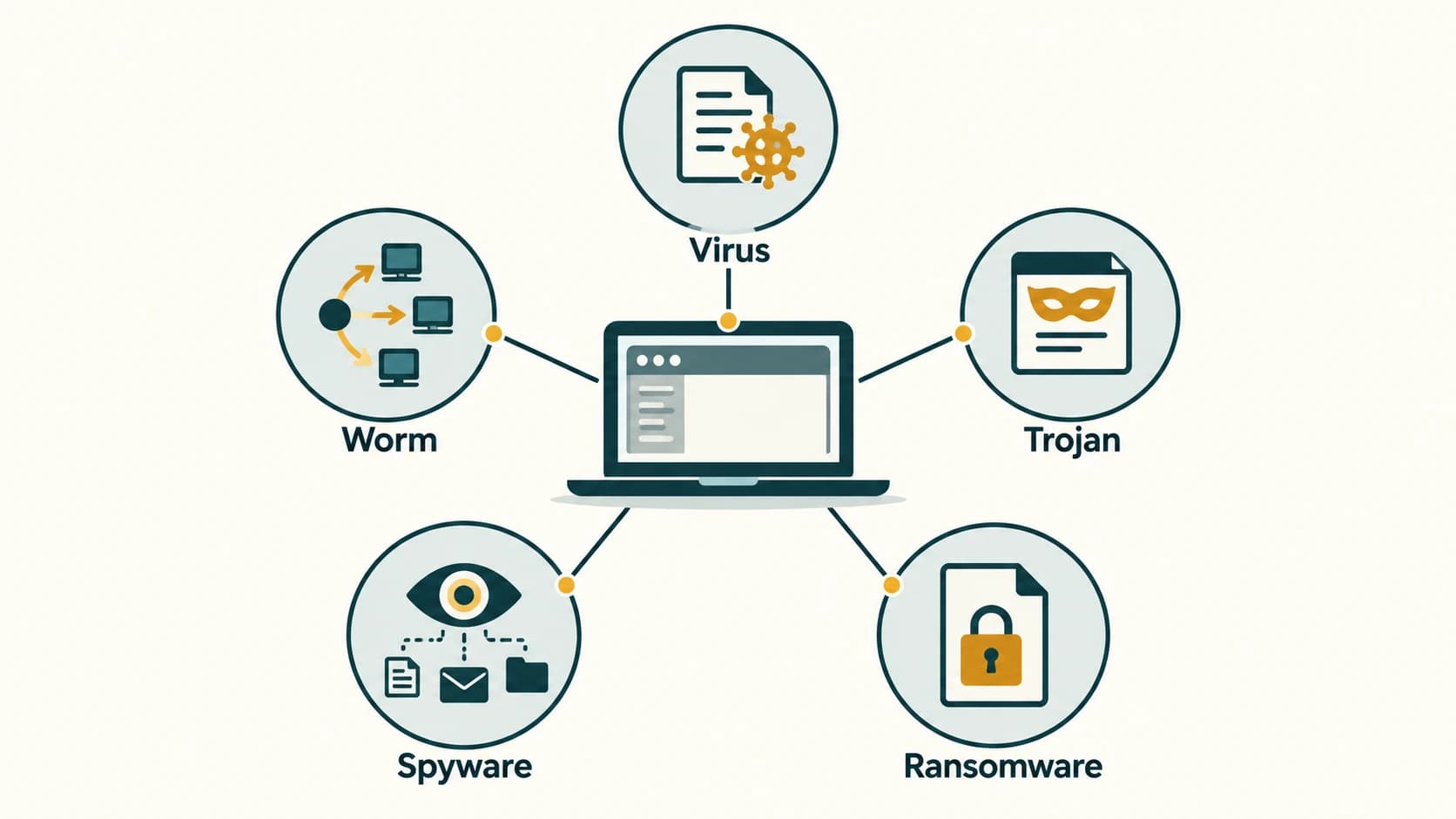
A computer's role in a bank is not limited to showing account balances. It may process transactions, connect to shared systems and handle personal information. A malicious program could interrupt that work, secretly collect data or alter files. Malware (malicious software) is software or code created or used to perform harmful or unauthorized actions. Malware is an umbrella term; virus, worm, Trojan, spyware and ransomware are different kinds or descriptions within it.
An attack does not always require sophisticated technology. A person may run a fraudulent installer believing it is a useful utility. A staff member may open a malicious attachment. An unpatched service may also be exploited without anyone clicking a link. Infection methods and malware behavior are separate ideas.
The five major categories
| Term | Basic meaning | Exam clue | Important qualification |
|---|---|---|---|
| Virus | Malicious code that attaches to a host file/program and replicates when the infected host is executed or activated | Infected file / host | Not every virus spreads without user action |
| Worm | Malware able to reproduce and spread, often across network connections, without needing to attach to a host file | Independent spreading | A worm may exploit security flaws or other mechanisms |
| Trojan horse | Malicious software disguised as something legitimate or desirable | Deceptive installer | 'Trojan' describes deception, not automatic self-replication |
| Spyware | Software that secretly monitors activity or collects information without appropriate authorization | Hidden surveillance | May capture browsing, keystrokes or other data |
| Ransomware | Malware that blocks access to systems or data and demands payment or other concessions | Files encrypted / extortion | Some variants also steal data; payment does not guarantee restoration |
A single malicious program can have more than one characteristic—for example, ransomware may arrive as a Trojan and later move through a network. Exam classifications are useful for recognition but not mutually exclusive scientific boxes.
Related words worth recognizing
Adware aggressively displays advertising; some adware is unwanted rather than outright malicious, so the word does not guarantee identical risk in every product. A keylogger captures typed input; unauthorized keyloggers are a form of spying, although approved troubleshooting utilities can also record input under controlled conditions. A bot is software that carries out automated tasks; malicious bots can be recruited into a botnet—a collection of compromised devices controlled for abusive activity. A rootkit tries to hide malicious processes or provide privileged, persistent access.
Payload means the action or code an attack delivers, such as data theft or file encryption. An exploit takes advantage of a vulnerability. A vulnerability is a weakness that could allow an adverse action. Infection vector refers to the way malware reaches or compromises a target.
How malware may reach a device
- An attachment or downloaded file appears to be a salary statement or ordinary document. Opening or executing unsafe content starts malicious code.
- A fake utility or unauthorized browser extension asks for broad permissions, while quietly gathering sensitive data.
- A compromised website or insecure service exploits an outdated application.
- An infected removable device or exposed network share introduces harmful files.
- A stolen account gives an attacker access to deploy malware or perform harmful actions.
These are examples, not a guarantee that every suspicious-looking file is infected. Conversely, a file can be malicious even when it has a normal filename or familiar icon.
Prevention and immediate response
Keep operating systems and applications supported and updated; use trusted software sources; avoid unknown attachments; enable protective scanning; restrict unnecessary access; and keep recoverable, tested backups. If malware is suspected, stop unsafe actions and follow organizational incident procedures. A user in a managed workplace should report to its security/IT team; do not improvise deletion of evidence or install random 'cleaner' apps. In a suspected financial compromise, use verified official channels to protect the affected account.
Worked example: A downloaded 'PDF converter' actually installs monitoring software and transmits form entries. The disguise suggests a Trojan, and the secret monitoring behavior suggests spyware. If it also encrypts local files and demands money, that is ransomware behavior too.
Important terms and objective-exam facts
| Question clue | Answer |
|---|---|
| Host-file attachment and replication | Virus |
| Independent self-spreading malware | Worm |
| Disguised harmful program | Trojan |
| Hidden information collection | Spyware |
| Access denial / extortion through malware | Ransomware |
| Many remotely controlled compromised devices | Botnet |
| Security flaw used by an attacker | Vulnerability / exploit (flaw / method) |
Common confusions and exam traps
- Virus ≠ every malware: All viruses are malware, but not all malware is a virus.
- Worm ≠ Trojan: The former emphasizes propagation; the latter deceptive appearance.
- Ransomware ≠ guaranteed decryptable after payment: Payment offers no certainty and can encourage further abuse.
- Antivirus ≠ perfect protection: Prevention, backups, access controls and monitoring also matter.
- Suspicious email ≠ proof of malware infection: It may be a social-engineering attempt without harmful executable code.
Quick revision
- Malware is the broad category; types may overlap.
- Virus attaches to a host; worm can self-spread; Trojan deceives.
- Spyware gathers information secretly; ransomware extorts by disrupting access or threatening data release.
- Software updates, cautious downloads and recoverable backups are complementary defenses.
- Escalate suspected compromise through trusted security channels.
Practice questions — CA-09-01
1. A program attaches to a file and replicates when its host runs. Which category best fits?
A. Worm
B. Virus
C. Firewall
D. Backup
2. Which malware can often spread independently across networks?
A. Worm
B. Cookie
C. Spreadsheet
D. Digital certificate
3. A fake photo-editor installer secretly steals stored credentials. Its disguise is characteristic of a:
A. Repeater
B. Firewall
C. Trojan
D. Database
4. Malware that secretly observes activity or collects data is known as:
A. Ransomware only
B. Spyware
C. Antivirus
D. Compiler
5. Files become inaccessible and a demand for payment appears. This suggests:
A. Ransomware
B. Load balancing
C. Page formatting
D. Ordinary caching
6. Which claim is correct?
A. All malware must be a virus
B. A Trojan always spreads itself like a worm
C. Malware categories can overlap
D. Ransom payment guarantees recovery
7. An organized group of compromised devices directed for malicious tasks is a:
A. Workbook
B. Botnet
C. WAN type
D. Digital signature
8. Which action most directly limits damage from files lost to ransomware?
A. Disabling all updates
B. Sharing passwords
C. Relying on attacker promises
D. Keeping tested, isolated backups
9. A malicious program records keystrokes without permission. Which term fits its behavior?
A. Keylogger/spyware
B. Optical fibre
C. Access point
D. Defragmenter
10. Which statement about anti-malware scanning is accurate?
A. It detects all threats with certainty
B. It replaces all backups
C. It can miss attacks or give false positives
D. It makes every attachment safe
11. A vulnerability is best described as:
A. A secure password
B. A weakness that might be exploited
C. A restore test
D. A network printer
12. A staff device may be infected. What is the most appropriate initial workplace response?
A. Hide the issue
B. Install unverified cleaner programs
C. Send confidential files to friends
D. Follow incident procedures and alert IT/security
Answers and explanations — CA-09-01
1. B — Virus. A virus is characterized by attachment to a host file/program and replication when the host is activated.
2. A — Worm. A worm can reproduce and propagate without attaching to a host file.
3. C — Trojan. A Trojan presents malicious software as something legitimate or useful.
4. B — Spyware. Spyware describes covert information monitoring or collection.
5. A — Ransomware. Ransomware disrupts access or threatens data and seeks payment or concessions.
6. C — Malware categories can overlap. The labels describe mechanisms or behavior, so the same attack can fit several categories.
7. B — Botnet. A botnet is a collection of devices controlled as bots for coordinated actions.
8. D — Keeping tested, isolated backups. Recoverable copies that attackers cannot easily alter can aid restoration after encryption or destruction.
9. A — Keylogger/spyware. Unauthorized keylogging is an information-capture activity often associated with spyware.
10. C — It can miss attacks or give false positives. Detection tools are useful but imperfect, and may both miss threats and flag benign items.
11. B — A weakness that might be exploited. A vulnerability is a flaw or weakness exploitable under suitable conditions.
12. D — Follow incident procedures and alert IT/security. Official incident handling reduces risk and preserves evidence without unsafe improvisation.