
Common Office File Extensions
Common Office File Extensions. Foundational Computer Awareness explanations, examples and explained practice questions for banking and recruitment exam preparation.
By Akhilesh Saini
What you will learn
- Common document, workbook, presentation and export extensions.
- Older Office formats versus modern XML-based formats.
- The purpose of macro-enabled files, templates and slideshow files.
- Why renaming an extension cannot convert a file or guarantee safety.
Why this topic matters
Identifying .docx, .xlsx and .pptx is a routine computer-awareness task. More subtle questions distinguish .xlsm, .csv, .pdf, .ppsx and .potx. The key is to recognise what the filename indicates and what information a file format can retain.
What is a file extension?
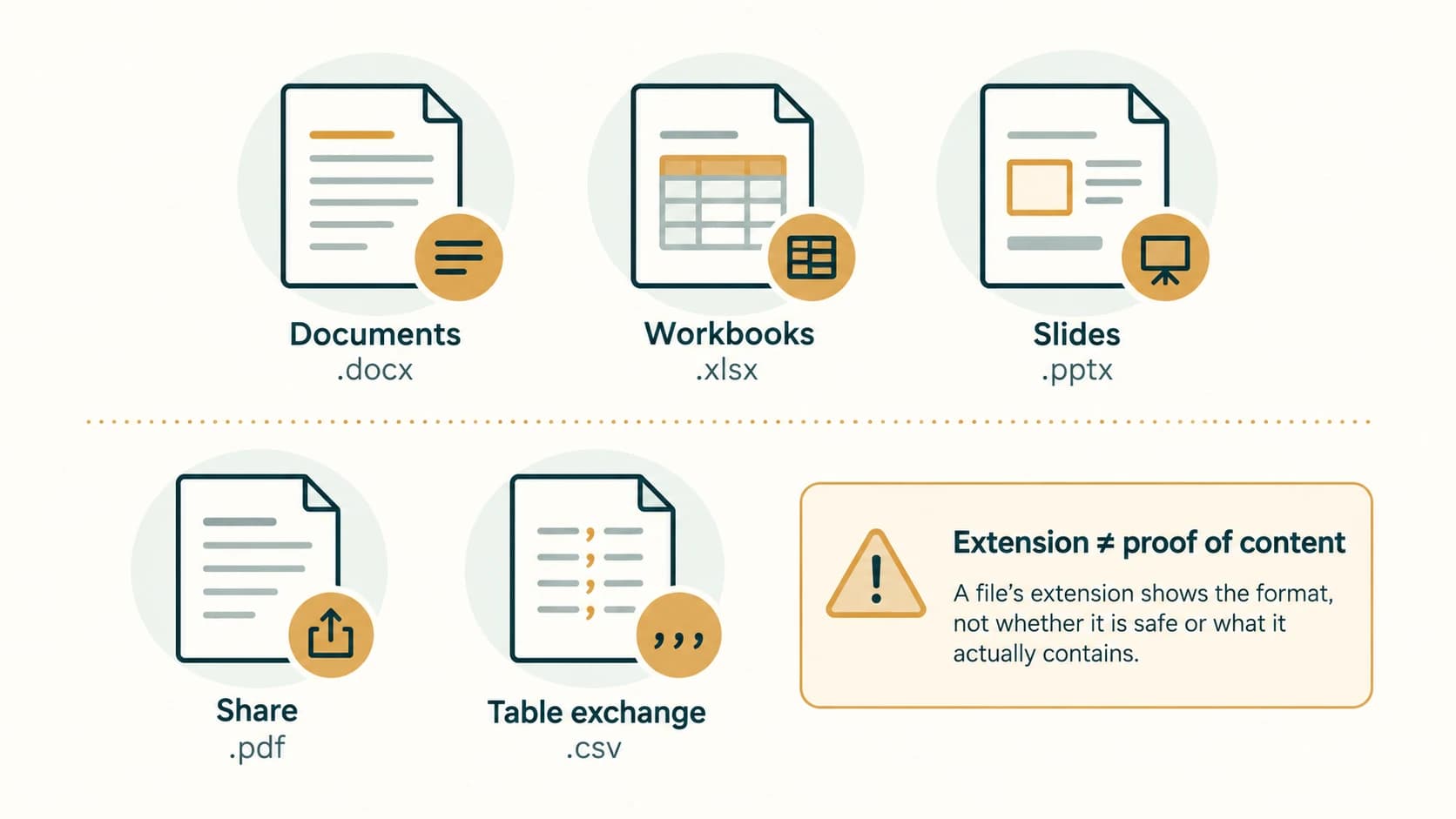
A file extension is the suffix after the final dot in a filename, such as .docx in notice.docx. It conventionally indicates a file's format or intended application. The extension alone does not prove what the file truly contains, whether it can be trusted, or whether its contents are accurate.
Files may be editable source documents, templates, presentation shows or exported outputs. These are different roles even when created by the same Office program.
Core office formats to memorise
| Task / family | Common format | Older/alternative format | Key point |
|---|---|---|---|
| Word processing | .docx | .doc | Modern Word document vs older binary Word document |
| Excel workbook | .xlsx | .xls | Modern workbook vs older workbook format |
| PowerPoint presentation | .pptx | .ppt | Modern presentation vs older PowerPoint presentation |
| Sharing fixed-layout documents | .pdf | — | Designed to preserve document appearance |
| Plain text | .txt | — | Usually lacks rich document formatting |
| Rich Text Format | .rtf | — | Exchange of formatted text with some limitations |
| Comma-separated values | .csv | — | Text-based table exchange; not a complete workbook |
| OpenDocument text | .odt | — | OpenDocument word-processing format |
| OpenDocument spreadsheet | .ods | — | OpenDocument spreadsheet format |
| OpenDocument presentation | .odp | — | OpenDocument presentation format |
Modern Microsoft Office Open XML file formats commonly use x at the end of the extension for an ordinary, non-macro-enabled document (.docx, .xlsx, .pptx). These files do not have the same macro-storage capabilities as the dedicated macro-enabled variants.
Macro-enabled formats and templates
| Extension | General purpose |
|---|---|
.docm | Word macro-enabled document |
.xlsm | Excel macro-enabled workbook |
.pptm | PowerPoint macro-enabled presentation |
.dotx | Word template without macros |
.xltx | Excel template without macros |
.potx | PowerPoint template without macros |
.ppsx | PowerPoint Show (typically opens in slide-show presentation mode) |
.xlsb | Excel binary workbook format |
Macro-enabled means a format permits embedded macros/code; it does not mean every file of that format necessarily contains a harmful macro. Conversely, an apparently familiar filename is not enough to establish that a file is harmless. Follow organisational policy before enabling macros or opening unexpected attachments.
CSV and PDF are not interchangeable with editable Office files
A .csv file typically holds plain-text rows of values rather than the complete Excel workbook structure. Saving an Excel workbook as CSV can discard formulas as formulas, additional worksheets, charts and formatting; spreadsheet apps generally export the active worksheet into a CSV file.
A .pdf preserves document layout comparatively well for sharing and printing, but it is not a general substitute for an editable Word or PowerPoint source. Some tools allow PDF editing and conversion, but conversions may not perfectly preserve complex elements.
Worked examples
Example 1 — correct tool family: meeting_notes.docx is conventionally an editable Word document, while monthly_totals.xlsx is conventionally an Excel workbook. The suffix is a useful clue, not a full security assessment.
Example 2 — macro permission: budget_review.xlsm can hold Excel macros. A person should not enable executable macros from an untrusted source just because the filename is familiar.
Example 3 — wrong kind of rename: A user changes report.txt to report.pdf in a file manager. The underlying bytes have not been converted into a PDF. Correct conversion requires an appropriate export or conversion operation.
Example 4 — saving a slide show: A .ppsx is a PowerPoint show format and typically launches directly into slide-show mode in compatible PowerPoint environments. It is distinct from a standard .pptx used primarily for editable presentations.
Important terms
| Term | Meaning |
|---|---|
| Extension | Filename suffix identifying likely intended file type |
| File format | Structure/encoding of the file's contents |
| Office Open XML | Family including modern .docx, .xlsx, .pptx |
| Macro | Automated script/program instructions supported by some Office formats |
| Template | Starting structure/design for making new documents |
| CSV | Delimited plain-text table format |
| Portable Document Format | |
| Export | Saving information in a different supported representation |
Common confusions and exam traps
.docxis not the same as.docm(macro-enabled variant)..xlsxis not.xlsmand does not store VBA macros in the same way..xlsxis not.csv: workbook structure and features differ..pptxis not.ppsx: regular presentation versus slide-show file role..pptxis not.potx: presentation versus template.- A PDF is not a digital signature: the format by itself does not certify authenticity.
- Extension ≠ verified content: renaming does not convert the file bytes.
Objective-exam facts to remember
| Prompt | Recognise |
|---|---|
| Modern Word document | DOCX |
| Modern Excel workbook | XLSX |
| Modern PowerPoint presentation | PPTX |
| Macro-enabled Excel workbook | XLSM |
| PowerPoint slide show | PPSX |
| PowerPoint template | POTX |
| Basic text-only table exchange | CSV |
| Fixed-layout document for sharing |
Quick revision
First memorise the DOCX–XLSX–PPTX trio, then their macro-enabled variants DOCM–XLSM–PPTM. CSV is table data exchange, PDF is commonly used for layout-preserving distribution, and extensions are clues rather than authenticity guarantees.
Practice questions — CA-05-05
1. Which extension commonly identifies a modern Word document?
A. .xlsx
B. .docx
C. .pptx
D. .csv
2. Which extension commonly identifies a modern Excel workbook?
A. .xlsx
B. .pptx
C. .ppsx
D. .pdf
3. Which extension denotes a modern PowerPoint presentation?
A. .odt
B. .xls
C. .pptx
D. .txt
4. Which file type is specifically macro-enabled for Excel?
A. .csv
B. .xlsx
C. .ods
D. .xlsm
5. What is a common purpose of a .ppsx file?
A. Excel formula workbook
B. PowerPoint show
C. Word mail-merge list
D. Plain text archive
6. Which extension generally identifies a PowerPoint template?
A. .potx
B. .docm
C. .xlsx
D. .jpg
7. A branch wants to exchange simple rows and columns as text. Which format is most suitable?
A. .exe
B. .ppsx
C. .csv
D. .png
8. Which format is commonly chosen to share a document while preserving its page appearance?
A. .xlsm
B. .odp
C. .txt
D. .pdf
9. Which statement about changing report.txt to report.pdf is correct?
A. It automatically creates a valid PDF
B. Changing the extension does not actually convert file contents
C. It digitally signs the file
D. It guarantees the document is safe
10. Which statement about a normal .xlsx workbook is accurate?
A. It is designed to store VBA macros exactly like .xlsm
B. It can never contain any numbers
C. It is not the macro-enabled Excel format
D. It is always a PowerPoint slide
11. Which pair correctly matches OpenDocument alternatives?
A. .odt text and .ods spreadsheet
B. .ods presentation and .odp audio
C. .odt executable and .ods image
D. .csv Word template and .txt slide show
12. Which statement about CSV export is most accurate?
A. It always keeps every worksheet and chart
B. It always applies encryption
C. It converts text to an image
D. It may lose formulas, formats and additional worksheet structure
Answers and explanations — CA-05-05
1. B — .docx. DOCX is the standard modern Word document extension.
2. A — .xlsx. XLSX is the familiar Excel workbook file format.
3. C — .pptx. PPTX normally identifies a PowerPoint presentation.
4. D — .xlsm. XLSM is the Excel macro-enabled workbook extension.
5. B — PowerPoint show. PPSX is a PowerPoint show format that commonly opens for slide-show delivery.
6. A — .potx. POTX is a PowerPoint template extension.
7. C — .csv. CSV is a delimited text format for tabular data exchange.
8. D — .pdf. PDF is widely used for distributing and printing documents with stable layout.
9. B — Changing the extension does not actually convert file contents. Only the filename suffix changes; a real conversion requires saving/exporting the contents appropriately.
10. C — It is not the macro-enabled Excel format. XLSX is the ordinary XML-based workbook format; XLSM is the macro-enabled variant.
11. A — .odt text and .ods spreadsheet. ODT is OpenDocument Text, and ODS is OpenDocument Spreadsheet.
12. D — It may lose formulas, formats and additional worksheet structure. CSV stores plain-text table data, not the complete editable workbook with every sheet and feature.