
Common Keyboard Shortcuts
Common Keyboard Shortcuts. Foundational Computer Awareness explanations, examples and explained practice questions for banking and recruitment exam preparation.
By Akhilesh Saini
What you will learn
- The meaning of a shortcut and the value of keyboard efficiency.
- Widely encountered Windows desktop shortcuts for editing and files.
- A few Word-, Excel- and PowerPoint-specific exam favourites.
- Why shortcut combinations are context-dependent.
Why this topic matters
Many banking-exam objective questions ask which shortcut copies selected text or reverses an action. Shortcuts are easy to memorise, but students can lose marks by confusing copy with cut, save with save as, or assuming the same key always means the same thing in every application.
What is a keyboard shortcut?
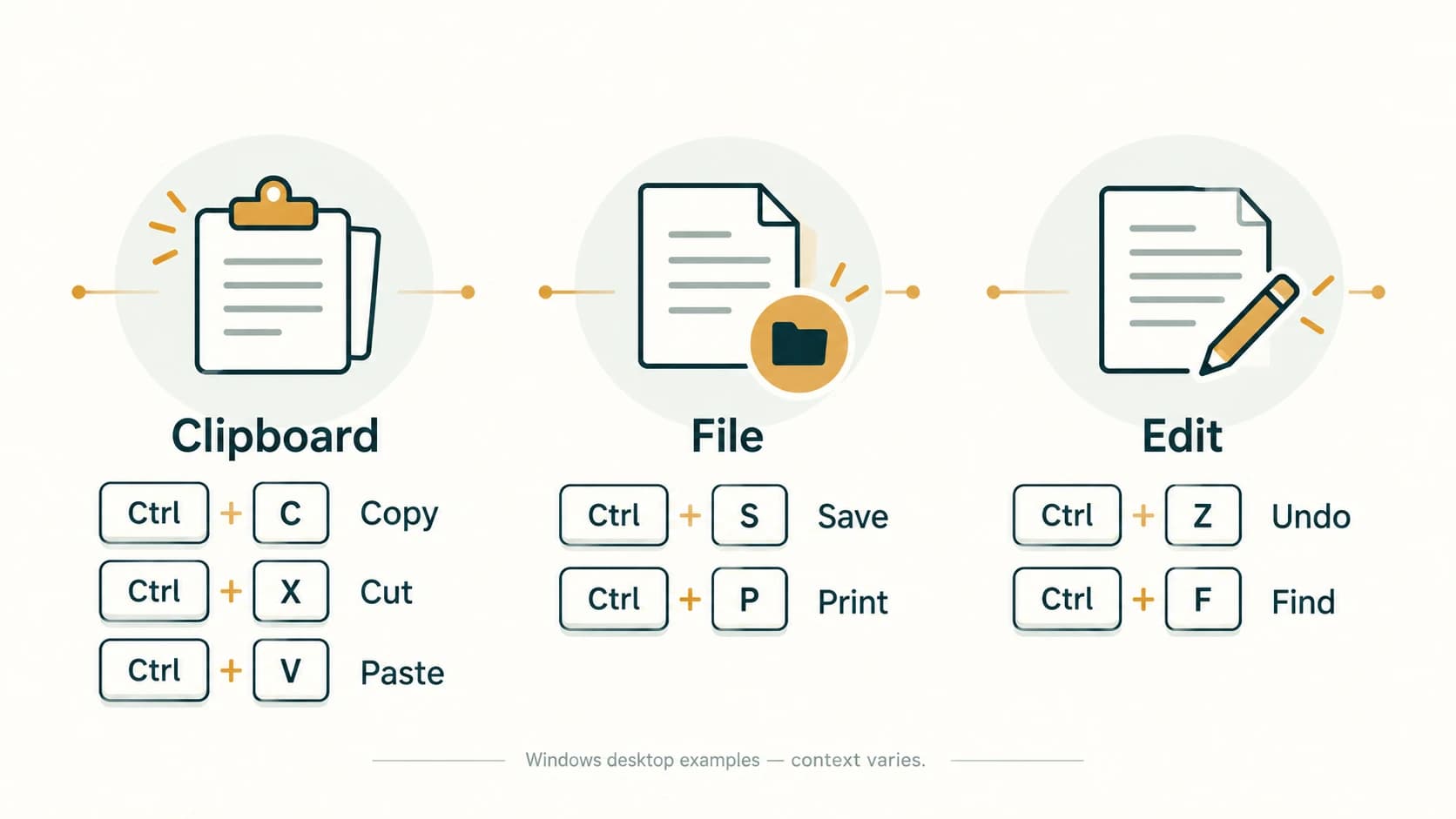
A keyboard shortcut is a key or key combination that triggers a command more quickly than selecting it from a menu. Ctrl+C means hold Ctrl and press C, usually while something is selected. Shortcuts depend on the operating system, app and focus, so the tables below primarily describe common Windows desktop conventions. On macOS, many common commands use Command (⌘) instead of Ctrl; web and mobile versions can differ.
Widely encountered editing and file shortcuts
| Shortcut (common Windows apps) | Usual operation |
|---|---|
Ctrl+C | Copy selection |
Ctrl+X | Cut selection |
Ctrl+V | Paste clipboard content |
Ctrl+Z | Undo |
Ctrl+Y | Redo/repeat in many Microsoft Office desktop contexts |
Ctrl+A | Select all in the current relevant context |
Ctrl+S | Save |
Ctrl+P | Print / open print settings |
Ctrl+N | Create new document/window in many apps |
Ctrl+O | Open an existing file |
Ctrl+F | Find / search |
Ctrl+H | Replace in Word and Excel; other apps may assign another action |
Ctrl+B | Bold in many text editors / Office apps |
Ctrl+I | Italic in many text editors / Office apps |
Ctrl+U | Underline in many text editors / Office apps |
Worked example: You copy a selected paragraph with Ctrl+C, move to another part of a Word document and paste with Ctrl+V. The original paragraph remains. If you had used Ctrl+X instead, the selected text would normally have been removed from its original location and moved to the clipboard until pasted.
Navigation and app-specific examples
| Shortcut | Typical context and result |
|---|---|
Ctrl+Home | Move to start of document/sheet region in many desktop apps |
Ctrl+End | Move towards end / last used area in many desktop apps |
Alt+Tab | Switch among open applications/windows in Windows |
Win+D | Show or hide Windows desktop |
Ctrl+Enter | Insert page break in desktop Word; different in Excel |
F2 | Edit active cell in Windows desktop Excel |
F4 | Cycle Excel reference styles while editing a formula and a reference is selected (desktop Windows conventions) |
F5 | Start slide show from beginning in desktop PowerPoint |
Shift+F5 | Start slide show from current slide in desktop PowerPoint |
Shortcuts are not universal standards. For example, Ctrl+Enter enters a manual page break in Word, but can populate selected cells with entered content in Excel. Similarly, F4 has different meanings depending on whether you are editing an Excel reference or performing another operation; keyboard hardware may require an additional function-key modifier.
Shortcut reasoning rather than memorisation alone
Think in groups: clipboard (X,C,V), change history (Z,Y), file (N,O,S,P), search (F,H) and formatting (B,I,U). Grouping prevents random memorisation. Before applying a shortcut, ask: Which application has focus? Is text selected? Am I editing a cell, a document or a presentation?
Important terms
| Term | Meaning |
|---|---|
| Shortcut | Key combination that triggers a command |
| Modifier key | Ctrl, Alt, Shift, Command or similar key used in combination |
| Clipboard | Temporary storage for copied or cut data |
| Focus | App/control currently receiving keyboard input |
| Undo | Reverses a previous operation where supported |
| Redo | Restores an operation that was undone, where supported |
| Function key | F1, F2 and so on, with app-dependent behaviours |
Common confusions and exam traps
Ctrl+C≠Ctrl+X: copy keeps original; cut usually removes selection.Ctrl+S≠Ctrl+P: save versus print.Ctrl+Z≠Ctrl+Y: undo versus redo/repeat in typical Office desktop environments.Ctrl+F≠Ctrl+Hin Word: find versus replace.F5≠Shift+F5in PowerPoint: beginning versus current slide.Ctrl+Enterchanges meaning by application.- Mac shortcuts may use Command rather than Ctrl.
- Shortcuts can be customised or changed by version, browser, accessibility settings or keyboard layout.
Objective-exam facts to remember
| Operation | Common Windows desktop answer |
|---|---|
| Copy / Cut / Paste | Ctrl+C / Ctrl+X / Ctrl+V |
| Undo / Redo | Ctrl+Z / Ctrl+Y |
| Save / Print | Ctrl+S / Ctrl+P |
| Find / Replace in Word | Ctrl+F / Ctrl+H |
| Bold / Italic / Underline | Ctrl+B / Ctrl+I / Ctrl+U |
| Edit a cell in desktop Excel | F2 |
| PowerPoint slide show from beginning | F5 |
| Switch Windows open app/window | Alt+Tab |
Quick revision
Learn shortcuts by purpose, not isolated letters. The context is part of the correct answer: a shortcut in desktop Word may not do the same thing in Excel, a browser or macOS. For exam questions, use the named application and operating system when supplied.
Practice questions — CA-05-06
1. Which common Windows shortcut copies a selected paragraph?
A. Ctrl+X
B. Ctrl+C
C. Ctrl+V
D. Ctrl+Z
2. Which shortcut normally cuts a selected item in a standard Windows desktop editor?
A. Ctrl+X
B. Ctrl+C
C. Ctrl+S
D. Ctrl+P
3. Which shortcut normally pastes clipboard content?
A. Ctrl+O
B. Ctrl+F
C. Ctrl+V
D. Ctrl+N
4. Which shortcut commonly reverses the most recent editable action?
A. Ctrl+Y
B. Ctrl+P
C. Ctrl+U
D. Ctrl+Z
5. Which shortcut commonly saves the current file?
A. Ctrl+F
B. Ctrl+S
C. Ctrl+H
D. Ctrl+I
6. Which shortcut commonly opens the print interface?
A. Ctrl+P
B. Ctrl+C
C. Ctrl+B
D. Ctrl+N
7. Which shortcut commonly opens Find in Word?
A. Ctrl+O
B. Ctrl+I
C. Ctrl+F
D. Ctrl+Z
8. Which shortcut commonly opens Replace in Windows desktop Word?
A. Ctrl+S
B. Ctrl+A
C. Ctrl+V
D. Ctrl+H
9. Which shortcut is commonly used to make selected text bold?
A. Ctrl+B
B. Ctrl+I
C. Ctrl+U
D. Ctrl+P
10. In Windows desktop Excel, which key commonly starts editing the active cell?
A. F5
B. F2
C. Esc
D. Shift+F5
11. In Windows desktop PowerPoint, what does Shift+F5 commonly do?
A. Save the deck
B. Copy the current slide
C. Start the show from the current slide
D. Open the Format Cells dialog
12. Which statement about shortcuts is most accurate?
A. All apps interpret Ctrl+Enter identically
B. All platforms use Ctrl for every command
C. Keyboard focus can never affect shortcuts
D. A key combination can have different effects in Word, Excel and other apps
Answers and explanations — CA-05-06
1. B — Ctrl+C. Ctrl+C copies a selection to the clipboard without normally removing the original.
2. A — Ctrl+X. Ctrl+X cuts the selection so it can be pasted elsewhere.
3. C — Ctrl+V. Ctrl+V inserts the current clipboard content at the appropriate insertion point.
4. D — Ctrl+Z. Ctrl+Z is the usual Undo command in Word and many other apps.
5. B — Ctrl+S. Ctrl+S is the standard Save shortcut in many Windows desktop programs.
6. A — Ctrl+P. Ctrl+P is widely used to open Print.
7. C — Ctrl+F. Ctrl+F usually opens document search or navigation in Word.
8. D — Ctrl+H. Ctrl+H is the usual Replace shortcut in Word.
9. A — Ctrl+B. Ctrl+B toggles bold formatting in Word and many rich-text editors.
10. B — F2. F2 edits the currently active cell in Excel desktop.
11. C — Start the show from the current slide. Shift+F5 launches the slide show beginning at the selected/current slide in desktop PowerPoint.
12. D — A key combination can have different effects in Word, Excel and other apps. Meaning depends on application, focus, platform and sometimes configuration.