
Internet, Web and Email
Beginner-friendly Computer Awareness module on Internet, intranet, extranet, websites, web browsers, URLs, DNS, search, email, data transfer, cloud storage and web applications, with explained practice questions.
Track: Computer Awareness for Banking and Recruitment Examinations
Level: Beginner
Coverage: Seven lessons (CA-06-01 to CA-06-07)
Practice: 84 original MCQs with individual answer explanations
An applicant downloads an admit card, an employee opens an office portal, a bank sends a confirmation email, and a family uploads photographs to online storage. All four activities use connected computing, but they involve different services and concepts. This module teaches how to tell them apart and how to recognize them in objective examination questions.
How to study: Start with the meaning and a real-world example, then learn the tables marked Fact to remember. Attempt the questions before reading their answer explanations. These are original exam-style MCQs, not unverified claims of previous-year questions.
Module learning outcomes
After studying this module, you should be able to:
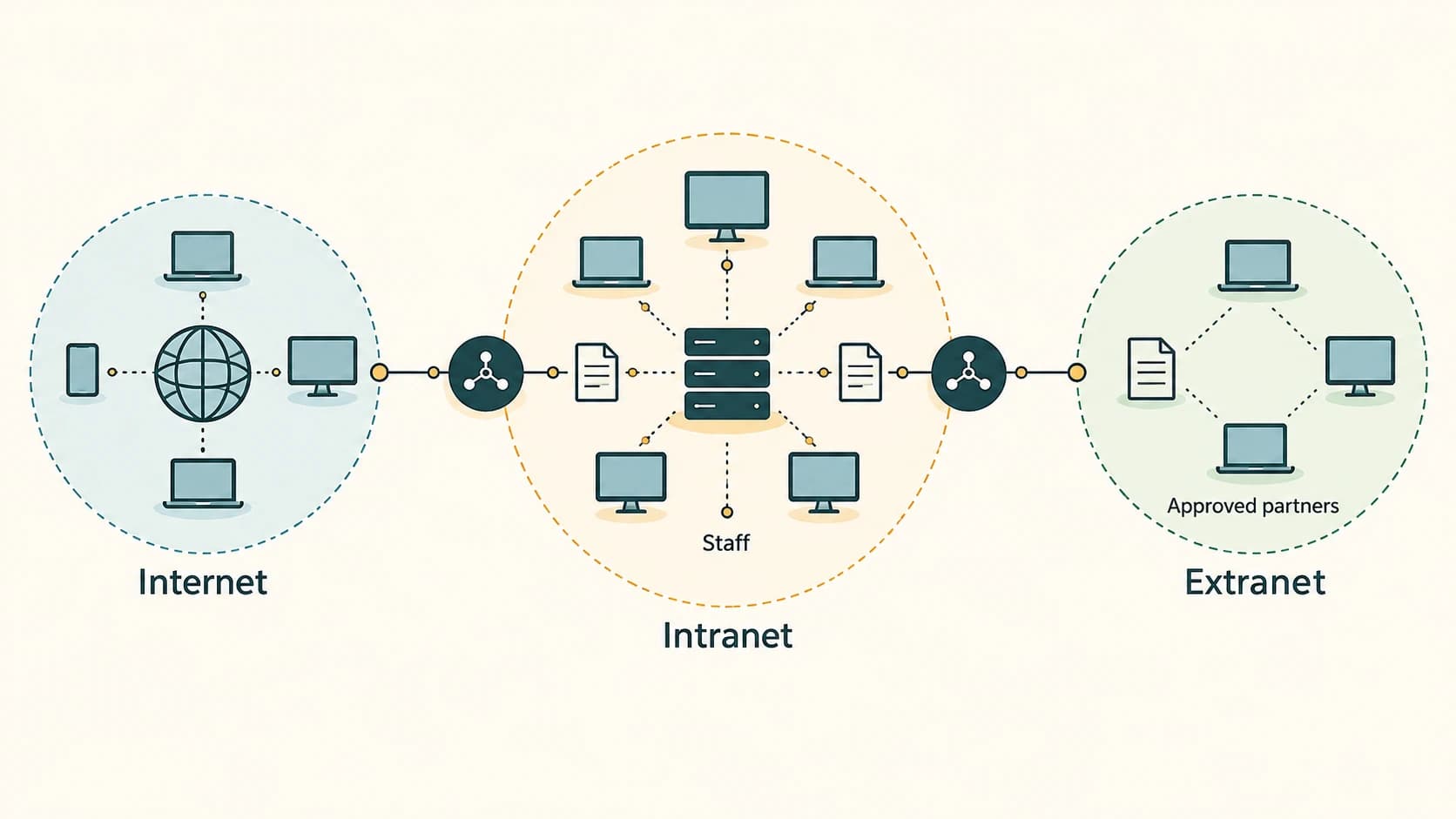
- Distinguish the Internet, intranet and extranet by access and purpose.
- Separate the World Wide Web, webpage, website, browser, server and search engine.
- Read a simple URL and explain the jobs of domain names, DNS and web hosting.
- Use effective search terms and recognize search-result limitations.
- Interpret To, CC, BCC and common email actions, attachments and etiquette.
- Distinguish downloading from uploading, bits from bytes, and bandwidth from throughput.
- Explain cloud storage, synchronization, backup and browser-based web applications.
Chapters
Internet, Intranet and Extranet
Internet, Intranet and Extranet. Foundational Computer Awareness explanations, examples and explained practice questions for banking and recruitment exam preparation.
WWW, Website, Webpage and Web Browser
WWW, Website, Webpage and Web Browser. Foundational Computer Awareness explanations, examples and explained practice questions for banking and recruitment exam preparation.
URL, Domain Name, DNS and Web Hosting Basics
URL, Domain Name, DNS and Web Hosting Basics. Foundational Computer Awareness explanations, examples and explained practice questions for banking and recruitment exam preparation.
Search Engines and Effective Web Search
Search Engines and Effective Web Search. Foundational Computer Awareness explanations, examples and explained practice questions for banking and recruitment exam preparation.
Email: Fields, Attachments, CC, BCC and Etiquette
Email: Fields, Attachments, CC, BCC and Etiquette. Foundational Computer Awareness explanations, examples and explained practice questions for banking and recruitment exam preparation.
Download, Upload, Bandwidth and Data Transfer
Download, Upload, Bandwidth and Data Transfer. Foundational Computer Awareness explanations, examples and explained practice questions for banking and recruitment exam preparation.
Cloud Storage and Web Applications
Cloud Storage and Web Applications. Foundational Computer Awareness explanations, examples and explained practice questions for banking and recruitment exam preparation.